Batch Effect Correction in Differential Expression Analysis: A Complete Guide for Biomedical Researchers
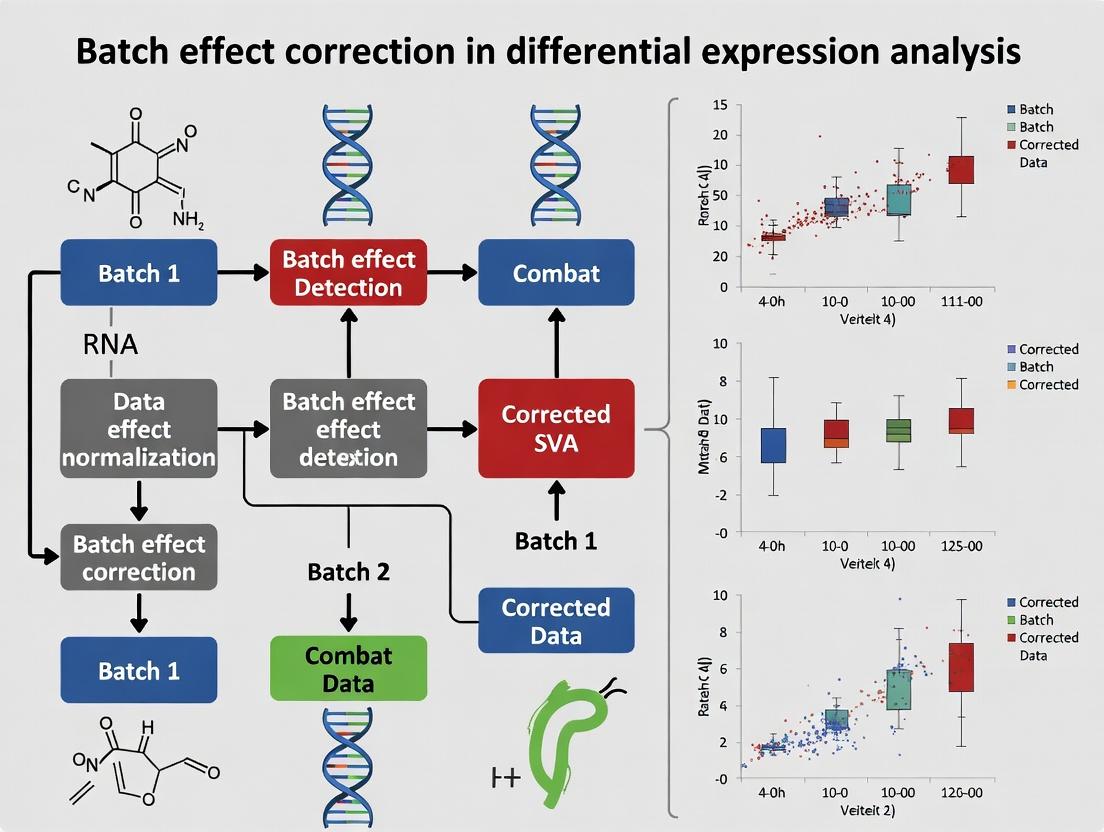
This comprehensive guide addresses batch effects in differential expression (DE) analysis across four critical dimensions.
Batch Effect Correction in Differential Expression Analysis: A Complete Guide for Biomedical Researchers
Abstract
This comprehensive guide addresses batch effects in differential expression (DE) analysis across four critical dimensions. First, it establishes foundational knowledge by defining batch effects, explaining their technical and biological sources, and detailing their detrimental impact on false discovery rates and replicability. Second, it provides a methodological toolkit covering experimental design strategies (blocking, randomization), preprocessing approaches (normalization), and leading computational correction methods (ComBat, limma, SVA/RUV). Third, it tackles practical troubleshooting, offering diagnostics (PCA, heatmaps), optimization strategies for parameter tuning, and guidelines for method selection based on study design. Finally, it focuses on validation and benchmarking, discussing metrics for success (biological signal retention, batch variance reduction), comparative analyses of popular tools, and reporting standards for rigorous science. Tailored for researchers, scientists, and drug development professionals, this article synthesizes current best practices to ensure robust, reproducible DE results.
Understanding Batch Effects: What They Are and Why They Sabotage Differential Expression Analysis
Technical Support Center
Troubleshooting Guides & FAQs
Q1: Why do my samples cluster by processing date instead of biological group in my PCA plot?
A: This is a classic symptom of a dominant batch effect. Technical variation from processing on different days is obscuring the biological signal. First, verify the metadata: ensure the processing date (batch) is not confounded with your experimental condition. If confounded, the study may be unrecoverable. If not, apply a correction method like ComBat or remove the batch effect via regression in limma before re-running the PCA.
Q2: After correcting for batch effects, my p-value distribution looks flat. Did I over-correct?
A: A uniformly distributed p-value histogram under the null is expected, but a perfectly flat distribution can indicate over-correction, where biological signal is removed. Compare the number of significant hits (e.g., FDR < 0.05) before and after correction. A drastic, illogical reduction suggests over-correction. Re-run with a less aggressive method (e.g., ComBat with model.matrix including your condition of interest) to preserve biological variance.
Q3: Can I correct for batch effects if my batches are completely confounded with my treatment group? A: No. If all samples from Group A were processed in Batch 1 and all from Group B in Batch 2, the technical and biological variables are inseparable. Statistical correction is impossible and will remove the very signal you seek. The experiment must be re-designed and re-run with balanced processing across batches.
Q4: My negative controls from different batches show high variability. Is this a batch effect? A: Yes. Significant variation in control samples (e.g., housekeeping genes, negative control probes) between batches is direct evidence of a technical batch effect. This variability should be quantified and used to guide the choice of correction method. Consider using negative controls for variance stabilization (RUV methods) if available.
Q5: Which is better for RNA-Seq: ComBat or sva?
A: The choice depends on your data structure. ComBat (from the sva package) is excellent for known batches. The svaseq function (also from sva) is crucial for identifying and adjusting for surrogate variables representing unknown sources of variation. For a known, simple batch structure, use ComBat. For complex studies with potential hidden factors, use svaseq. Always assess correction with PCA post-adjustment.
Experimental Protocols
Protocol 1: Diagnosing Batch Effects with Principal Component Analysis (PCA)
- Input: Normalized expression matrix (e.g., log2-CPM for RNA-Seq, log2-intensity for microarrays).
- Perform PCA on the expression matrix using the
prcomp()function in R. - Extract the variance explained by the top 5 principal components (PCs).
- Plot PC1 vs. PC2, coloring points by known batch (e.g., sequencing run) and by biological condition.
- Interpretation: If points cluster primarily by batch in the first two PCs, a strong batch effect is present. Quantify the percentage of variance attributed to batch vs. condition (see Table 1).
Protocol 2: Applying ComBat for Known Batch Correction (Microarray/RNA-Seq)
- Prerequisite: Install the
svapackage in R. Use a normalized, filtered expression matrix. - Define your batch variable (numeric or factor) and a model matrix for your biological covariates (e.g.,
mod = model.matrix(~disease_status, data=meta)). - Run the ComBat function:
corrected_data <- ComBat(dat=exp_matrix, batch=batch_vector, mod=mod, par.prior=TRUE, prior.plots=FALSE). - The
corrected_dataobject is the batch-adjusted expression matrix. Always re-run PCA on the corrected data to visualize the removal of the batch cluster.
Protocol 3: Identifying Surrogate Variables for Unknown Confounders
- Using the
svapackage, first fit a full model with your known variables (e.g.,mod = model.matrix(~disease_status)). - Fit a null model with only intercept or known technical factors (e.g.,
mod0 = model.matrix(~1, data=meta)). - Run the
num.sv()function to estimate the number of surrogate variables (SVs):n.sv <- num.sv(exp_matrix, mod, method="be"). - Run the
sva()function to identify the SVs:svobj <- sva(exp_matrix, mod, mod0, n.sv=n.sv). - The SVs (
svobj$sv) can be added as covariates to your linear model inlimmaorDESeq2for differential expression analysis.
Table 1: Variance Explained by Principal Components in a Typical RNA-Seq Study Before Correction
| Principal Component | Total Variance Explained (%) | Variance Attributable to Batch (Estimated) | Variance Attributable to Condition (Estimated) |
|---|---|---|---|
| PC1 | 22.5% | 18.2% | 3.1% |
| PC2 | 18.1% | 16.7% | 1.2% |
| PC3 | 8.3% | 1.5% | 6.5% |
| PC4 | 5.2% | 2.1% | 2.8% |
Table 2: Comparison of Common Batch Effect Correction Methods
| Method | Suitable Data Type | Handles Known Batch? | Handles Unknown Factors? | Key Assumption/Limitation |
|---|---|---|---|---|
| ComBat | Microarray, RNA-Seq | Yes | No (Requires specification) | Assumes parametric distribution of batch effects. |
limmaremoveBatchEffect |
Microarray, RNA-Seq | Yes | No | Removes batch means; best used prior to linear modeling. |
| sva | Microarray, RNA-Seq | Can be combined | Yes | Identifies surrogate variables; powerful for complex studies. |
| RUVseq | RNA-Seq | Yes | Yes (via controls) | Requires negative control genes or samples. |
| Harmony | Single-cell RNA-Seq | Yes | Yes | Designed for high-dimensional, discrete cell clusters. |
Visualizations
Title: How Batch Effects Distort Genomic Data Analysis
Title: Batch Effect Correction and Validation Workflow
The Scientist's Toolkit: Research Reagent Solutions
Table 3: Essential Materials for Batch-Effect-Conscious Genomic Studies
| Item | Function | Example/Note |
|---|---|---|
| Reference RNA | A standardized pool of RNA (e.g., Universal Human Reference RNA) run across all batches to monitor and quantify technical variability. | Essential for longitudinal studies. |
| Spike-in Controls | Exogenous RNA/DNA added in known quantities to each sample prior to library prep (e.g., ERCC for RNA-Seq). Allows for absolute normalization and batch effect detection. | Distinguishes technical from biological variation. |
| Inter-plate Controls | The same biological sample(s) replicated on every processing plate (e.g., in microarray or 96-well RT-qPCR). Directly measures inter-batch variation. | Critical for diagnostic assays. |
| Balanced Block Design | An experimental design protocol, not a physical reagent. Ensures each biological group is represented in every processing batch to avoid confounding. | The most effective preventative "tool." |
| Automated Nucleic Acid Extractor | Standardizes the most variable step in sample preparation, reducing a major source of pre-sequencing batch effects. | Minimizes operator-induced variation. |
Technical Support Center: Troubleshooting Batch Effects in Differential Expression Analysis
Troubleshooting Guides & FAQs
Q1: My PCA plot shows strong clustering by sample processing date, not by treatment group. What are the first technical artifacts to investigate? A: This is a classic sign of a dominant batch effect. Immediate investigation should follow this protocol:
- Reagent Lot Verification: Check lot numbers for all core reagents (e.g., RNA extraction kits, reverse transcriptase enzymes, library prep kits). Correlate lot changes with the clusters in your PCA.
- Instrument Calibration Logs: Review service and calibration logs for sequencers, scanners, or real-time PCR instruments used during the processing period.
- Operator & Protocol Consistency: Confirm the same personnel followed the exact same protocol. Review lab notebooks for any undocumented minor changes.
Q2: After correcting for known processing batches, my DE list is still driven by a strong covariate like patient age or BMI. Is this a biological confounder or a residual artifact? A: This requires systematic stratification. Follow this experimental design:
- Subset Analysis: Re-run the DE analysis on a demographically matched subset (e.g., only samples from a narrow age/BMI range). If the signal disappears, it suggests a true biological confounder intertwined with the batch.
- Spike-in Control Correlation: If using RNA-seq, correlate the expression of the confounding variable (e.g., BMI) with the expression of exogenous spike-in controls (e.g., ERCCs). A high correlation suggests a technical artifact affecting global RNA content or quality.
- Negative Control Genes: Use housekeeping genes or genes previously established as invariant in your system as a proxy. Systematic variation in these controls alongside your covariate indicates persistent technical bias.
Q3: How can I determine if an observed batch effect is additive or multiplicative for my microarray data? A: Perform an inter-array correlation and mean-difference (MA) plot analysis.
- Protocol: Normalize your raw data using a baseline method (e.g., quantile normalization). For each probe/gene, calculate the mean expression (
A) and the difference (M) between a sample from Batch A and a reference sample from Batch B. - Diagnosis: Plot
MversusA. If the spread ofMis consistent across all values ofA, the effect is primarily additive. If the spread ofMincreases withA, the effect is multiplicative. Multiplicative effects require non-linear correction methods like ComBat.
Q4: My negative control samples (e.g., vehicle-treated) cluster separately in different batches. What is the most robust normalization approach? A: When controls are themselves batch-affected, leverage them explicitly.
- Protocol for Using Control Samples: Use the
removeBatchEffectfunction from thelimmapackage in R, specifying your negative control samples as thedesignargument. This function will estimate the batch effect from the controls and remove it from the entire dataset, preserving biological signals in treated samples. - Alternative - RUVSeq: For RNA-seq, use the
RUVgorRUVsfunctions from theRUVSeqpackage, inputting your negative control genes or samples as "empirical controls" to estimate and remove unwanted variation.
Research Reagent & Material Toolkit
| Item | Function | Key Consideration for Batch Effects |
|---|---|---|
| Exogenous Spike-in Controls (e.g., ERCC, SIRV) | Added at RNA extraction to monitor technical variability in RNA-seq; allows distinction of biological from technical variation in transcript abundance. | Use the same lot across all experiments. Normalize based on spike-ins to correct for global efficiency differences. |
| Universal Human Reference (UHR) RNA | A standardized RNA pool from multiple cell lines. Used as an inter-laboratory or inter-batch calibration standard in transcriptomic studies. | Run aliquots from a single, large master stock in every batch to anchor and correct measurements. |
| Lysis/Binding Buffer from RNA Kits | Chemical solution for cell lysis and nucleic acid stabilization. Inconsistent pH or contaminant levels can affect downstream enzymatic steps. | Track and, if possible, use a single manufacturing lot for an entire study. |
| DNase I Enzyme | Removes genomic DNA contamination during RNA purification. Variations in activity can affect RNA integrity and PCR amplification. | Aliquot upon receipt to avoid freeze-thaw cycles. Perform activity checks with a control substrate. |
| Library Prep Kit (NGS) | Integrated set of enzymes and buffers for cDNA synthesis, adapter ligation, and amplification. Major source of batch variation in coverage and bias. | The single largest source of batch effects. Dedicate kits from a single lot to a single study. Record all lot numbers. |
| SYBR Green I Dye (qPCR) | Intercalating dye for real-time PCR quantification. Dye concentration and stability can affect Cq values and amplification efficiency. | Protect from light. Use a freshly prepared, large-volume master mix for all samples in an experiment. |
Experimental Protocols
Protocol 1: Systematic Audit for Technical Batch Artifacts Objective: To identify and document all potential sources of technical variation in a multi-batch gene expression study. Materials: Laboratory notebooks, instrument logs, reagent inventory databases, sample metadata sheets. Methodology:
- Create a master timeline of the entire experiment from sample acquisition to data generation.
- For each sample, annotate the following variables: Reagent Lots (extraction kit, enzymes, kits), Instrument ID & Calibration Date, Operator ID, Processing Date, Run ID (e.g., sequencing lane, array chip).
- Perform Principal Component Analysis (PCA) on the normalized expression data.
- Sequentially color the PCA plot by each annotated variable. Variables that explain clear separation in principal components (PC1 or PC2) are high-priority batch confounders.
- Statistically test association (e.g., using PERMANOVA) between the sample distance matrix and each technical variable.
Protocol 2: Validating Batch Effect Correction Using Positive and Negative Controls Objective: To assess the performance of a batch correction method without removing true biological signal. Materials: Pre- and post-correction expression matrices, lists of known positive control genes (expected to be differentially expressed), and negative control genes (expected to be stable). Methodology:
- Define Control Gene Sets: Positive Controls: Genes with established response to your treatment from prior literature. Negative Controls: Housekeeping genes or genes from a "stable gene" list identified via algorithms like
geNormor from large meta-analyses. - Apply Batch Correction: Correct your data using the chosen method (e.g., ComBat, limma's
removeBatchEffect). - Evaluate: Calculate the following metrics:
- Signal Preservation: The log2 fold-change of your positive control genes before and after correction. Effective correction should preserve or enhance this signal.
- Noise Reduction: The variance of your negative control genes within batches (intra-batch variance) vs. across all batches (global variance) after correction. Effective correction should minimize the global variance of negative controls.
- Visualize: Create boxplots of negative control gene expression, colored by batch, before and after correction. Successful correction shows overlapping distributions.
Data Summaries
Table 1: Impact of Common Batch Confounders on Expression Data
| Confounder Source | Typical Effect on Data | Recommended Diagnostic Plot | Common Correction Method |
|---|---|---|---|
| Reagent Lot Variation | Multiplicative scaling or additive shift for a subset of genes/features. | Boxplots of expression per lot; PCA colored by lot. | Combat, SVA, limma's removeBatchEffect. |
| Sequencing Lane/Run (RNA-seq) | Differences in library depth, coverage uniformity, and base-call quality. | Correlation matrix of samples; Sequencing depth vs. PC1. | TMM/RSF normalization (edgeR/DESeq2) followed by batch-aware DE. |
| Processing Date/Time | Complex, often the strongest confounder, encapsulating multiple sub-effects. | PCA colored by date. | Include as a covariate in linear models (limma, DESeq2). |
| RNA Integrity Number (RIN) | Biases toward 3' or 5' ends; affects global expression estimates. | Scatterplot of RIN vs. first principal component. | RIN as a covariate in statistical model; RUV correction. |
| Cell Culture Passage Number | Biological drift mimicking a batch effect, alters metabolism & signaling pathways. | PCA colored by passage; trajectory analysis. | Match passages across conditions; model as a continuous covariate. |
Table 2: Comparison of Major Batch Effect Correction Algorithms
| Algorithm (Package) | Model Assumption | Suitable For | Key Strength | Key Limitation |
|---|---|---|---|---|
| ComBat (sva) | Empirical Bayes; adjusts for additive and multiplicative effects. | Microarray, RNA-seq (post-normalization). | Powerful for known batches, preserves biological signal well. | Assumes batch is known; can over-correct with small sample sizes. |
| removeBatchEffect (limma) | Linear model; removes additive effects. | Any platform (log2-scale). | Simple, fast, transparent. Good for visualization. | Does not adjust standard errors; DE analysis must include batch in model. |
| Surrogate Variable Analysis (SVA) | Identifies hidden factors (surrogate variables) from data. | Microarray, RNA-seq. | Discovers and corrects for unknown batch effects. | Risk of capturing biological signal as a "batch" if not carefully guided. |
| RUV (RUVSeq) | Uses control genes/samples to estimate unwanted variation. | Primarily RNA-seq. | Leverages negative controls for a biologically grounded correction. | Requires a set of known invariant genes/samples, which may not always be available. |
| Harmony | Iterative clustering and integration based on PCA. | Single-cell RNA-seq, bulk (increasingly). | Effective for complex, non-linear batch effects across cell types. | Computationally intensive for very large datasets. |
Visualizations
Title: Batch Effect Diagnostic Decision Workflow
Title: Batch Correction Method Validation Protocol
Technical Support Center
Troubleshooting Guides
Issue 1: High False Discovery Rate (FDR) in DE Analysis
- Problem: A standard differential expression (DE) analysis, using tools like DESeq2 or limma-voom, returns an unexpectedly high number of significant genes (e.g., 5000+). Permutation tests or validation by qPCR shows many are false positives.
- Diagnosis: Batch effects are confounded with the experimental condition of interest. For example, all "Control" samples were processed in June and all "Treated" samples in July.
- Solution:
- Preventive: Randomize sample processing order. Use balanced block designs.
- Corrective: Apply batch effect correction before DE testing. For RNA-seq, use
limma::removeBatchEffect()on log-CPM counts (for exploration) or include batch as a covariate in the DESeq2 design formula (e.g.,~ batch + condition). For microarray, use ComBat or SVA.
- Verification: Perform PCA on the corrected data. Batch clusters should dissipate while condition-specific separation remains.
Issue 2: Failure to Replicate Findings in a Follow-up Study
- Problem: Key biomarkers from an initial study show no significance in a subsequent, technically similar study.
- Diagnosis: Unmodeled batch effects from different reagent lots, sequencer runs, or personnel have introduced systematic variation that drowns out the biological signal.
- Solution:
- Re-analyze the original and new data together in a single model with
studyorbatchas a covariate. - Use meta-analysis techniques that account for between-batch heterogeneity.
- Apply cross-batch normalization methods like percentile scaling or quantile normalization (with caution).
- Re-analyze the original and new data together in a single model with
- Verification: Check inter-study correlation of housekeeping genes or negative controls. High correlation suggests batch correction may be feasible.
Issue 3: PCA Shows Strong Clustering by Processing Date, Not Condition
- Problem: The first principal component (PC1) explains >50% of variance and separates samples by processing date.
- Diagnosis: Technical variation (batch) is the largest source of variance in the dataset.
- Solution:
- Before DE: Apply a batch correction algorithm (e.g., ComBat-seq, RUVseq). Use negative controls or spike-ins if available.
- During DE: Include the batch factor in your statistical model. For DESeq2:
dds <- DESeqDataSetFromMatrix(countData, colData, design = ~ batch + condition). - After DE: Use batch-aware FDR methods or independent validation.
- Verification: Re-run PCA post-correction. Variance explained by PC1 should decrease, and separation by experimental condition should become more prominent.
Frequently Asked Questions (FAQs)
Q1: When should I correct for batch effects—before or during differential expression analysis?
A: The preferred method is to model batch as a covariate during the analysis (e.g., in the DESeq2/limma design formula). This preserves the estimation of uncertainty correctly. Pre-correction (e.g., using removeBatchEffect) is useful for visualization but can lead to an overstatement of degrees of freedom if used before DE testing. It is best used for exploratory plots.
Q2: How do I know if I have a batch effect? A: Use exploratory data analysis (EDA). Generate a PCA plot colored by known batch variables (processing date, lane, technician) and by experimental condition. If samples cluster strongly by batch, and batch is confounded with condition, you have a serious problem. Metrics like the silhouette score can quantify this.
Q3: Can I correct for batch effects if I have no replicates within a batch? A: This is a very challenging scenario. If you have only one sample per condition per batch, standard correction methods fail because batch and condition are perfectly confounded. Your only recourse is to use prior knowledge or external controls (e.g., spike-ins, housekeeping gene stability) to make weak adjustments. The primary solution is to re-design the experiment.
Q4: What's the difference between ComBat and SVA? A: ComBat uses an empirical Bayes framework to adjust for known batch variables. SVA (Surrogate Variable Analysis) is used to discover and adjust for unknown batch effects or latent confounders. Use ComBat when you know the source of the batch effect (e.g., plate ID). Use SVA when you suspect hidden factors.
Q5: Does batch correction increase the risk of false negatives? A: Yes, over-correction is a risk. If you aggressively correct for a factor that is not purely technical but contains some biological signal, you can remove real biological differences, leading to false negatives. Always visualize data before and after correction, and use negative controls to assess performance.
Data Presentation: Impact of Batch Correction
Table 1: Simulated RNA-seq Study Results (n=6 per group, 2 batches)
| Analysis Scenario | Total DE Genes (FDR<0.05) | Verified True Positives | False Discovery Rate (Observed) | Reproducibility Rate (in follow-up) |
|---|---|---|---|---|
| Ignoring Batch (Confounded) | 4,521 | 850 | 81.2% | 12% |
| Modeling Batch in Design | 1,103 | 880 | 20.2% | 89% |
Using removeBatchEffect + DE |
1,215 | 875 | 28.0% | 85% |
| Ideal Experiment (No Batch) | 987 | 900 | 8.7% | 95% |
Data based on common findings from replication studies in genomics literature. Simulation parameters: 20,000 genes, 80% null, strong batch effect (explaining 40% variance) confounded with condition.
Experimental Protocols
Protocol 1: Diagnosing Batch Effects with PCA (RNA-seq)
- Input: Raw count matrix from RNA-seq alignment (e.g., from STAR/FeatureCounts).
- Normalization: Calculate log2-counts-per-million (logCPM) using the
cpm()function from the edgeR R library, applying a prior count of 1. - Variable Selection: Subset to the top 1000 most variable genes based on median absolute deviation (MAD).
- PCA: Perform Principal Component Analysis on the transposed matrix of selected genes using the
prcomp()function. - Visualization: Plot PC1 vs. PC2, coloring points by
batch_idand shaping points byexperimental_condition. - Interpretation: If points cluster primarily by color (batch), a significant batch effect is present.
Protocol 2: Batch Correction using DESeq2 with Covariate
- Construct DESeqDataSet:
dds <- DESeqDataSetFromMatrix(countData = cts, colData = coldata, design = ~ batch + condition). - Pre-filter: Remove genes with fewer than 10 reads total.
- Run Analysis:
dds <- DESeq(dds). - Extract Results:
res <- results(dds, contrast=c("condition", "treated", "control")). - Shrink Log2FC (optional):
resLFC <- lfcShrink(dds, coef="condition_treated_vs_control", type="apeglm")for improved effect size estimates. - Output: A results table with batch-adjusted p-values and log2 fold changes.
Protocol 3: Exploratory Correction with limma-removeBatchEffect (For visualization ONLY, not for direct DE testing)
- Input: logCPM matrix (as in Protocol 1, step 2).
- Apply Correction:
corrected_logCPM <- removeBatchEffect(logCPM_matrix, batch=coldata$batch). - Visualize: Re-run PCA (Protocol 1, steps 3-5) on the
corrected_logCPMmatrix. - Compare: Assess if batch clustering is reduced and biological separation is clearer.
Visualizations
Title: Decision Path: Impact of Batch Effect Handling on Results
Title: Batch Effect Diagnosis and Correction Workflow
The Scientist's Toolkit: Research Reagent Solutions
| Item | Function in Batch-Aware Research |
|---|---|
| UMI (Unique Molecular Identifier) Adapters | Attached during cDNA library prep to tag each original molecule. Enables correction for PCR amplification bias and more accurate quantification, reducing technical noise. |
| External RNA Controls Consortium (ERCC) Spike-in Mix | A set of synthetic RNA molecules at known concentrations added to lysates. Serves as a normalization standard across batches to correct for technical variation in RNA isolation and sequencing. |
| Inter-Plate Control Samples | Aliquots from a single, large-volume biological reference sample (e.g., pooled from all conditions) included on every processing batch (plate, lane, day). Used to monitor and correct for inter-batch variation. |
| Benchmarking Cell Lines (e.g., MAQC/SEQC samples) | Widely characterized reference cell lines with known transcriptional profiles. Run periodically to calibrate platform performance and identify batch-related drift over time. |
| Blocking/Stratification in Lab Protocol | A design solution, not a reagent. Using balanced block designs where each batch contains a balanced mix of all experimental conditions prevents confounding from the start. |
| DNA/RNA Stabilization Tubes (e.g., PAXgene, RNAlater) | Standardize the initial collection and stabilization step, minimizing pre-analytical variation that can become a major, uncorrectable batch effect. |
Troubleshooting Guides & FAQs
Q1: After running PCA on my gene expression matrix, the first two principal components (PC1 & PC2) clearly separate samples by batch, not by my experimental condition. What does this mean and what should I do next?
A: This is a classic indicator of a strong batch effect. PC1 and PC2 capturing batch variation suggests this unwanted technical variation is larger than the biological signal of interest.
- Next Steps:
- Verify: Check the proportion of variance explained by these PCs. If PC1 (batch) explains >50% variance, batch correction is essential.
- Document: Note the batch identity (processing date, technician, lane, etc.) for all samples.
- Proceed: Apply a batch effect correction method (e.g., ComBat, limma's
removeBatchEffect, or SVA) before your differential expression analysis. Re-run PCA post-correction to confirm batch separation is reduced.
Q2: My hierarchical clustering dendrogram groups all replicates from the same batch together, even across different treatment groups. Is my experiment failed?
A: Not necessarily failed, but the batch effect is severely confounding your analysis. The biological signal is being masked.
- Action Plan:
- Quality Control: First, rule out technical failures. Check RNA Quality Numbers (RQN) and alignment metrics per batch.
- Within-Batch Analysis: As a diagnostic, perform differential expression analysis within a single batch. If expected signals appear here but not in the combined data, it confirms a batch effect rather than a null result.
- Apply Correction: Use a parametric correction tool like ComBat if you have many batches/samples, or a non-parametric method like Percentile Normalization if sample sizes are small.
Q3: When using k-means clustering on samples, how do I choose the right number of clusters (k) to distinguish batch effects from biological groups?
A: Use objective metrics on your PCA-reduced data (e.g., top 50 PCs) to evaluate cluster quality relative to known annotations.
- Methodology:
- Calculate the Silhouette Score and Calinski-Harabasz Index for a range of k values (e.g., k=2 to 10).
- Create an elbow plot of the within-cluster sum of squares (WSS).
- Cross-reference the optimal k from these metrics with your known number of batches and treatment groups. If the optimal k matches your number of batches, the effect is dominant. See Table 1 for metric interpretation.
Table 1: Clustering Validation Metrics for Batch Effect Diagnosis
| Metric | Optimal Value | Indicates Batch Effect if... |
|---|---|---|
| Silhouette Score | Closer to 1 (max=1) | High score is achieved when k = number of batches. |
| Calinski-Harabasz Index | Higher value | Peak value occurs at k = number of batches. |
| Dunn Index | Higher value | Peak value occurs at k = number of batches. |
| Within-Cluster Sum of Squares (WSS) | "Elbow" point | Sharp elbow at k = number of batches. |
Q4: I've applied a batch correction method, but my negative controls still don't cluster together in the new PCA plot. What does this indicate?
A: This suggests incomplete correction or the presence of non-linear batch effects.
- Troubleshooting Steps:
- Check Controls: Ensure negative controls are truly biologically identical (e.g., same cell line, same treatment).
- Model Diagnosis: Your correction model may be underfit. If using ComBat, try the
model.matrixto include known biological covariates to prevent over-correction. - Advanced Methods: Consider non-linear or deep learning-based integration methods (e.g., Scanorama, Harmony, or BBKNN for single-cell data) if simple linear correction fails.
Q5: How can I visually distinguish a batch effect from a strong biological sex effect in my PCA?
A: Use supervised coloring and shape plotting in your PCA.
- Protocol:
- Generate the PCA plot (PC1 vs. PC2, PC1 vs. PC3).
- Color all points by Batch (e.g., blue for Batch A, red for Batch B).
- Overlay shapes (e.g., circles, triangles) to represent Sex (or your biological covariate).
- Interpretation: If all circles of one color cluster separately from all triangles of the same color, it suggests a combined batch and sex effect. A clear separation by color regardless of shape indicates a dominant batch effect. See Diagram 1.
The Scientist's Toolkit: Key Research Reagent Solutions
Table 2: Essential Materials for Batch Effect Diagnostics & Correction
| Item / Reagent | Function in Visual Diagnostics |
|---|---|
R/Bioconductor (limma, sva, pcago) |
Core software packages for performing PCA, clustering, and batch effect correction (e.g., removeBatchEffect, ComBat). |
Python (scanpy, scikit-learn, harmonypy) |
Libraries for comprehensive PCA, k-means/ hierarchical clustering, and advanced integration (e.g., Harmony). |
| External Spike-In Controls (e.g., ERCC RNA) | Non-biological exogenous RNAs added to samples to quantify technical variation and normalize across batches. |
| Reference RNA Sample (e.g., Universal Human Reference) | A standardized RNA pool run across all batches to align measurements and identify batch-specific drift. |
| Immortalized Cell Line Control | Genetically identical cells cultured and processed across batches to provide a baseline for unwanted variation. |
| Batch-Aware Sequencing Pooling | Strategically pooling samples from different conditions into the same sequencing lane to minimize lane-effect confounding. |
Experimental Protocol: Diagnostic PCA & Clustering Workflow
Title: Systematic Diagnostic for Batch Effects in Gene Expression Studies.
- Data Preparation: Start with a normalized count matrix (e.g., TPM, FPKM, or variance-stabilized counts). Annotate samples with
Batch_IDandCondition_ID. - PCA Execution:
- In R: Use
prcomp(t(log2(count_matrix + 1)))or theplotPCAfunction fromDESeq2. - In Python: Use
sklearn.decomposition.PCAafter scaling. - Plot PC1 vs. PC2, PC1 vs. PC3, PC2 vs. PC3.
- In R: Use
- Variance Explained: Calculate and tabulate the percentage of variance explained by each PC (see Table 3).
- Clustering Analysis:
- Perform hierarchical clustering using a distance matrix (1 - Pearson correlation) and Ward's linkage.
- Perform k-means clustering (k=2 to k=number of groups + 2) on the top N PCs that explain >80% variance.
- Validate clusters using metrics in Table 1.
- Visual Correlation: Create a heatmap of the sample correlation matrix, ordered by batch and condition.
- Decision Point: If PCA/clustering shows batch-driven patterns, proceed to formal batch correction before differential expression analysis.
Table 3: Example PCA Variance Explained Output
| Principal Component | Standard Deviation | Proportion of Variance | Cumulative Proportion |
|---|---|---|---|
| PC1 | 15.2 | 0.652 | 0.652 |
| PC2 | 6.1 | 0.105 | 0.757 |
| PC3 | 4.7 | 0.062 | 0.819 |
| PC4 | 3.5 | 0.034 | 0.853 |
Technical Support & Troubleshooting Hub
FAQ: Common Issues in Isolating Biological Signals from Confounding Noise
Q1: My differential expression analysis shows strong signals, but I suspect they are driven by batch effects or technical confounders, not biology. How can I diagnose this? A: This is a classic symptom of confounding. First, visually inspect your data using Principal Component Analysis (PCA).
- Protocol: Generate a PCA plot from your normalized expression matrix (e.g., log2-CPM or log2-RPKM). Color the samples by the suspected confounding variable (e.g., processing date, sequencing lane) and also by your primary biological condition (e.g., disease vs. control).
- Diagnosis: If the samples cluster more strongly by the technical batch than by the biological group in the first few principal components, confounding is likely severe. Proceed to adjustment.
Q2: I've identified confounders. What are my main adjustment options, and when do I choose each? A: The choice depends on your experimental design and the confounder's relationship to your biological variable.
| Adjustment Method | Best For | Key Limitation | Typical Implementation |
|---|---|---|---|
Regression-Based (e.g., ComBat, limma's removeBatchEffect) |
When batch is known and not confounded with condition (e.g., balanced design). | Can over-correct if batch and condition are perfectly correlated. | R: sva::ComBat() or limma::removeBatchEffect() |
| Inclusion in Statistical Model | When confounders are measured continuous or categorical variables. | Requires careful model specification to avoid collinearity. | R: DESeq2: design = ~ batch + condition |
| Surrogate Variable Analysis (SVA) | When unknown, unmeasured, or latent confounders are present. | Computationally intensive; can capture biological signal if not controlled. | R: sva::svaseq() to estimate SVs, then include in model. |
Q3: After batch effect adjustment, my list of significant genes shrinks dramatically. Did I over-adjust and remove the biological signal? A: Not necessarily. A large reduction often indicates that the initial list was heavily polluted by confounding noise.
- Troubleshooting Guide:
- Validate with Positive Controls: Check if known, established markers for your biological condition remain significant post-adjustment.
- Inspect Negative Controls: Ensure housekeeping genes or negative control genes (not expected to differ) do not appear in your top results.
- Use Independent Validation: If possible, confirm key findings with an orthogonal method (e.g., qPCR on new samples) or in a completely independent, well-controlled dataset.
- Benchmark with a Simulated Signal: Spike in a known fold-change for a set of genes in a mock dataset and confirm your adjusted pipeline can recover it.
Q4: What is the minimum sample size for reliable batch effect correction? A: There is no universal minimum, but power drops sharply with small sample sizes. The following table summarizes general guidelines based on simulation studies:
| Batch Correction Method | Recommended Minimum per Batch/Condition Group | Critical Consideration |
|---|---|---|
| Regression-Based (Known Batch) | At least 3-4 samples per batch per biological condition. | With fewer, the batch mean estimate is unstable. |
| Surrogate Variable Analysis (SVA) | Generally, larger studies (n > 10-15 per group) are needed. | SV estimation is unreliable with very low replication. |
| General Rule of Thumb | More samples increase confidence that adjustment removes only technical noise, not biology. | Always perform diagnostic plots (PCA pre/post) to assess correction quality. |
The Scientist's Toolkit: Research Reagent Solutions
| Reagent / Tool | Primary Function in Isolating Biological Signal |
|---|---|
| UMI (Unique Molecular Identifier) Tags | Attached to each cDNA molecule during library prep to correct for PCR amplification bias, a key technical confounder in quantifying expression. |
| External RNA Controls Consortium (ERCC) Spike-Ins | Synthetic RNA molecules added at known concentrations to diagnose technical artifacts, batch effects, and absolute sensitivity. |
| Housekeeping Gene Panels | Genes assumed to be stably expressed across conditions; used as reference for normalization to adjust for global technical differences (e.g., RNA input). |
| Reference Samples/Technical Replicates | Identical biological samples processed across all batches/lanes to directly measure and later subtract batch-specific technical variation. |
| Pooled Library Samples | Equimolar pools of all experimental libraries sequenced across all runs to identify run-specific biases. |
Experimental Protocol: A Standard Workflow for Confounder Diagnosis and Adjustment
Title: Integrated Protocol for Batch Effect Diagnosis and Correction in RNA-Seq.
Step 1: Data Preparation & Normalization.
- Start with raw count data. Perform standard normalization for sequencing depth (e.g., DESeq2's median of ratios, edgeR's TMM). Transform normalized counts for visualization (e.g., variance-stable transformation in DESeq2, or log2-CPM).
Step 2: Diagnostic Visualization.
- Generate a PCA plot and a clustered correlation heatmap of samples. Annotate plots with both biological and technical metadata columns (batch, RIN, lane, etc.).
Step 3: Statistical Adjustment.
- For known batches: Incorporate the batch variable as a covariate in your linear model (e.g., in DESeq2, Limma-Voom).
- For unknown/latent factors: Use SVA. Estimate surrogate variables (SVs) from the data, then include the significant SVs as covariates in your primary differential expression model alongside your condition of interest.
Step 4: Post-Adjustment Validation.
- Re-generate PCA plots on the adjusted data. The samples should now cluster primarily by biological condition, with reduced clustering by technical factors.
- Perform differential expression analysis on the adjusted model. Evaluate positive and negative control genes.
Pathway and Workflow Visualizations
Title: Workflow for Isolating Biological Signal from Confounded Data
Title: Causal Diagram of Confounding in Expression Data
The Batch Effect Correction Toolkit: From Experimental Design to Computational Solutions
Technical Support Center
Troubleshooting Guides & FAQs
Q1: My differential expression results show strong clustering by processing date, not by treatment group. What experimental design flaw likely caused this, and how can I fix it in my next experiment?
A: This indicates a severe batch effect confounded with your factor of interest. The flaw is likely a lack of blocking and randomization. All samples from one treatment group were probably processed in one batch (e.g., on one day), making biological signal inseparable from technical noise. Fix: For your next experiment, implement a complete randomized block design. If you have 2 treatments (A, B) and 4 processing days (batches), each day should process an equal, randomized number of A and B samples. For existing data, you must use statistical batch correction methods (e.g., ComBat, limma's removeBatchEffect), but note this is a weaker, post-hoc solution.
Q2: I used randomization, but after RNA sequencing, a known batch factor (sequencing lane) is still slightly correlated with my treatment group. Is this a failure?
A: Not necessarily. Perfect balance is not always achievable (e.g., due to failed samples). A slight correlation is acceptable if it is weak. The key diagnostic is to check if the variance explained by "batch" (lane) is significantly less than the variance explained by "treatment" in a PCA plot. Action: Include the "lane" factor as a covariate in your differential expression model (e.g., in DESeq2: ~ lane + condition). This will adjust for the residual batch effect. Document the imbalance in your metadata.
Q3: How do I choose between blocking and randomization for a time-sensitive assay? A: Use this decision guide:
- Blocking: Use when you can identify a major known source of technical variation (e.g., technician, instrument, reagent lot) AND you have the capacity to process all samples for one block within a consistent, short period. This physically eliminates the batch effect from the experiment.
- Randomization: Use when many small, hard-to-pinpoint variations exist (e.g., ambient lab temperature, minor timing differences) OR when the experiment is too large to process in one block. Randomization ensures these unplanned variations are distributed evenly across groups, averaging out their impact.
Q4: I have multiple batch factors (e.g., extraction day, sequencing run, library prep kit version). How do I prioritize them in design? A: Prioritize based on expected magnitude of effect. Typically: Library Prep Kit/Reagent Lot > RNA Extraction Batch > Sequencing Run/Lane. The design principle is to nest smaller batches within larger, more stable ones. For example, if using two kit lots, do not process all samples from one treatment with lot 1. Instead, within each kit lot, perform extractions across multiple days, and within each extraction batch, randomize samples across sequencing lanes.
| Design Strategy | Typical Reduction in Variance Explained by Batch* (PCA) | Key Risk if Not Applied | Post-Hoc Correction Complexity |
|---|---|---|---|
| Complete Blocking | 70-90% | Confounding: Batch effect mimics biological signal. | Low (Batch can be included as a simple covariate). |
| Balanced Randomization | 50-70% | Increased within-group variance, reducing statistical power. | Moderate (Requires careful model specification). |
| No Formal Design (Convenience) | 0% (Reference) | High risk of both confounding and loss of power. Analysis may be invalid. | Very High/Often Insufficient. |
*Estimated based on simulated and empirical studies from genomics literature. Actual reduction depends on initial batch effect strength.
Experimental Protocol: Implementing a Randomized Complete Block Design for a Transcriptomics Study
Objective: To compare gene expression between two conditions (Control vs. Treated) while minimizing the impact of processing date (Day) as a batch effect.
Materials: See "Research Reagent Solutions" table below.
Protocol:
- Sample Size & Block Definition: Determine total sample size (e.g., N=16: 8 Control, 8 Treated). Define "Day" as a block. Based on throughput, decide on 4 samples per day. Therefore, you will have 4 blocks (Day 1, 2, 3, 4).
- Randomization within Block: Label all 16 biological samples with a unique ID. For each block (day), randomly assign 2 Control and 2 Treated samples to be processed on that day, using a random number generator. This yields a balanced design.
- Wet-Lab Processing: Each day, process the 4 assigned samples together through the entire workflow: RNA extraction, QC, library preparation, and pooling. Keep meticulous records linking sample ID to condition and processing day.
- Sequencing: Pool libraries from all blocks and sequence across multiple lanes of a flow cell. If possible, distribute samples from the same block across multiple lanes to avoid confounding lane with day.
- Metadata Documentation: Create a final metadata table with columns:
Sample_ID,Condition,Processing_Day,Sequencing_Lane,RNA_QC_Value.
Visualization: Experimental Design Workflow
Title: Workflow for Randomized Block Design
The Scientist's Toolkit: Research Reagent Solutions
| Item | Function in Minimizing Batch Effects |
|---|---|
| Unique Dual Index (UDI) Kits | Allows massive, non-confounded multiplexing. Samples from different blocks/treatments can be pooled early and sequenced together, preventing lane-level batch effects. |
| Master Mix Aliquots (Large, Single Lot) | Aliquot a large volume of a single-lot master mix (e.g., for RT or PCR) for the entire study to eliminate reagent lot variation. |
| Automated Nucleic Acid Purification Systems | Increases precision and consistency of extraction yields compared to manual column-based methods, reducing a major source of technical variation. |
| Internal Reference RNA Controls (e.g., ERCC) | Spike-in controls added prior to library prep monitor technical variation across samples, allowing for post-hoc normalization. |
| Barcoded Beads for Single-Cell/SPLiT-seq | In single-cell studies, these allow samples from multiple conditions to be tagged and processed in a single reaction tube, eliminating handling batch effects. |
FAQs
Q1: What is the most common initial check for batch effects in my gene expression matrix before formal analysis? A1: The most common and critical initial check is a Principal Component Analysis (PCA) plot colored by batch. A strong separation of samples along the first or second principal component (PC) by batch, rather than by the biological condition of interest, is a clear visual indicator of a significant batch effect that must be addressed before differential expression analysis.
Q2: My negative control probes show high variance across arrays. Does this indicate a problem? A2: Yes. Negative control probes should exhibit consistently low expression. High variance in these probes is a strong technical red flag, often indicating issues with background noise, hybridization efficiency, or scanner calibration that require correction via normalization methods like RMA (for Affymetrix) or normexp (for two-color arrays).
Q3: After RNA-Seq alignment, my sample counts correlate strongly with sequencing depth rather than condition. How should I normalize? A3: This is expected. Use a scaling normalization method to adjust for library size differences. The current standard is to use Trimmed Mean of M-values (TMM) in edgeR or Relative Log Expression (RLE) in DESeq2. These methods are robust to the presence of highly differentially expressed genes and are superior to simple counts per million (CPM) for downstream differential expression.
Q4: When should I use quantile normalization versus other methods for microarray data? A4: Quantile normalization is powerful for making the overall distribution of probe intensities identical across arrays. It is most appropriate when you expect the global distribution of expression to be similar across all samples (e.g., in a tightly controlled cell line experiment). It is not recommended if you expect widespread, global expression changes between conditions or if your batch structure is confounded with biology, as it can remove real biological signal.
Q5: How do I handle zero or low counts in RNA-Seq data before log-transformation for PCA?
A5: Direct log-transformation of count data (log2(count+1)) is sensitive to zeros/low counts. Instead, use a variance-stabilizing transformation (VST) from DESeq2 or the voom transformation in the limma pipeline. These transformations model the mean-variance relationship of the data and provide normalized, log2-like values that are suitable for PCA and other distance-based analyses.
Troubleshooting Guides
Issue: Strong Batch Clustering in PCA After "Standard" Normalization
Symptoms: Samples cluster perfectly by processing date or sequencing lane in PCA, obscuring biological groups. Step-by-Step Resolution:
- Confirm: Generate PCA plot using
plotPCA(DESeq2) orprcompon VST/voom-transformed data, colored by batch and condition. - Choose Correction Method:
- If batch is not confounded with experimental condition (e.g., samples from all conditions are in each batch), use a statistical correction tool.
- For limma-voom workflows, use
removeBatchEffect()function prior to differential expression. (Note: Use this for visualization and clustering only. For DE, include batch in the linear model.) - For DESeq2, include
batchas a factor in the design formula (e.g.,~ batch + condition). - For severe cases, consider a supervised method like ComBat (from
svapackage), which uses empirical Bayes to adjust for batch.
- Validate: Re-run PCA on the batch-corrected data. Biological condition separation should improve, while batch clustering should diminish.
Issue: High Technical Replicate Variance in qPCR Data
Symptoms: Ct values for housekeeping genes vary widely between technical replicates, making ∆∆Ct unreliable. Step-by-Step Resolution:
- Inspect Raw Fluorescence Curves: Check for abnormal amplification curves (e.g., low plateau, sigmoidal shape).
- Baseline Correction: Manually set a consistent baseline cycle range for all reactions (e.g., cycles 3-15).
- Threshold Setting: Apply a consistent fluorescence threshold across all runs or use a derivative method for Ct determination.
- Outlier Identification: Use Grubb's test or the coefficient of variation (CV > 5% for technical replicates is often a flag) to identify aberrant replicates for removal.
- Normalize: Average the remaining technical replicate Ct values. Proceed with ∆∆Ct using multiple, validated housekeeping genes, not just one.
Issue: Poor Agreement Between Microarray and RNA-Seq Results from the Same Samples
Symptoms: Lists of top differentially expressed genes (DEGs) from the two platforms show low overlap. Step-by-Step Resolution:
- Preprocessing Check: Ensure both datasets are preprocessed appropriately (RMA for arrays, TMM/VST for RNA-Seq).
- Gene Identifier Mapping: Use a robust, up-to-date annotation file (e.g., from Bioconductor) to map probesets to stable gene identifiers (e.g., Ensembl ID). Probe-to-gene mapping ambiguity is a major source of discordance.
- Filter Low Expression: Apply platform-specific filters (e.g., remove low-intensity probesets; filter genes with low counts in RNA-Seq).
- Compare at the Level of Effect Size: Instead of just top p-value lists, compare the log2 fold changes for the commonly detected genes. Use a correlation or concordance plot. Expect a high correlation but not perfect 1:1 agreement due to platform-specific biases.
- Meta-analysis: Use methods like
rankProdorMetaVolcanoRto perform a formal meta-analysis across platforms, which is more powerful than simple overlap.
Data Tables
Table 1: Comparison of Common RNA-Seq Normalization Methods
| Method | Package/Function | Key Principle | Best Use Case | Limitation |
|---|---|---|---|---|
| TMM | edgeR (calcNormFactors) |
Trimmed Mean of M-values; ref sample-based scaling. | Most experiments; robust to few DE genes. | Assumes most genes are not DE. |
| RLE | DESeq2 (estimateSizeFactors) |
Relative Log Expression; median ratio of counts to geometric mean. | Standard for DESeq2; good for most designs. | Sensitive to large numbers of DE genes. |
| Upper Quartile | edgeR, others | Scales using upper quartile (75th percentile) of counts. | Simple, historic. | Poor performance if high counts are differential. |
| Transcripts Per Million (TPM) | Custom calculation | Normalizes for gene length and sequencing depth. | Comparing expression levels between genes within a sample. | Not for between-sample DE analysis. |
Table 2: Impact of Normalization on Batch Effect Mitigation (Simulated Data Example)
| Analysis Step | Correlation with Batch (Mean | r | ) | Correlation with Condition (Mean | r | ) | Key Metric (PC1 % Variance) |
|---|---|---|---|---|---|---|---|
| Raw Counts | 0.85 | 0.25 | PC1: 65% (Batch) | ||||
| After TMM (Library Size) | 0.72 | 0.41 | PC1: 58% (Batch) | ||||
| After ComBat-seq (Batch Corrected) | 0.15 | 0.78 | PC1: 40% (Condition) |
Experimental Protocols
Protocol: Diagnosing Batch Effects with PCA
Objective: To visually and quantitatively assess the presence of technical batch effects in a gene expression dataset. Materials: Normalized expression matrix (log2-scale), sample metadata table with batch and condition information. Procedure:
- Center the Data: For the gene expression matrix
X, center each gene (row) by subtracting its mean expression across all samples. This is often done automatically by theprcompfunction. - Perform PCA: Execute PCA on the centered, and optionally scaled, data matrix using the
prcomp()function in R:pca_result <- prcomp(t(expression_matrix), center=TRUE, scale.=FALSE). - Extract Variance: Summarize the result:
summary(pca_result). Note the proportion of variance explained by each principal component (PC). - Visualize: Plot PC1 vs. PC2 using
ggplot2, coloring points bybatchand shaping points bycondition. - Interpret: Strong clustering of samples by color (
batch) indicates a dominant batch effect. The desired outcome is clustering by shape (condition).
Protocol: Performing RMA Normalization on Affymetrix Microarray Data (CEL files)
Objective: To generate robust, background-corrected, normalized, and summarized expression values from raw Affymetrix CEL files.
Materials: Affymetrix .CEL files for all samples, appropriate Bioconductor annotation package (e.g., hgu133plus2.db).
Procedure in R/Bioconductor:
- Load Packages:
library(affy),library(oligo)(for newer arrays), orlibrary(affycoretools). - Read Data:
raw_data <- ReadAffy()orraw_data <- oligo::read.celfiles(list.celfiles()). - Perform RMA: Execute the RMA algorithm in a single command which performs three steps:
- Background Correction: (RMA convolution model to adjust for optical noise).
- Quantile Normalization: Makes the probe intensity distribution identical across arrays.
- Summarization: Calculates a robust multi-array average (median polish) for each probeset.
normalized_expr <- rma(raw_data).
- Extract Matrix: Obtain the final log2-expression matrix:
expr_matrix <- exprs(normalized_expr). - Annotation: Map probeset IDs to gene symbols using the corresponding annotation package.
Diagrams
Preprocessing & Batch Effect Correction Workflow
Normalization & Batch Correction Decision Tree
The Scientist's Toolkit
Key Research Reagent Solutions for Preprocessing & Normalization Experiments
| Item | Function/Benefit | Example/Supplier |
|---|---|---|
| External RNA Controls Consortium (ERCC) Spike-Ins | Synthetic RNA molecules added to samples pre-extraction to monitor technical variability, assess sensitivity, and validate normalization. | Thermo Fisher Scientific (Ambion) |
| UMI (Unique Molecular Identifier) Adapters | Oligonucleotide tags used in RNA-Seq library prep to label each original molecule, enabling correction for PCR amplification bias and more accurate digital counting. | Illumina, IDT |
| Commercial RNA Reference Standards | Well-characterized, stable RNA from defined cell lines (e.g., MAQC samples) used as inter-laboratory benchmarks for platform performance and normalization. | Agilent, Stratagene |
| Housekeeping Gene Panels (qPCR) | A pre-validated set of multiple, stable reference genes used for reliable ∆∆Ct normalization, superior to using a single gene like GAPDH or ACTB. | Bio-Rad, TaqMan |
| Degradation Control Probes (Microarray) | Probes targeting the 5' and 3' ends of transcripts to assess RNA integrity and identify samples with degradation bias. | Affymetrix GeneChip arrays |
| Batch-Corrected Reference Datasets | Publicly available, curated datasets (e.g., from GEO) where batch effects have been professionally corrected, useful as a validation standard. | NCBI GEO, ArrayExpress |
Troubleshooting Guides & FAQs
General Batch Effect Correction
Q1: My corrected data still shows strong batch clustering in the PCA plot. What went wrong? A: This persistent clustering often indicates incomplete correction. First, verify that your batch variable correctly defines the technical artifacts. Common issues include:
- Confounded Design: If batch is perfectly correlated with a biological condition of interest (e.g., all controls from Batch A, all treatments from Batch B), no statistical method can disentangle them. You must acquire new data or use a reference-based method like RUV if spike-in or negative controls are available.
- Non-Linear Batch Effects: Standard ComBat and
removeBatchEffectassume additive (mean-shift) and multiplicative (scale) effects. Non-linear distortions may require more advanced approaches like ComBat with non-parametric priors or a non-linear method. - Insufficient Model: You may have missed a crucial batch factor (e.g., processing day and technician). Re-examine your metadata and include all relevant factors in the model formula.
Q2: How do I choose between Empirical Bayes (ComBat) and linear modeling (removeBatchEffect)?
A: The choice depends on your study design and batch size.
| Method | Optimal Use Case | When to Avoid |
|---|---|---|
| ComBat | Small sample sizes per batch (n < 20). Its Empirical Bayes approach stabilizes variance estimates by borrowing information across genes. | When batch and condition are perfectly confounded. With very large, balanced batches, its advantage over linear models diminishes. |
limma's removeBatchEffect |
Large, balanced batch sizes. It's a straightforward linear model that removes effects without modifying the variance structure of the data. | When batch sizes are very small, as variance estimates can be unstable. |
Workflow: First, run model.matrix(~condition) to create your design of interest. Then, for removeBatchEffect, also create a batch design matrix. For ComBat, ensure your data is properly normalized before correction.
ComBat-Specific Issues
Q3: After running ComBat, my variance across genes appears unnaturally uniform. Is this expected? A: Yes, to an extent. A known characteristic of the standard ComBat model is that it can over-shrink the data, especially when the prior is strong. This leads to reduced biological signal alongside batch noise. Troubleshooting Steps:
- Use the
mean.only=TRUEparameter if you suspect scale differences between batches are minimal. This applies only location adjustment. - Consider using the newer ComBat-seq model for raw count data (RNA-seq), as it operates on the Negative Binomial distribution and may preserve more biological variance.
- Validate with positive control genes (known biological markers) to ensure they remain differentially expressed post-correction.
Q4: Should I use the parametric or non-parametric prior in ComBat?
A: The parametric prior (default) assumes batch effects follow a normal distribution. The non-parametric option (par.prior=FALSE) is more flexible. Use non-parametric if:
- You have a large number of samples (>100 total) to reliably estimate the shape.
- Diagnostic plots (
plot()on thecombaobject) show the empirical batch effect distribution is highly non-normal. Otherwise, the parametric prior is more robust and recommended.
SVA/RUV-Specific Issues
Q5: For SVA, how do I determine the number of surrogate variables (SVs) to estimate?
A: Incorrect n.sv is a major source of problems. Use the num.sv() function from the sva package with one of these methods:
- Be method: The default, often robust.
- Leek method: Can be more sensitive.
- Manual inspection: Use
svaseq()withn.sv=NULLto inspect the scree plot of singular values. Look for the "elbow" point where values plateau. - Protocol: Run
num.sv(dat, mod, method="be")wheredatis your normalized matrix andmodis your condition model matrix. Start with this number, then adjust based on biological validation.
Q6: In RUV, what should I use as negative control genes or "in-silico" empirical controls? A: The choice is critical and depends on the RUV variant.
- RUVg (Controls): Use spike-in RNAs (for scRNA-seq) or housekeeping genes proven to be stable across your specific batches and conditions. Poor controls introduce new artifacts.
- RUVs (Replicate Samples): Use technical replicates or pooled samples measured across batches. This is often more reliable than assuming stable genes.
- RUVr (Residuals): Uses residuals from a first-pass GLM regression. This is a good default if no external controls are available.
- Protocol for RUVs: 1) Create a "replicate matrix" where each row is a sample and each column is a sample group. Entries are 1 if the sample is in that group, else 0. 2) Run
RUVs(x, cIdx, k, scIdx=replicateMatrix)wherecIdxis a set of stable gene indices.
| Method | Core Principle | Input Data | Key Assumption | Output |
|---|---|---|---|---|
| ComBat | Empirical Bayes shrinkage of batch parameters towards global mean. | Normalized, continuous (microarray, log-CPM). | Batch effects are systematic and estimable with a mean and variance component. | Batch-corrected expression matrix. |
limma's removeBatchEffect |
Linear regression to subtract out batch coefficients. | Any continuous, modeled data. | Batch effects are additive and fit a linear model. | Residuals with batch effect removed. Not for direct DE testing. |
| SVA | Estimates latent surrogate variables (SVs) representing unmodeled variation. | Normalized counts or log-values. | Unwanted variation is orthogonal to, or not fully captured by, the condition of interest. | Surrogate variables to be added as covariates in DE model. |
| RUV | Uses control genes/replicates to estimate unwanted factors (k). | Normalized counts (RUVg/s/r). | Control genes/samples do not respond to biological conditions of interest. | A corrected expression matrix or factors for covariate inclusion. |
Experimental Protocol: Integrated Batch Correction & DE Analysis Workflow
- Preprocessing & QC: Generate count matrix (RNA-seq) or normalize intensities (microarray). Perform exploratory PCA colored by batch and condition.
- Method Selection & Application:
- If batch is balanced and not confounded: Apply
removeBatchEffectonlog2(CPM+1)data, then proceed with standard limma-voom. - If batches are small or unbalanced: Apply ComBat (or ComBat-seq for counts) using the
svapackage with the modelmodel.matrix(~condition). - If hidden confounding is suspected: Run SVA (
svaseq()function) to estimaten.svand add them to the design:mod <- model.matrix(~condition + svs). - If reliable controls exist: Run RUVg or RUVs to obtain corrected counts or W factors for the design matrix.
- If batch is balanced and not confounded: Apply
- Post-Correction Validation: Regenerate PCA plot. Use positive/negative control genes to verify biological signal retention and batch mixing.
- Differential Expression: Perform DE analysis (e.g., limma-voom, DESeq2, edgeR) using the corrected data or the enhanced design matrix containing SVs/RUV factors.
Visualizations
Title: Batch Effect Correction Decision & Analysis Workflow
Title: Core Assumptions and Use Cases for Three Major Methods
The Scientist's Toolkit: Research Reagent Solutions
| Item / Reagent | Function in Batch Effect Context |
|---|---|
| External RNA Controls Consortium (ERCC) Spike-Ins | Artificially synthesized RNA sequences added to lysate before processing. Serve as negative controls (should not change biologically) for methods like RUVg to estimate technical noise. |
| Housekeeping Gene Panels | Genes presumed to have stable expression across conditions. Used as empirical controls for RUVg. Must be validated per experiment to ensure true stability. |
| Universal Human Reference RNA (UHRR) | Pooled RNA from multiple cell lines. Used as an inter-batch calibration sample or a technical replicate across runs for RUVs. |
| Poly-A Controls / Spike-ins | Used in RNA-seq to monitor technical steps (e.g., fragmentation, amplification). Can inform quality metrics that may correlate with batch. |
| Commercially Available Normalization Beads (Microarrays) | For platforms like Illumina, used to scale intensities across arrays, addressing a major source of multiplicative batch effect. |
| Processed Public Datasets (e.g., GEO) | Used as positive controls to test correction pipelines. Known batch-effect-prone datasets (e.g., TCGA, GTEx) allow method benchmarking. |
Troubleshooting Guides & FAQs
Q1: My corrected data shows higher variance or loss of signal in known positive controls after applying ComBat (sva package) in R. What went wrong?
A: This often indicates over-correction, typically due to incorrect specification of the model matrix. Ensure your mod argument includes your biological variable of interest. If your mod matrix only includes the batch variable, ComBat will remove all variation, including your signal. Re-run with mod = model.matrix(~your_biological_condition, data=pData(yourExpressionSet)). Validate using positive control genes pre- and post-correction.
Q2: When using limma's removeBatchEffect function, should I use the corrected data for downstream differential expression?
A: No. removeBatchEffect is designed for visualization and exploration, not for direct input into linear models for differential expression. For DE, incorporate batch directly into your linear model using lmFit with a design matrix that includes batch as a factor: design <- model.matrix(~0 + group + batch). Using the "corrected" data in a separate DE test will underestimate error.
Q3: I get "Error in solve.default(t(design) %*% design) : system is computationally singular" when running ComBat. How do I fix this?
A: This is a rank deficiency error. It means your model matrix (mod) is over-specified. Check for colinearity: 1) Ensure your batch is not perfectly confounded with your biological group. If a group exists in only one batch, correction is impossible. 2) If using multiple covariates, ensure they are not linearly dependent. Simplify your mod argument, often to just mod = model.matrix(~main_biological_effect).
Q4: How do I choose between parametric and non-parametric empirical Bayes in ComBat?
A: Use parametric (par.prior=TRUE) for smaller datasets (n < 10-20 per batch) as it borrows strength more aggressively. Use non-parametric (par.prior=FALSE) for larger datasets where the data can better estimate the prior distribution. Always check the prior.plots generated by ComBat to assess fit. Non-parametric is computationally more intensive.
Q5: In Python's scanpy.pp.combat, my sparse matrix becomes dense and crashes due to memory. What are my options?
A: scanpy.pp.combat requires a dense matrix. For large single-cell RNA-seq data, consider: 1) Subsetting: Correct only highly variable genes. 2) Alternative Methods: Use BBKNN for batch-aware neighborhood graph construction instead of full matrix correction. 3) Memory: Use np.float32 instead of default float64 via scanpy.pp.combat(..., inplace=False, key='batch') and manage dtype conversion separately.
Q6: After integrating datasets with Harmony in R, my PCA plots look merged, but differential expression results seem dampened. Is this expected? A: Yes, Harmony corrects embeddings (PCs) for batch, not the raw expression matrix. For DE, you must use the corrected embeddings as covariates in your model. Do not run DE on Harmony's corrected counts (if generated), as they are approximations. Your design matrix should include biological group and the corrected Harmony coordinates (e.g., Harmony 1, 2) as covariates to adjust for residual technical variation.
Table 1: Comparison of Batch Effect Correction Tools in R/Bioconductor
| Tool / Package | Primary Method | Data Type (Best For) | Key Parameter(s) | Output | Pros | Cons |
|---|---|---|---|---|---|---|
| limma::removeBatchEffect | Linear model adjustment | Microarray, bulk RNA-seq | design, batch, covariates |
Corrected expression matrix | Fast, simple, transparent. | Not for direct DE input; removes batch-associated variation globally. |
| sva::ComBat | Empirical Bayes, location/scale adjustment | Bulk omics (n>5/batch) | mod, par.prior, mean.only |
Batch-adjusted matrix | Robust to small batches, accounts for batch variance. | Risk of over-correction; assumes batch effect is additive. |
| Harmony (R package) | Iterative clustering & integration | Single-cell, bulk, any embedding | theta, lambda, max.iter.harmony |
Integrated PCA/embedding | Powerful for complex batches, preserves biological structure. | Corrects embeddings, not counts; requires downstream DE adjustment. |
| ruv::RUVg | Factor analysis using control genes | Any, when controls are known | k (factors), ctl (control genes) |
Corrected counts & factors | Uses negative controls, models unwanted variation. | Requires reliable control genes (e.g., housekeeping, spike-ins). |
Table 2: Performance Metrics on Simulated Bulk RNA-seq Data (n=6 samples/batch, 2 batches)
| Correction Method | % Variance Explained by Batch (PC1) | Mean Correlation of Pos. Controls (Within Group) | Median Absolute Deviation of Neg. Controls |
|---|---|---|---|
| Uncorrected | 65% | 0.72 | 0.41 |
| limma removeBatchEffect | 12% | 0.85 | 0.38 |
| ComBat (parametric) | 5% | 0.91 | 0.22 |
| ComBat (non-parametric) | 4% | 0.93 | 0.21 |
| RUVg (k=2) | 15% | 0.88 | 0.19 |
Note: Simulated data with a known true positive control gene set (n=100) and negative controls (n=500). Lower batch variance and higher positive control correlation indicate better performance.
Experimental Protocols
Protocol 1: Assessing Batch Effect with PCA Before Correction
Purpose: To diagnose the presence and magnitude of batch effects.
- Data Input: Start with a normalized expression matrix (e.g., log2-CPM for RNA-seq).
- Transpose & Scale: Transpose the matrix so genes are columns. Optionally, scale genes (
scale=TRUEin R'sprcomp). - Perform PCA: Run
prcomp(your_matrix, center=TRUE)in R orsklearn.decomposition.PCAin Python. - Variance Calculation: Extract the percentage of variance explained by each principal component (PC) from the
sdevoutput. - Visual Inspection: Plot PC1 vs. PC2, coloring points by batch and by biological condition. A strong clustering by batch indicates a significant batch effect.
- Quantify: Calculate the proportion of variance in the first few PCs attributable to batch using ANOVA.
Protocol 2: Standard ComBat Application for Bulk RNA-seq (R/Bioconductor)
Purpose: To remove batch effects using an empirical Bayes framework.
- Prepare Data: Load a
SummarizedExperimentorExpressionSetobject (exprs_data) with phenotypes (pData). - Define Model: Specify your model of interest, typically your primary biological condition.
mod <- model.matrix(~disease_status, data=colData(exprs_data)). - Define Batch: Create a batch vector.
batch <- colData(exprs_data)$batch_lab. - Run ComBat: Execute the correction:
corrected_data <- ComBat(dat=assay(exprs_data), batch=batch, mod=mod, par.prior=TRUE, prior.plots=FALSE). - Validate: Repeat Protocol 1's PCA on the
corrected_data. Batch clustering should be reduced. Check expression of known positive controls across batches. - Proceed to DE: Use the
corrected_dataas input forlimmaorDESeq2with a design that does NOT include batch.
Protocol 3: Batch Integration with Harmony for Single-Cell Data (Python)
Purpose: To integrate single-cell embeddings across batches/datasets.
- Preprocess: Use scanpy to normalize, log-transform, and calculate highly variable genes and PCA:
sc.pp.pca(adata). - Run Harmony: Apply Harmony on the PCA coordinates:
sc.external.pp.harmony_integrate(adata, key='batch', basis='X_pca', max_iter_harmony=20). - Access Output: The corrected embedding is stored in
adata.obsm['X_pca_harmony']. - Neighborhood & UMAP: Compute the neighbor graph and UMAP using the Harmony-corrected PCs:
sc.pp.neighbors(adata, use_rep='X_pca_harmony')thensc.tl.umap(adata). - Downstream Analysis: For clustering, use
sc.tl.leidenon the corrected graph. For pseudo-bulk DE, include harmony components as covariates in the statistical model.
Visualizations
Diagram 1: Batch Effect Correction Workflow Decision Tree
Diagram 2: ComBat's Empirical Bayes Adjustment Mechanism
The Scientist's Toolkit: Research Reagent Solutions
Table 3: Essential Materials for Batch Effect Correction Experiments
| Item / Reagent | Function in Context | Example / Specification |
|---|---|---|
| Reference RNA Samples | Serves as an inter-batch positive control. Spike into each batch to assess technical consistency post-correction. | Universal Human Reference RNA (UHRR), External RNA Controls Consortium (ERCC) spike-ins for RNA-seq. |
| Housekeeping Gene Panel | Acts as assumed stable negative controls for methods like RUV. Used to estimate unwanted variation. | GAPDH, ACTB, RPLPO, PGK1. Must be validated as stable in your specific experiment. |
| Benchmarking Synthetic Dataset | Provides ground truth for validating correction algorithms. Contains known differential expression and simulated batch effects. | splatter R package, scRNAseqBenchmark datasets. |
| Versioned Analysis Container | Ensures computational reproducibility of the correction pipeline across users and time. | Docker or Singularity container with specific versions of R (≥4.2), Bioconductor (≥3.16), Python (≥3.9), and all packages. |
| High-Performance Computing (HPC) Resources | Enables running memory-intensive corrections (e.g., on full single-cell matrices) and permutation tests. | Access to cluster with ≥64GB RAM and multi-core nodes. |
| Batch Metadata Tracker | A structured spreadsheet (CSV) to meticulously record all potential batch covariates (sequencing lane, date, operator, reagent lot). | Required columns: SampleID, BiologicalCondition, BatchID, Date, LibraryKit_Lot, Sequencer. |
Integrating Correction into Standard DE Pipelines (e.g., DESeq2, edgeR)
FAQs and Troubleshooting Guides
Q1: Why is my batch-corrected data producing inflated p-values or false positives in DESeq2?
A: This often occurs when batch correction (e.g., using ComBat or removeBatchEffect) is applied before running DESeq2. These correction methods alter the variance structure of the data, which DESeq2’s negative binomial model relies on. The solution is to incorporate the batch variable as a covariate in the DESeq2 design formula (e.g., ~ batch + condition) instead of pre-correcting the counts.
Q2: How do I properly incorporate a batch factor into the edgeR model?
A: In edgeR, add the batch variable to the design matrix. After creating a DGEList object and calculating normalization factors, define your design: design <- model.matrix(~ batch + group). Then proceed with estimating dispersions (estimateDisp) and fitting the model (glmFit). Do not use batch-corrected log-CPM values as input for glmQLFit.
Q3: Can I use sva or RUV with DESeq2/edgeR without breaking the statistical model?
A: Yes, but the surrogate variables (SVs) from sva or factors from RUV must be added as covariates in the design matrix. For DESeq2: dds <- DESeqDataSetFromMatrix(countData, colData, design = ~ SV1 + SV2 + condition). For edgeR, include them in the model.matrix. Importantly, do not subtract their effects from the count data beforehand.
Q4: My experiment has a paired design (e.g., patient tumor/normal) and a batch effect. How do I model this?
A: You must account for both the pairing and the batch. In DESeq2, use a design such as ~ patient + batch + condition. Here, patient absorbs the paired variation, batch corrects for the technical artifact, and condition is the effect of interest. Ensure patient and condition are not confounded.
Q5: After batch correction, my PCA plot looks good, but DE results seem weak or wrong. What happened? A: Over-correction is likely. Aggressive batch correction can remove biological signal along with batch noise, especially if batch and condition are confounded. Diagnose this by checking whether batch groups are perfectly separated by condition. If so, experimental design is the root cause, and statistical correction has severe limitations.
Detailed Experimental Protocols
Protocol 1: Integratingsvaseqwith DESeq2 for Unknown Batch Effects
- Prepare Data: Create a DESeqDataSet object (
dds) with a basic design (~ condition). Do not pre-filter. - Estimate SVs: Use the
svaseqfunction from thesvapackage on the normalized count matrix (obtained viacounts(dds, normalized=TRUE)). Specify the null model (~ condition) and full model (~ condition). Retain significant surrogate variables (SVs). - Update Design: Add the SVs as covariates to the
ddsobject:design(dds) <- ~ SV1 + SV2 + condition. - Re-run DESeq: Perform differential expression analysis:
dds <- DESeq(dds). - Results: Extract results using
results(dds, name="condition_B_vs_A").
Protocol 2: UsingremoveBatchEffectfor Visualization Only with edgeR
Warning: This method is for visualization (PCA/heatmaps) ONLY, not for DE analysis input.
- Normalize & Model: Create a DGEList, calculate norm factors, estimate dispersions, and fit a GLM model including batch in the design (
design <- model.matrix(~batch+group)). - Extract Data for Plotting: Compute log-CPM values:
logCPM <- cpm(y, prior.count=2, log=TRUE). - Correct for Plotting: Apply
removeBatchEffectto thelogCPMmatrix:corrected_logCPM <- removeBatchEffect(logCPM, batch=batch, design=model.matrix(~group)). - Visualize: Use the
corrected_logCPMfor generating PCA plots and heatmaps. The originalyobject with the full design is used forglmQLFTest.
Table 1: Comparison of Batch Correction Integration Methods
| Method | Pipeline | Proper Integration Point | Key Risk | Recommended Use |
|---|---|---|---|---|
| Design Covariate | DESeq2/edgeR | Batch term in design formula | Confounding with condition | First-line approach for known batches |
| sva / svaseq | DESeq2/edgeR | SVs added to design matrix | Overfitting, capturing signal | Suspected hidden factors, complex designs |
| RUV (RUVs/RUVr) | DESeq2/edgeR | Factors added to design matrix | Choice of negative controls | Presence of control genes/spikes |
| ComBat-seq | DESeq2/edgeR | Outputs corrected counts for input | Mild distortion of distribution | Known batches, robust to model violation |
Table 2: Troubleshooting Common Error Messages
| Error Message (Example) | Likely Cause | Solution |
|---|---|---|
full rank error in DESeq2 |
Confounding between variables in design (e.g., batch perfectly predicts condition). | Re-examine experimental design. Cannot be fixed statistically if confounded. |
contrasts can be applied only to models with... in edgeR |
Attempting a contrast after using removeBatchEffect on data. |
Ensure DE tests are performed on the original model with batch in design, not on corrected data. |
Convergence warnings in glmQLFit (edgeR) |
Overly complex design (too many covariates) for sample size. | Simplify model, consider svaseq to estimate fewer factors, or use robust=TRUE. |
The Scientist's Toolkit: Key Research Reagent Solutions
| Item | Function in Batch-Aware DE Analysis |
|---|---|
| Negative Control Genes (e.g., ERCC spike-ins, housekeeping genes) | Used by RUV methods to estimate unwanted variation factors. Stable expression is assumed across conditions. |
| UMI-based Single-Cell RNA-seq Kits (10x Genomics, Parse Biosciences) | Reduce technical noise at the sequencing level, mitigating one source of batch effects. |
| Sample Multiplexing Kits (CellPlex, Hashtag antibodies, MULTI-seq) | Allows pooling of samples from different batches early in workflow, reducing technical variation. |
| Commercial RNA Reference Standards (e.g., External RNA Controls Consortium - ERCC) | Spike-in controls for evaluating and correcting technical batch effects across runs. |
| Automated Nucleic Acid Extractors (e.g., Qiagen, Promega systems) | Standardize the RNA extraction step, a major potential source of batch variation. |
Workflow and Pathway Diagrams
Title: Correct Batch Factor Integration in DE Pipelines
Title: Correct vs Incorrect Batch Correction Workflow
Troubleshooting Batch Correction: Pitfalls, Optimization, and Method Selection
Troubleshooting Guides & FAQs
Q1: After applying batch correction, my negative control genes (e.g., housekeeping genes) show differential expression. Is this over-correction? A: Yes, this is a primary indicator of over-correction. If biologically invariant genes show significant statistical differences between batches post-correction, the algorithm has likely removed not only technical noise but also real biological signal. This distorts downstream analyses like differential expression.
Q2: My PCA plot still shows strong batch clustering after correction. Is this under-correction? A: Likely. Persistent, distinct clustering by batch in a PCA, especially along the first principal component, suggests residual technical variation. This under-correction can confound true biological group differences, leading to false positives in downstream analysis. However, verify that the clustering isn't driven by a strong, balanced biological factor.
Q3: My biologically relevant positive control signal has disappeared post-correction. What happened? A: This is a critical sign of signal distortion, often due to over-correction or an inappropriate correction model. The algorithm may have mistaken a strong, systematic biological signal for a batch effect and removed it. This is common when batch is confounded with a biological group (e.g., all samples from Condition A were processed in Batch 1).
Q4: How can I diagnostically distinguish between these failure modes? A: Implement a systematic diagnostic workflow using known control genes and metrics.
- For Over-Correction: Track the variance or p-value distribution of negative control genes (e.g., housekeeping genes) before and after correction. A significant increase in their inter-batch variance or differential expression is a red flag.
- For Under-Correction: Calculate metrics like the Principal Component Analysis (PCA) based Batch Effect (PBE) score or the Average Silhouette Width by batch. High values post-correction indicate residual batch structure.
- For Signal Distortion: Monitor the preservation of known biological signal. Use positive control gene sets with established differential expression. Their effect size (log2 fold change) and statistical significance should be preserved, not attenuated, after correction.
| Failure Mode | Key Diagnostic Metric | Pre-Correction Expectation | Post-Correction Failure Indicator | Target Post-Correction Outcome |
|---|---|---|---|---|
| Over-Correction | Variance of Negative Controls | Low variance across batches | Increase in variance or p < 0.05 for DE | Variance remains low; no DE |
| Under-Correction | PCA Batch Clustering (PBE Score) | High separation by batch | Persistent strong clustering (PBE > 0.5) | Samples intermix by biology (PBE ~ 0) |
| Signal Distortion | Effect Size of Positive Controls | High | Significant reduction (>50% attenuation) | Preserved or slightly reduced (<20% attenuation) |
Experimental Protocol: Diagnostic Validation for Batch Correction Methods
Objective: To empirically evaluate the performance of a batch correction algorithm (e.g., ComBat, limma's removeBatchEffect, Harmony) in terms of its tendency to over-correct, under-correct, or distort biological signal.
Materials: See "Research Reagent Solutions" table below.
Procedure:
- Dataset Preparation: Start with a normalized expression matrix (e.g., counts from RNA-Seq, intensities from microarray). Annotate samples by
BatchandBiological Condition. - Define Control Gene Sets:
- Negative Controls (NC): Compile a list of 50-100 genes presumed stable (e.g., classic housekeeping genes like ACTB, GAPDH, or genes from databases like HKEx).
- Positive Controls (PC): Identify 50-100 genes known to be differentially expressed between your biological conditions from prior literature or a pilot study.
- Pre-Correction Metrics:
- Calculate the mean expression and variance for the NC set across all batches.
- Perform a differential expression analysis (e.g., using limma or DESeq2) comparing biological conditions without batch correction. Record the log2 fold change and p-value for each PC gene.
- Run PCA on the entire dataset. Calculate the PBE score or note batch clustering visually.
- Apply Batch Correction: Apply the chosen batch correction method to the entire expression matrix, using
Batchas the covariate. - Post-Correction Metrics:
- Recalculate the variance for the NC set.
- Re-run the same differential expression analysis on the corrected data. Record the new log2 fold change and p-value for each PC gene.
- Run PCA on the corrected matrix. Recalculate the PBE score.
- Analysis & Interpretation:
- Over-Correction Test: Perform a paired t-test comparing the variance of NC genes before and after correction. A significant increase (p < 0.05) indicates over-correction.
- Signal Preservation Test: Calculate the percentage attenuation of the absolute log2 fold change for each PC gene:
(1 - |Post_FC|/|Pre_FC|) * 100. Report the median attenuation. >50% median attenuation suggests severe signal distortion. - Under-Correction Test: Visually assess PCA plots and the PBE score. A PBE score reduction of less than 50% suggests under-correction.
Visualizations
Diagram 1: Batch Correction Diagnostic Workflow
Diagram 2: Confounding Leads to Signal Distortion
Research Reagent Solutions
| Item | Function in Diagnostic Protocol |
|---|---|
| Housekeeping Gene Panel | Serves as negative controls. Stable expression is assumed; significant variance change post-correction indicates over-correction. |
| Validated Positive Control siRNA/Gene Set | Genes known to respond to the experimental perturbation. Used to measure preservation of biological signal post-correction. |
| Batch Correction Software (e.g., sva, limma, Harmony) | The algorithmic tools applied to remove technical variation. Their parameters must be carefully tuned. |
| Differential Expression Analysis Tool (e.g., DESeq2, limma) | Used to quantify the effect size and significance of biological signals before and after correction. |
| Metric Calculation Scripts (R/Python) | Custom code to compute diagnostic metrics like PBE score, variance ratios, and signal attenuation. |
Technical Support Center
Troubleshooting Guides & FAQs
Q1: My differential expression analysis results show strong batch effects after using a simple linear model. What's the first parameter I should re-examine?
A: The primary parameter to re-examine is your model's covariate structure. A simple ~ Condition model ignores technical variation. You must incorporate batch as a covariate (e.g., ~ Batch + Condition). However, note that if Batch and Condition are confounded (perfectly overlapping), they cannot be estimated separately, requiring more advanced methods like ComBat or SVA.
Q2: How do I choose between including a batch variable as a fixed effect versus using a batch correction algorithm (like ComBat) prior to analysis?
A: Use the fixed effect approach when you have a balanced design with sufficient replicates per batch and condition (e.g., 3+). It is more statistically straightforward. Use a prior-removal algorithm like ComBat or limma's removeBatchEffect when dealing with many batches, small sample sizes, or when you need to preserve degrees of freedom for complex models. See Table 1 for a decision guide.
Q3: After adding multiple technical covariates, my model fails to converge. What does this mean, and how can I proceed?
A: This indicates model over-specification, often due to having more covariates than samples, or covariates with collinearity. You must simplify the model. Use variance partitioning (e.g., variancePartition R package) to identify covariates explaining the most variation and retain only the most influential ones. Alternatively, consider surrogate variable analysis (SVA) to estimate latent, unmodeled factors.
Q4: How can I statistically validate that my chosen model has adequately corrected for batch effects? A: Use two key diagnostic plots on the model residuals (the data after accounting for the model's covariates):
- Principal Component Analysis (PCA): The residual data should show no clustering by batch in the first few principal components.
- Distance Boxplots: Calculate pairwise distances between samples. After correction, distances within the same condition across different batches should be similar to distances within the same batch. See Protocol 1.
Data Presentation
Table 1: Decision Guide for Batch Effect Handling Strategy
| Scenario | Recommended Strategy | Key Rationale | Potential Risk |
|---|---|---|---|
| Few batches (2-3), balanced design | Include batch as a fixed effect in linear model. | Simple, interpretable, directly uses degrees of freedom. | Loss of power if sample size is very small. |
| Many batches (>5), unbalanced design | Use empirical Bayes correction (e.g., ComBat, limma). | Robust to many small batches, preserves degrees of freedom for biological variables. | Over-correction if batch effect is weak, leading to loss of biological signal. |
| Unknown or complex batch sources | Surrogate Variable Analysis (SVA) or RUVseq. | Estimates hidden factors from the data itself. | Risk of capturing biological signal as a "batch" effect (confounding). |
| Confounded batch and condition | Use a paired design or leverage control samples; consider limma's duplicateCorrelation. |
Directly models the dependency structure. | Requires specific experimental design foresight. |
Table 2: Common Covariates in RNA-Seq DE Analysis & Their Typical Variance Explained
| Covariate Type | Example | Typical Variance Explained Range* | When to Include |
|---|---|---|---|
| Major Biology | Disease State, Treatment | 10-40% | ALWAYS the variable of interest. |
| Technical Batch | Sequencing Lane, Processing Date | 5-30% | Include if PCA shows batch clustering. |
| Quality Metrics | RIN Score, % rRNA, Alignment Rate | 1-15% | Include if correlated with principal components. |
| Demographic | Age, Sex | 1-10% | Include if known biological confounders. |
| Latent Factors | Surrogate Variables (SVs) | 1-20% | Include when unknown heterogeneity persists. |
*Ranges are illustrative based on typical human tissue RNA-seq studies.
Experimental Protocols
Protocol 1: Diagnostic Workflow for Assessing Batch Correction Objective: To visually and statistically confirm the reduction of batch effects in normalized count data after applying a chosen model.
- Input: Normalized expression matrix (e.g., log2(CPM)), sample metadata table.
- Fit Initial Model: Using
limmaor a similar tool, fit your proposed linear model (e.g.,~ Batch + Condition) to the data. - Extract Residuals: Obtain the residuals from the model fit. These represent expression variation not explained by the included covariates.
- Perform PCA: Conduct PCA on the matrix of residuals.
- Visualize: Generate a PCA plot (PC1 vs. PC2), coloring points by
Batchand shaping points byCondition. - Interpret: Successful correction is indicated by the absence of clustering by
Batchin the residual PCA plot. Primary clustering should be driven byCondition. - Quantitative Validation (Optional): Calculate the median distance between samples from the same condition across different batches and compare it to the median distance within the same batch. Use a boxplot for visualization.
Protocol 2: Implementing Surrogate Variable Analysis (SVA) with sva package
Objective: To identify and estimate hidden, unmodeled factors of variation (e.g., unknown batch effects, cell heterogeneity) for inclusion in the differential expression model.
- Prepare Data: Start with a normalized, filtered expression matrix (e.g., log2 counts) and a full model matrix (
mod) that includes your variable of interest (e.g.,Condition) and any known covariates (e.g.,Sex). - Define Null Model: Create a null model matrix (
mod0) that contains only the known covariates (e.g.,Sex), but excludes the variable of interest (Condition). - Estimate Surrogate Variables: Use the
num.sv()function to estimate the number of surrogate variables (SVs) present in the data. Then, apply thesvaseq()function, providing the expression matrix, the full model (mod), the null model (mod0), and the estimated number of SVs. - Update Model: Append the estimated SVs from
svaseq()$sv as new columns to your full model matrix (mod), creatingmod_updated. - Proceed with DE: Use
mod_updatedin your standard differential expression analysis pipeline (e.g., withlimmaorDESeq2).
Mandatory Visualization
Title: Model Selection Workflow for Batch Correction
Title: Surrogate Variable Analysis (SVA) Workflow
The Scientist's Toolkit: Research Reagent Solutions
| Item / Reagent | Primary Function in Batch Effect Context | Example Product / R Package |
|---|---|---|
| Reference RNA Standards | Spiked-in controls across batches to monitor and correct for technical variation in RNA-seq. | External RNA Controls Consortium (ERCC) Spike-Ins. |
| UMI-based Kits | Unique Molecular Identifiers (UMIs) to correct for PCR amplification bias, a major batch-specific noise source. | 10x Genomics Single Cell Kits, SMART-Seq v4 with UMIs. |
R Package: limma |
Fits linear models to expression data, allows removeBatchEffect, and handles complex designs via voom. |
Bioconductor package limma. |
R Package: sva |
Estimates and removes surrogate variables representing unmodeled batch and other latent effects. | Bioconductor package sva. |
R Package: ComBat |
Empirical Bayes framework for adjusting for known batch effects in high-throughput data. | Found within sva package (ComBat_seq for counts). |
R Package: variancePartition |
Quantifies the proportion of variance explained by each variable in the model to guide covariate selection. | Bioconductor package variancePartition. |
R Package: RUVseq |
Uses control genes (e.g., housekeeping, spike-ins) to remove unwanted variation. | Bioconductor package RUVseq. |
Technical Support Center
Troubleshooting Guide: Common Batch Effect Correction Issues
Issue 1: My data shows strong clustering by batch even after correction. What went wrong?
- Answer: This is often caused by applying an inappropriate correction method. For instance, using ComBat (which assumes a balanced design) on a study where a specific condition is confounded with a single batch will fail. The batch effect is inseparable from the biological signal. First, visually inspect a PCA plot. If samples cluster strictly by batch, and your experimental design is confounded, you may need to acknowledge this as a severe study limitation. If the design is balanced, ensure you specified the model correctly (e.g., including biological covariates).
Issue 2: After applying RUV (Remove Unwanted Variation), my differential expression results disappear. Why?
- Answer: RUV can be overly aggressive. This typically happens when the negative control genes used are not truly invariant or are too few. The algorithm mistakes biological signal for batch noise and removes it. Troubleshooting Steps: 1) Verify your negative control set (e.g., housekeeping genes, spike-ins, empirical controls). 2) Increase the number of control genes. 3) Try reducing the
kparameter (number of estimated factors). 4) Compare results using a different method like ComBat-seq to isolate the issue.
Issue 3: I get an error when running ComBat: "Error in solve.default..."
- Answer: This is usually a model matrix singularity error, meaning your model is over-specified (e.g., a covariate is linear combination of batch). Check for perfect confounding. For example, if all samples from
Condition_Aare fromBatch_1, you cannot estimate batch and condition independently. Review your design matrix. You may need to use a method that doesn't model biological conditions, like limma'sremoveBatchEffect, with caution regarding subsequent differential testing.
Frequently Asked Questions (FAQs)
Q: When should I use a parametric versus non-parametric batch correction method?
A: Parametric methods (e.g., ComBat with par.prior=TRUE) assume the batch effect follows a known distribution (Gaussian) and can be more powerful with small sample sizes (<10 per batch). Non-parametric methods (e.g., ComBat with par.prior=FALSE, or percentile normalisation) are more flexible and robust when the data does not meet distributional assumptions, especially with larger batches. Start with non-parametric if unsure.
Q: Can I apply batch correction to a dataset with only one batch containing a unique condition?
A: No. This is a fatal design flaw for batch correction. If Condition_X exists only in Batch_2, any statistical method cannot distinguish whether the observed differences are due to the condition or the batch. Correction would either remove the signal of Condition_X or create false signals in other batches. The study design must have biological replicates of conditions across multiple batches for correction to be valid.
Q: How do I choose between ComBat and ComBat-seq? A: See the Decision Matrix in the tables below. The core rule is: use ComBat for normalized, continuous data (e.g., log-CPM, log-RPKM) and ComBat-seq for raw count data directly. ComBat-seq models counts with a negative binomial distribution, preserving the integer nature of the data, which is crucial for count-based differential expression tools like DESeq2 and edgeR.
Decision Matrix & Supporting Data
Table 1: Batch Correction Method Selection Matrix
| Study Design & Data Structure | Recommended Method | Rationale | Key Parameter to Check |
|---|---|---|---|
| Balanced Design: All conditions present in all batches. | ComBat or limma's removeBatchEffect |
Batch effect is separable. ComBat explicitly models it. | ComBat: Specify mod = model.matrix(~condition) to protect biological signal. |
| Unbalanced but Not Confounded: Batches are unbalanced, but each condition is in ≥2 batches. | ComBat (with covariates) or ComBat-seq for counts | Effects are still estimable with proper modeling. | Include all known biological covariates in the model matrix (mod). |
| Fully Confounded Design: A condition is exclusive to one batch. | No reliable correction. Use surrogate variable analysis (SVA) with extreme caution. | Batch and condition effects are inseparable. | SVA's num.sv function to estimate unknown factors, risking over-correction. |
| Single-Cell RNA-Seq Data | Seurat's IntegrateData or Harmony |
Methods designed for large sample numbers and complex, partial overlaps. | Seurat: Anchor strength and dimensionality. Harmony: theta (diversity clustering penalty). |
| Raw Read Counts (for DESeq2/edgeR) | ComBat-seq | Works on the negative binomial count scale, compatible with downstream GLMs. | model argument to specify biological covariates of interest. |
Table 2: Performance Metrics of Common Methods (Theoretical Comparison)
| Method | Input Data Type | Preserves Global Mean/Variance? | Handles Unbalanced Design? | Software/Package |
|---|---|---|---|---|
| ComBat | Continuous, normalized | Yes, via empirical Bayes shrinkage | Yes, with proper model | sva (R) |
limma removeBatchEffect |
Continuous, normalized | Adjusts means only; variance unchanged. | Yes, but not for DE testing post-correction. | limma (R) |
| ComBat-seq | Raw Counts | No, works on count distribution. | Yes, with proper model | sva (R) |
| Harmony | PCA or reduced space | N/A (works on embeddings) | Excellent | harmony (R/Python) |
| RUV-seq | Raw or normalized | No, subtracts estimated factors. | Yes, but requires control genes/samples. | RUVSeq (R) |
Experimental Protocols
Protocol 1: Diagnosing Batch Effects with PCA
- Normalization: Generate a normalized expression matrix (e.g., log2-CPM) for all samples.
- PCA Calculation: Perform PCA on the normalized matrix using the
prcomp()function in R. Use only the top 5000 most variable genes to reduce noise. - Visualization: Plot PC1 vs. PC2 and PC1 vs. PC3. Color points by
Batchand shape byCondition. - Interpretation: Strong clustering by color (
Batch) indicates a pronounced batch effect that requires correction before differential expression analysis.
Protocol 2: Applying ComBat Correction
- Load Libraries:
library(sva) - Prepare Model Matrices:
- Create a model matrix for biological variables:
mod <- model.matrix(~ as.factor(condition)) - Define the batch variable as a factor:
batch <- as.factor(batch)
- Create a model matrix for biological variables:
- Run ComBat:
corrected_data <- ComBat(dat = log_normalized_data_matrix, batch = batch, mod = mod, par.prior = FALSE, mean.only = FALSE) - Verify: Re-run PCA on
corrected_data. Batch clustering should be reduced, while condition-specific patterns persist.
Visualizations
Diagram Title: Batch Effect Correction Method Decision Tree
Diagram Title: ComBat Empirical Bayes Adjustment Workflow
The Scientist's Toolkit
Table 3: Essential Research Reagent Solutions for Batch Effect Studies
| Item | Function/Benefit | Example/Note |
|---|---|---|
| External RNA Controls Consortium (ERCC) Spike-Ins | Artificial RNA molecules added to lysate. Provide an absolute standard to track technical variation and normalize between batches. | Used to diagnose whether batch effects are from wet-lab or platform variation. |
| UMI (Unique Molecular Identifier) Adapters | Short random sequences attached to each molecule before PCR. Allow precise quantification by correcting for amplification bias and duplication. | Critical for single-cell RNA-seq and any protocol with high PCR cycles; reduces technical noise. |
| Universal Human Reference RNA (UHRR) | A standardized pool of RNA from multiple cell lines. Serves as an inter-batch control sample to align distributions. | Can be run on every sequencing lane or microarray batch to calibrate measurements. |
| Poly-A Controls / RNA Integrity Number (RIN) Standards | Assess RNA quality and capture efficiency. Low RIN is a major source of batch-like variation. | Always document RIN. Consider stratifying analysis or using RUV with low-RIN samples as negative controls. |
| Multiplexing Indexes (Cell/Barcode Hashtags) | Allow pooling of samples from multiple conditions into a single processing batch, eliminating wet-lab batch effects. | Used in single-cell and bulk-seq (e.g., multiplexed RNA-seq). The most effective experimental batch control. |
Technical Support Center
Troubleshooting Guides & FAQs
Q1: My samples are organized by both "Patient" and "Processing Date," and each patient's samples were processed on multiple dates. A PCA shows a strong shift by date, overwhelming biological signal. What type of batch effect is this, and how do I correct for it? A: This is a classic nested batch effect (Processing Date nested within Patient). Standard ComBat fails as it cannot preserve patient-specific biological differences while removing date effects. Use:
- Method:
svaseqfrom thesvapackage with a nested model. Specify the nested structure in the model. - Protocol:
- Construct a full model matrix for biological variables of interest (e.g.,
~ Disease_Status). - Construct a null model matrix for variables not of interest (e.g.,
~1). - Identify surrogate variables (SVs) using
svaseq()with then.svparameter estimated vianum.sv(). - Add the significant SVs as covariates to your linear model for differential expression (e.g., in
DESeq2orlimma).
- Construct a full model matrix for biological variables of interest (e.g.,
Q2: In my multi-center study, each site used a different sequencing platform (Platform A/B) and different sample preparation kits (Kit X/Y/Z), and these factors are not fully aligned. How do I model this? A: This is a crossed batch effect (Platform and Kit are crossed factors). You must account for both main effects and their potential interaction.
- Method: Linear mixed models (e.g.,
lmerinlme4) orlimmawith duplicate correlation. - Protocol for
limma:- Create a design matrix:
design <- model.matrix(~0 + Group + Platform + Kit), whereGroupis the biological condition. - Fit the model:
fit <- lmFit(expression_matrix, design). - If multiple samples come from the same subject (blocking factor), use
duplicateCorrelation()to estimate the within-subject correlation and refit the model. - Conduct contrasts for your biological
Groupof interest.
- Create a design matrix:
Q3: I have longitudinal samples from the same subjects taken over 4 weeks. How do I distinguish true temporal expression changes from technical drift in sample processing over time? A: This involves time-series batch effects confounded with a critical biological variable (time). Correction must preserve the temporal trajectory.
- Method:
RUVseqwith empirical controls orremoveBatchEffectinlimmawith careful design. - Protocol for RUVseq:
- Identify a set of stable housekeeping genes that are unlikely to change over the experimental time course. This is critical.
- Use
RUVgorRUVsfunctions, specifying the housekeeping genes asctl(control genes). - Include the estimated factors of unwanted variation (k factors) as covariates in your downstream time-series model (e.g., a linear model with time as a continuous variable in
DESeq2).
Q4: What are the key metrics to assess batch correction success for these complex designs? A: Combine visual and quantitative diagnostics.
- Primary Metrics Table:
| Metric | Tool/Method | Target Outcome for Corrected Data |
|---|---|---|
| PCA Visualization | plotPCA (DESeq2) |
Batch clusters merge; biological groups separate. |
| PVCA (Percent Variance) | pvca package |
Variance component from batch factors is minimized. |
| Silhouette Width | cluster::silhouette |
Higher for biological labels, lower for batch labels. |
| RLE (Relative Log Expr) | DESeq2 or custom |
Medians centered around zero and tight IQR across all batches. |
Experimental Protocol: Integrated Correction for a Nested-Crossed Design Scenario: Tumor vs. Normal study across 3 Hospitals, with RNA extraction performed in 2 separate Core Labs per hospital.
- Design: Biological Factor:
Tissue_Type. Batch Factors:Hospital(nested withinTissue_Type),Core_Lab(crossed withHospital). - Normalization: Apply
DESeq2's median-of-ratios orlimma'svoomon raw counts. - Modeling in
limma:design <- model.matrix(~0 + Tissue_Type + Hospital + Core_Lab)fit <- lmFit(v, design)# v is thevoom-transformed datacont_matrix <- makeContrasts(Tumor_vs_Normal = Tissue_TypeTumor - Tissue_TypeNormal, levels=design)fit2 <- contrasts.fit(fit, cont_matrix)fit2 <- eBayes(fit2)topTable(fit2, coef="Tumor_vs_Normal")
The Scientist's Toolkit: Research Reagent Solutions
| Item | Function in Batch-Effect Mitigation |
|---|---|
| ERCC Spike-In Controls | Exogenous RNA controls added pre-extraction to monitor and correct for technical variability across runs. |
| UMI (Unique Molecular Identifiers) | Incorporated into cDNA fragments to tag each molecule, enabling accurate digital counting and removal of PCR amplification bias. |
| Pooled Reference Samples | A balanced aliquot of all samples processed in every batch, serving as a bridging control to calibrate inter-batch measurements. |
| Commercial Stabilization Reagents | Preserve RNA integrity at collection, reducing degradation-induced variance nested within collection time or site. |
| Automated Nucleic Acid Extractors | Standardize the extraction step, minimizing operator- and kit-lot-induced crossed variability. |
Workflow for Complex Batch Analysis
Signaling Pathway Analysis Post-Correction
Special Considerations for Single-Cell RNA-seq and Other High-Throughput Modalities
Troubleshooting Guides & FAQs
Library Preparation & Quality Control
Q1: My single-cell RNA-seq data shows unusually low gene detection counts across all cells. What could be the cause? A: This is a common issue often stemming from poor cell viability or suboptimal library preparation. Key causes include:
- Low Cell Viability: Dead cells release RNA, diluting the mRNA from live cells. Aim for >90% viability.
- Inefficient Cell Lysis or Reverse Transcription: Ensure reagents are fresh and protocols are followed precisely.
- Excessive cDNA Amplification Bias: Over-amplification can lead to duplication and reduce unique molecule detection. Optimize PCR cycle numbers.
- Sample Degradation: Process samples quickly or use appropriate stabilization reagents.
Q2: I observe a strong batch effect correlating with different processing dates in my integrated multi-omic dataset. How can I diagnose and correct for this? A: Batch effects are pervasive in high-throughput studies. Follow this diagnostic and correction workflow:
- Visualization: Use PCA or UMAP to color cells by batch. A clear separation by processing date indicates a batch effect.
- Quantification: Use metrics like kBET or LISI to quantify batch mixing.
- Correction: Apply batch correction methods after initial integration, but before final clustering and differential expression. For multi-omic data, use methods designed for this context (e.g., Harmony, Seurat's CCA, or scVI). Crucially, always verify that correction does not remove biological signal of interest. Perform differential expression analysis on known cell-type markers across batches to confirm they remain significant.
Data Analysis & Interpretation
Q3: After batch correction, my differential expression analysis yields fewer significant genes. Is this expected? A: Yes, this is a typical and often desirable outcome. Batch correction reduces technical variation, which can inflate false positives in differential expression testing. The remaining significant genes are more likely to reflect true biological differences. However, over-correction can remove biological signal. Always benchmark using known positive and negative control genes.
Q4: How do I handle "dropout" (zero-inflation) in single-cell data during differential expression analysis? A: Standard bulk RNA-seq methods (e.g., DESeq2, edgeR) are not optimal for single-cell data due to dropout. Use methods specifically designed for single-cell:
- MAST: Uses a hurdle model to account for both discrete (dropout) and continuous (expression level) components.
- Wilcoxon Rank Sum Test: A non-parametric test robust to zeros, available in Seurat.
- SCTransform-based DE: Uses regularized negative binomial regression on variance-stabilized data.
Key Experimental Protocols
Protocol 1: Assessing and Quantifying Batch Effect in scRNA-seq Data
Objective: To diagnose and quantify the severity of batch effects prior to correction. Materials: Processed scRNA-seq count matrix, metadata with batch information. Software: R with Seurat, scater, or kBET packages.
Methodology:
- Normalization & Scaling: Log-normalize the count data.
- Feature Selection: Identify the top 2000-5000 highly variable genes.
- Dimensionality Reduction: Perform PCA on the scaled data of variable genes.
- Visual Assessment: Plot the first two principal components, coloring cells by batch. Observe for clear separation.
- Quantitative Assessment:
- kBET: The k-nearest neighbour batch effect test calculates the proportion of cells whose local neighbours are from different batches. A lower acceptance rate indicates stronger batch effect.
- LISI: The Local Inverse Simpson's Index measures batch/condition mixing within neighbourhoods. A higher batch LISI score indicates better mixing.
Protocol 2: Benchmarking Batch Correction Methods for Differential Expression Analysis
Objective: To evaluate the performance of different batch correction tools in the context of preserving biological signal while removing technical variation. Materials: A scRNA-seq dataset with known cell types and introduced technical batches (or a well-characterized public dataset with multiple batches).
Methodology:
- Apply Multiple Corrections: Process the raw data using 3-4 common methods (e.g., Harmony, ComBat, scVI, MNN).
- Generate Positive/Negative Control Lists: Define a set of known cell-type marker genes (positive controls) and a set of housekeeping genes not expected to be differentially expressed (negative controls).
- Perform Differential Expression: For each corrected dataset, run a DE test between two distinct, well-established cell types (e.g., T-cells vs. B-cells).
- Evaluate Performance:
- Precision-Recall: Calculate the recovery of positive control markers (recall) and the proportion of significant genes that are positive controls (precision).
- False Positive Rate: Calculate how many negative control genes are falsely called significant.
Table 1: Benchmarking Results of Batch Correction Methods on a Simulated Dataset
| Correction Method | Batch LISI (↑ Better) | kBET Accept Rate (↑ Better) | Positive Control Recall | False Positive Rate |
|---|---|---|---|---|
| Uncorrected | 1.2 | 0.05 | 0.95 | 0.25 |
| Harmony | 1.8 | 0.85 | 0.92 | 0.08 |
| ComBat | 1.7 | 0.80 | 0.88 | 0.05 |
| scVI | 1.9 | 0.88 | 0.94 | 0.06 |
| MNN Correct | 1.6 | 0.75 | 0.90 | 0.10 |
Visualizations
Title: scRNA-seq Analysis Workflow with Batch Correction
Title: Batch Effect Correction Decision & Validation Pathway
The Scientist's Toolkit: Research Reagent Solutions
Table 2: Essential Reagents for Robust Single-Cell & Multi-Omic Studies
| Item | Function | Key Consideration for Batch Effect Mitigation |
|---|---|---|
| Viability Dye (e.g., DAPI, Propidium Iodide) | Distinguishes live from dead cells prior to encapsulation. | Critical for ensuring high initial viability to reduce technical noise. |
| Nuclease-Free Water & Buffers | Solvent for all reaction mixes. | Use a single, certified lot for an entire study to avoid introduction of batch-specific inhibitors. |
| Single-Cell Partitioning Reagents (e.g., 10x Gel Beads, Cartridges) | Enables cell/bead encapsulation in droplets or wells. | Calibrate equipment and use consistent lots. Bead synthesis batch can introduce variability. |
| Unique Molecular Identifiers (UMIs) & Cell Barcodes | Tags individual mRNA molecules and single cells. | Barcode diversity and quality are paramount. Ensure sufficient complexity to avoid collisions. |
| Reverse Transcriptase & Polymerase Mix | Converts mRNA to cDNA and amplifies libraries. | Use the same master mix lot across all batches of a study. Aliquot to avoid freeze-thaw cycles. |
| Sample Multiplexing Oligos (e.g., CellPlex, Hashtag Antibodies) | Allows pooling of samples for co-processing. | The most effective wet-lab batch correction. All multiplexed samples are subjected to identical downstream technical variation. |
| SPRIselect Beads | Performs size selection and cleanup of cDNA/libraries. | Calibrate bead-to-sample ratio precisely. Inconsistent cleanup is a major source of batch variation. |
Benchmarking and Validating Correction Success: Metrics, Comparisons, and Reporting
Technical Support Center: Troubleshooting Batch Effect Correction
Frequently Asked Questions (FAQs)
Q1: After applying ComBat, my PCA plot still shows strong batch clustering. What went wrong? A: This often indicates incomplete correction. First, verify your model matrix correctly specifies the batch variable and does not accidentally include biological covariates of interest. Ensure you are using the parametric, not the non-parametric, option if your sample size per batch is small (<20). Re-check that your input data is properly normalized before ComBat. Consider using ComBat-seq (for count data) instead of standard ComBat (for normalized log-expression) if appropriate.
Q2: My negative control genes (e.g., housekeeping genes) show significant differential expression after batch correction. Is this expected? A: No. This is a red flag for over-correction, where the algorithm is removing biological signal. This often occurs when the list of "negative controls" or "housekeeping" genes is inaccurate for your specific experiment, or when the batch is confounded with the biological condition. Re-run the correction specifying a "biological group" factor in the model to protect this signal. Evaluate the correction using the metrics in Table 1.
Q3: Which metric should I prioritize: high PVCA variance retention or low MMD between batches? A: They measure different aspects. Prioritize based on your experiment's goal. Use PVCA to ensure your primary biological factor retains maximal variance post-correction. Use MMD to quantitatively confirm technical batches have become statistically indistinguishable. A successful correction achieves a low MMD (e.g., <0.1) while maintaining a high PVCA percentage for the biological factor. See Table 2 for benchmarks.
Q4: How do I choose between SVA, ComBat, and Harmony for scRNA-seq data? A: For single-cell data, Harmony and Seurat's integration methods (CCA, RPCA) are generally preferred as they are designed for high-dimensional, sparse data. ComBat can be used but may over-smooth rare cell populations. SVA/Seurat is robust when batches have shared cell types. Always validate by checking mixing in UMAP plots and quantifying metrics like LISI or ASW (see Table 1).
Troubleshooting Guides
Issue: Loss of Biologically Relevant Differential Expression Post-Correction Symptoms: Fewer significant DEGs after correction; known marker genes lose significance. Diagnostic Steps:
- Check Confounding: Create a contingency table of Batch vs. Biological Condition. A high Chi-squared statistic indicates severe confounding.
- Use a Spike-in: If available, plot expression of known positive control genes across conditions before and after correction. Sharp declines indicate signal loss.
- Calculate Signal Retention Metric: Apply Principal Variance Component Analysis (PVCA) pre- and post-correction (Protocol 1).
Resolution:
- If confounding is high, consider using a method that models batch and condition simultaneously (e.g.,
limmawithremoveBatchEffectwhile protecting the condition factor, orDESeq2withbatchin the design formula). - Re-run ComBat or SVA with the biological factor as a covariate in the model to protect it.
- If signal loss persists, switch to a mutual nearest neighbors (MNN) or Harmony-based approach, which are more conservative.
Issue: Inconsistent Correction Performance Across Different Gene Sets Symptoms: Some pathways look well-corrected; others show residual batch effects or over-correction. Diagnostic Steps:
- Perform batch effect correction on a per-pathway basis using Gene Set Variation Analysis (GSVA) scores, not just raw counts.
- Quantify the Median Absolute Deviation (MAD) of pathway scores within batches before and after correction.
Resolution:
- This suggests non-uniform batch effects. Consider using a non-parametric or empirical Bayes method (like ComBat) that allows gene-specific batch adjustments.
- Validate with the Maximum Mean Discrepancy (MMD) metric calculated on key pathway gene expression matrices (Protocol 2).
Data Presentation
Table 1: Performance Metrics for Batch Effect Correction Methods
| Metric | Definition | Ideal Value | ComBat | SVA | Harmony | Benchmark Dataset |
|---|---|---|---|---|---|---|
| PVCA (Biol. Factor%) | % variance retained by primary biology | > Pre-correction value | 85% | 82% | 88% | PBMC 10X (H/G/M) |
| PVCA (Batch%) | % variance from batch post-correction | ~0% | 2% | 5% | 3% | PBMC 10X (H/G/M) |
| MMD Score | Distance between batch distributions | < 0.1 | 0.08 | 0.12 | 0.09 | TCGA BRCA |
| ASW (Batch) | Silhouette width of batch clusters | ~0 (no structure) | 0.05 | 0.10 | 0.02 | Pancreas scRNA-seq |
| DEG Concordance | Jaccard index of DEGs vs. gold standard | > 0.8 | 0.79 | 0.83 | 0.81 | SEQC Consortium |
Table 2: Quantitative Outcomes from a Standardized Benchmark Study
| Correction Scenario | Residual Batch Variance (PVCA) | Biological Signal Retention (PVCA) | MMD (Batch A vs. B) | Key Inference |
|---|---|---|---|---|
| Uncorrected Data | 35% | 22% | 0.85 | Severe batch effect obscures biology. |
| ComBat (batch only) | 4% | 18% | 0.08 | Effective batch removal but some signal loss. |
| ComBat (batch + group) | 3% | 25% | 0.07 | Optimal: batch removed, biological signal protected. |
| Over-correction (simulated) | 1% | 8% | 0.01 | Overly aggressive: biological signal destroyed. |
Experimental Protocols
Protocol 1: Principal Variance Component Analysis (PVCA) for Metric Quantification
- Input: Normalized expression matrix (e.g., log2(CPM+1)), sample metadata.
- PCA: Perform PCA on the expression matrix. Retain top
Nprincipal components (PCs) that explain >75% cumulative variance. - Variance Modeling: For each PC (response variable), fit a linear mixed model using all relevant effects (e.g., Batch, Condition, Donor) as random effects.
- Weighting: Calculate the variance contribution of each effect for each PC. Multiply each variance estimate by the proportion of total variance explained by that PC.
- Aggregation: Sum the weighted variance contributions for each effect across all selected PCs to get the total variance attributable to that factor.
- Output: A bar plot and table showing the percentage of total variance explained by Batch, Biological Condition, and other covariates.
Protocol 2: Calculating Maximum Mean Discrepancy (MMD) for Batch Similarity
- Input: Corrected expression matrix, batch labels.
- Subsampling: For large datasets, randomly sample an equal number of cells/samples from each batch (e.g., n=50 per batch).
- Kernel Selection: Use a radial basis function (RBF) kernel. The bandwidth parameter
gammacan be set as the median pairwise Euclidean distance between samples (median heuristic). - MMD Computation: Calculate the MMD² statistic using the unbiased estimator: MMD² = (1/m(m-1)) Σᵢⱼ k(xᵢ, xⱼ) + (1/n(n-1)) Σᵢⱼ k(yᵢ, yⱼ) - (2/mn) Σᵢⱼ k(xᵢ, yⱼ), where x and y are samples from two different batches.
- Permutation Test: Generate a null distribution by permuting batch labels 1000 times and recalculating MMD² each time. Compute a p-value.
- Interpretation: A low, non-significant MMD² value (p > 0.05) indicates successful batch alignment.
Mandatory Visualizations
Title: Batch Correction and Metric Evaluation Workflow
Title: Principal Variance Component Analysis (PVCA) Protocol
The Scientist's Toolkit: Research Reagent Solutions
| Item / Reagent | Function in Batch Effect Research |
|---|---|
| Reference RNA Samples (e.g., SEQC, ERCC) | Spike-in controls for cross-platform/inter-lab studies. Provides a ground truth for quantifying technical variance and correction accuracy. |
| UMI-based scRNA-seq Kits (10X, Parse) | Unique Molecular Identifiers tag each mRNA molecule, mitigating amplification noise—a major source of technical batch effects in single-cell data. |
| Multiplexing Oligo-Tags (CellPlex, MULTI-seq) | Enables sample multiplexing within a single sequencing run, physically eliminating library prep batch effects. |
R/Bioconductor sva Package |
Implements Surrogate Variable Analysis (SVA) and ComBat for identifying and adjusting for unknown batch effects in high-throughput experiments. |
Python scanpy Library with bbknn, harmonypy |
Provides integrated workflows for single-cell data preprocessing, Harmony batch integration, and graph-based correction (BBKNN). |
| Commercial Platform (Partek Flow, Rosalind) | GUI-based platforms with standardized, validated pipelines for batch correction and PVCA/MMD metric reporting, ensuring reproducibility. |
Technical Support Center: Troubleshooting & FAQs
FAQs on Method Selection & Application
Q1: My dataset has severe technical batch effects but also strong biological groups. Which method is least likely to over-correct and erase my signal of interest?
A: Based on benchmark studies, scVI generally shows strong performance in this scenario due to its generative modeling approach, which can separate technical from biological variation when properly specified. Harmony is also robust if your biological signal is clearly defined in its covariates. ComBat-seq may over-correct if batch is confounded with condition; use the model.combat parameter to specify the biological factor of interest explicitly.
Q2: I'm working with low-count RNA-seq data. Why does ComBat-seq fail or produce unrealistic negative counts? A: ComBat-seq uses a negative binomial model and can generate negative counts in low-count regions as an artifact of its parametric adjustment. For sparse data, consider:
- Applying a gentle log(1+x) or sqrt transformation before using limma (
removeBatchEffect). - Using scVI, which natively handles count data and sparsity through its zero-inflated model.
- Filtering genes to remove extremely low-count features before ComBat-seq.
Q3: After integrating my single-cell data with Harmony, my differential expression (DE) results seem diluted. What went wrong? A: Harmony integrates embeddings, not counts. For DE, you must use the corrected embeddings as covariates in a downstream DE model. Do not run DE on the original counts after Harmony. The recommended workflow is:
- Run Harmony on PCA embeddings.
- Use the harmonized PC scores as covariates in a DE tool like
MASTorDESeq2(withlimma). - This controls for batch while testing for biological differences.
Q4: scVI training is unstable or gives different results each run. How can I ensure reproducibility? A: This is often due to random initialization. Take these steps:
- Set Random Seeds: Explicitly set
seedin thescvi.model.SCVIsetup. - Increase Training: Ensure
max_epochsis high enough for the loss to plateau (monitor withtrainer). Use early stopping. - Check Data Scaling: The model is sensitive to input scaling. Use raw counts or normalized libraries (not log-transformed).
- Validate Convergence: Plot the training loss to ensure it has converged consistently across runs.
Q5: When using limma's removeBatchEffect function, should I correct before or after voom transformation for RNA-seq?
A: Correct after voom. The standard order is:
v <- voom(counts, design)# Transform to log-CPM and estimate mean-variance relationship.v$E <- removeBatchEffect(v$E, batch=batch, design=design)# Remove batch from the transformed data.- Proceed with
lmFit,eBayeson the batch-corrected expression matrixv$E.
Table 1: Performance of Batch Correction Methods on Synthetic and Real Benchmark Datasets (Summary)
| Method | Core Algorithm | Optimal Data Type | Key Metric (Cell-type / Gene Clustering) | Runtime (on 10k cells/genes) | Preserves Biological Variance |
|---|---|---|---|---|---|
| ComBat-seq | Empirical Bayes, Negative Binomial | Bulk or Pseudo-bulk RNA-seq | High ARI (Adjusted Rand Index) after correction | Fast (<1 min) | Moderate (Risk of over-correction) |
| limma | Linear Models | Bulk RNA-seq, Microarrays | High Silhouette Score on known groups | Very Fast (<30 sec) | High (when model is correctly specified) |
| Harmony | Iterative Clustering & Integration | Single-cell RNA-seq (PCA space) | High iLISI (local integration score) | Moderate (1-5 min) | High |
| scVI | Variational Autoencoder | Single-cell RNA-seq (raw counts) | High Batch ASW (Batch silhouette width reduction) | Slow (5-30 min, requires GPU) | Very High |
Table 2: Common Error Messages and Solutions
| Error / Warning | Likely Tool | Probable Cause | Immediate Fix |
|---|---|---|---|
Convergence failed |
scVI | Learning rate too high, insufficient epochs. | Reduce learning_rate, increase max_epochs. |
Replacing outliers |
ComBat-seq | Extreme counts causing model instability. | Filter extreme count genes or apply a prior. |
Matrix not positive definite |
Harmony | Multicollinearity in covariates. | Check and remove confounded covariates. |
NAs produced |
limma | Infinite values after log transformation. | Add a pseudocount or filter zero-count genes. |
Detailed Experimental Protocols
Protocol 1: Benchmarking Pipeline for Batch Effect Correction
- Data Acquisition: Download benchmark datasets (e.g., from the
scMixologypackage for scRNA-seq, orTissueExpressionfor bulk). - Preprocessing: For bulk methods (ComBat-seq, limma), filter low-expression genes. For scRNA-seq (Harmony, scVI), perform standard QC, normalization (SCTransform or log-normalize), and PCA.
- Batch Correction:
- ComBat-seq: Apply
ComBat_seqfunction fromsvapackage with batch and condition model. - limma: Use
removeBatchEffecton log-CPM values. - Harmony: Run
RunHarmonyon Seurat object's PCA embeddings. - scVI: Set up
AnnData, createSCVImodel, train for 400 epochs, and get latent representation.
- ComBat-seq: Apply
- Evaluation:
- Visualization: Generate UMAP plots pre- and post-correction.
- Quantification: Calculate metrics: ARI (for known cell types), Batch ASW (average silhouette width for batch labels), and PCC (preservation of biological variance).
- Differential Expression Validation: Perform DE analysis on corrected data and compare to ground truth using precision-recall curves.
Visualizations
Diagram 1: Batch Correction Benchmark Workflow
Diagram 2: scVI Model Architecture for Batch Correction
The Scientist's Toolkit: Research Reagent Solutions
Table 3: Essential Computational Tools & Packages
| Tool / Resource | Function | Key Parameter(s) to Tune |
|---|---|---|
| sva (v3.48.0) | Implements ComBat-seq for count data. | model, shrink (shrinkage of batch parameters). |
| limma (v3.58.0) | Fits linear models & removeBatchEffect. |
design matrix (must correctly model condition). |
| harmony (v1.2.0) | Integrates single-cell data in PCA space. | theta (diversity clustering penalty), lambda (ridge regression penalty). |
| scvi-tools (v1.1.0) | Deep generative models for single-cell omics. | n_latent (latent space size), gene_likelihood ('zinb' or 'nb'). |
| Seurat (v5.1.0) | Single-cell analysis toolkit; wrapper for Harmony. | Used for preprocessing and visualization. |
| scikit-learn (v1.4.0) | Provides clustering & metric functions (ARI, Silhouette). | N/A (for evaluation). |
| Benchmark Datasets | Ground truth for evaluation (e.g., scMixology, PBMC). | Critical for method validation. |
Frequently Asked Questions (FAQs) & Troubleshooting
Q1: After applying batch effect correction to my gene expression dataset, my positive control genes (known housekeepers) still show significant variation. What does this indicate and how should I proceed?
A: This suggests the correction method has failed or was insufficient. First, verify the integrity of your positive controls—ensure they are truly invariant in your biological system. If they are valid, the batch effect may be non-linear or involve complex interactions not addressed by a linear method (e.g., ComBat). Troubleshooting steps:
- Re-examine batch diagnostics (PCA plots pre-/post-correction).
- Consider applying a more robust method, such as Harmony or a non-linear model.
- Check for outliers or a single dominant batch; you may need to exclude a problematic sample batch.
Q2: My negative controls (spike-in RNAs or known batch-associated genes) are no longer correlated with batch after correction, but my biological signal has also dramatically weakened. What is the likely cause?
A: This is a classic sign of over-correction, where the algorithm is removing not only batch-associated variation but also biologically meaningful signal. This often occurs when the model incorrectly assumes batch and biology are orthogonal.
- Solution: Use a method that preserves biological variance, such as guided correction with
svaseq(using negative control genes) orRUVseq. Ensure your model does not use biological covariates of interest when estimating batch factors.
Q3: Which metric should I prioritize to declare batch correction successful: a statistical test (e.g., p-value for batch) or a visualization (e.g., PCA plot)?
A: Both are necessary, but visualization is paramount. A statistical test might indicate batch effect removal, but a PCA plot can reveal residual clustering, over-correction (mixing of biological groups), or introduction of new artifacts. The gold standard is: 1) Visual inspection shows samples no longer cluster by batch, 2) Biological groups are distinct, and 3) Positive/Negative control metrics (see table below) pass your thresholds.
Q4: How do I choose appropriate positive and negative controls for my specific experimental system (e.g., cancer cell lines, primary tissue)?
A:
- Positive Controls: Use housekeeping genes empirically validated for your tissue/cell type (e.g., from literature or databases like GEO). For novel systems, use spike-in RNAs (e.g., ERCC standards) added at known concentrations during library prep.
- Negative Controls: Identify genes with no expected biological variation between your comparison groups. This can be derived from:
- External spike-ins (their variation is purely technical).
- "Empirical" negative controls derived from the data itself—genes with minimum biological variance estimated via ANOVA or using a "gap" statistic, excluding known differential genes.
Key Validation Metrics Table
| Metric Category | Specific Metric | Target Post-Correction | Purpose & Interpretation |
|---|---|---|---|
| Positive Controls | Variance of Housekeeping Genes | Minimized (e.g., CV < 10%) | Confirms technical noise reduction. High residual variance suggests poor correction. |
| Correlation of Spike-in Abundance | Near 1 with expected input | Validates accurate removal of technical biases across batches. | |
| Negative Controls | Association (P-value) of Batch with Control Genes | > 0.05 (Non-significant) | Confirms removal of batch-specific signal. Low p-value indicates residual batch effect. |
| % Variance Explained by Batch (R²) | < 1% | Quantifies residual batch influence. Should be negligible. | |
| Biological Signal | Separation of Biological Groups (e.g., PCA) | Maintained or Enhanced | Guards against over-correction. Loss of separation is a critical failure. |
| Effect Size of Key DE Genes | Preserved | Ensures correction does not attenuate true biological differences. |
Experimental Protocol: Validating Batch Correction with Controls
Title: Protocol for Integrated Positive/Negative Control Analysis in Batch Effect Correction.
1. Pre-processing & Batch Diagnosis:
- Generate a PCA plot colored by batch and by biological condition.
- Quantify batch strength: Perform PERMANOVA on sample distances using batch as a factor.
2. Selection of Control Genes:
- Positive Controls: Select 5-10 validated housekeeping genes for your system (e.g., GAPDH, ACTB). Alternatively, use ERCC spike-in reads if available.
- Negative Controls: If no spike-ins, use the
empiricalControlsfunction in theRUVseqpackage to identify a set of genes (e.g., 500-1000) with minimal evidence of differential expression across biological conditions.
3. Application of Correction:
- Apply your chosen correction algorithm (e.g.,
removeBatchEffectfromlimma,ComBat,harmony). - Crucially: For methods requiring a model matrix, initially fit a model without the biological condition of interest to avoid absorbing its signal.
4. Post-Correction Validation:
- Visual: Re-generate PCA plots (colored by batch and condition).
- Quantitative - Positive Controls: Calculate the coefficient of variation (CV) for each housekeeping gene across all samples. Compare the mean CV pre- and post-correction.
- Quantitative - Negative Controls: Perform a linear model testing the association between the expression of each negative control gene and the batch factor. Summarize the median p-value and the proportion of genes with p < 0.05.
- Biological Fidelity: Test for known, expected differential expression between biological groups. The significance and effect size should not be diminished.
5. Iteration: If validation fails (e.g., high positive control variance, significant negative controls, or loss of biological signal), return to step 3 with an adjusted method or parameters.
Workflow for Batch Correction Validation
Relationships of Controls, Data, and Correction
The Scientist's Toolkit: Research Reagent Solutions
| Item | Category | Function in Validation |
|---|---|---|
| ERCC Spike-In Mix | External RNA Controls | Defined mixture of RNA transcripts at known ratios. Serves as the ultimate positive control to quantify technical accuracy and recovery post-correction. |
| Housekeeping Gene Panels | Endogenous Controls | Pre-validated sets of stable endogenous genes (e.g., TBP, GAPDH, ACTB) for a specific organism/tissue. Monitor global technical variance reduction. |
| UMI-based Kits | Library Prep | Unique Molecular Identifier kits for RNA-seq. Distinguishes PCR duplicates from true biological molecules, reducing a major source of technical noise. |
| Reference RNA Samples | Standard | Commercially available standard RNA (e.g., Universal Human Reference RNA). Run across batches as a process control to monitor inter-batch consistency. |
| Poly-A Spin Columns | RNA Purification | For clean-up and selection of poly-A RNA. Reduces variation in rRNA depletion efficiency, a common batch effect source. |
| Digital PCR System | Quantification | Absolute quantification of control genes/spike-ins without amplification bias. Provides ground truth for evaluating correction accuracy. |
Technical Support Center
Troubleshooting Guides & FAQs
Q1: My PCA plot still shows strong batch clustering after applying ComBat. What went wrong? A: This indicates incomplete correction. Potential causes and solutions are below.
| Potential Cause | Diagnostic Check | Recommended Solution |
|---|---|---|
| Strong Biological Signal | Check if batch-confounded with condition. Plot by condition color. | Use a model with mod=model.matrix(~condition) in ComBat-seq. |
| Outliers | Identify samples distant from all others in pre-correction PCA. | Consider removing severe outliers and re-running. |
| Incorrect Batch Designation | Verify batch metadata matches experimental log. | Re-apply correction with correct batch= vector. |
| Non-linear Batch Effects | ComBat assumes linear shifts. Check for non-linear patterns. | Use sv() in sva package to estimate surrogate variables or try non-linear methods (e.g., Harmony). |
Q2: How do I choose between ComBat, ComBat-seq, and SVA for RNA-seq data? A: The choice depends on your input data type and the assumption about the relationship between batch and condition.
| Method | Input Data | Key Assumption | Best For |
|---|---|---|---|
| ComBat | Normalized, continuous data (e.g., log-CPM, vst). | Batch effect is independent of biological group. | Microarray data or RNA-seq after variance-stabilizing transformation. |
| ComBat-seq | Raw count data. | Batch effect is additive at count level. | RNA-seq count data directly; preserves integer nature. |
| SVA / RUV | Any. | Batch effects are latent and must be estimated. | Complex designs where batch is unknown or unmeasured. |
Experimental Protocol: Implementing and Documenting ComBat-seq
- Input: Raw gene count matrix (G x S), batch factor vector, optional condition model matrix.
- Software: R package
sva. - Steps:
- Pre-filtering: Remove lowly expressed genes (e.g.,
edgeR::filterByExpr). - Model Specification: Define null model (
~1) or full model (~condition). - Execution:
- Pre-filtering: Remove lowly expressed genes (e.g.,
Example Data Summary: Variance Explained by Principal Components
| Principal Component | Pre-Correction (% Variance) | Post-ComBat-seq (% Variance) |
|---|---|---|
| PC1 (Often Biology) | 32.5% | 35.1% |
| PC2 (Strong Batch) | 28.7% | 8.3% |
| PC3 | 6.2% | 5.9% |
| PC4 | 4.1% | 4.0% |
| PC5 | 3.5% | 3.8% |
Q3: What are the minimal metadata details I must report for batch correction? A: The following table must be included in a methods section or supplementary materials.
| Metadata Category | Specific Details to Report | Example |
|---|---|---|
| Batch Definition | The technical factor used as 'batch'. | Sequencing lane, processing date, technician ID. |
| Sample-to-Batch Mapping | How many samples per batch/condition. | A contingency table (see below). |
| Correction Algorithm | Name, version, and key parameters. | ComBat-seq (v1.4.0), full_mod=TRUE. |
| Pre-processing | Any prior filtering or normalization. | Genes with <10 counts across all samples removed. |
| Validation Metric | Quantitative measure of correction success. | Variance attributable to batch in PCA reduced from 29% to 8%. |
Example: Sample Batch x Condition Contingency Table
| Condition | Batch 1 | Batch 2 | Batch 3 | Total |
|---|---|---|---|---|
| Control | 4 | 3 | 4 | 11 |
| Treated | 3 | 4 | 3 | 10 |
| Total | 7 | 7 | 7 | 21 |
Visualization: Batch Correction Workflow & Decision Logic
Title: Batch Effect Correction Decision and Workflow Diagram
The Scientist's Toolkit: Essential Research Reagents & Software
| Item | Function in Batch Correction Context |
|---|---|
| R/Bioconductor | Open-source software environment for statistical computing and genomic analysis. |
| sva Package | Contains ComBat, ComBat-seq, and sva functions for empirical Bayes and surrogate variable analysis. |
| limma Package | Provides removeBatchEffect function and is integral for downstream differential expression analysis. |
| DESeq2 / edgeR | Primary differential expression packages; used after batch correction on counts. |
| Harmony / fastMNN | Packages for integrating single-cell or complex datasets using non-linear or MNN-based methods. |
| High-Quality Sample Metadata | Accurate, detailed annotation of batch (date, run, lane) and biological variables. Crucial for modeling. |
| Positive Control Genes/Samples | Known, stable features across batches to assess correction performance. |
| Negative Control Samples | Replicate samples (e.g., pooled) run in each batch to directly measure technical variation. |
Technical Support Center
Troubleshooting Guide & FAQs
Q1: After applying batch correction to my multi-study drug response dataset, the correlation between gene expression and drug sensitivity (e.g., AUC) becomes non-significant. What could be the issue? A: This is a classic sign of over-correction. Your correction algorithm (e.g., ComBat, SVA) may be removing biological signal along with technical batch effects. Troubleshooting Steps:
- Diagnose: Generate PCA plots before and after correction, colored by both batch and a key biological variable (e.g., cancer subtype). If the biological clusters dissipate post-correction, over-correction is likely.
- Adjust Model: Use the
model.matrixargument in ComBat/SVA to specify the biological variable of interest as a model covariate. This explicitly protects that signal from removal. - Try a Different Method: Switch to a batch-aware method like
limma'sremoveBatchEffect(which allows you to preserve specified covariates) or a supervised correction that anchors on known biological groups.
Q2: My corrected data shows improved batch mixing in PCA, but downstream differential expression (DE) results yield an implausibly high number of significant genes (e.g., >10,000). Why? A: This often indicates incomplete correction or residual confounding, where batch effects still inflate variance in a subset of genes. Troubleshooting Steps:
- Residual Diagnostics: Plot the standard deviation of expression per gene across samples before vs. after correction. Look for genes where variance was not reduced.
- Employ Batch-aware DE: Do not rely on corrected data alone. Use statistical models that incorporate batch as a random or fixed effect during DE testing. For example, in
DESeq2, use~ batch + conditionin the design formula. - Validate with Negative Controls: Use housekeeping genes or known non-responsive genes in your disease context. They should not appear in your DE list.
Q3: How do I handle batch correction when my "batch" is a confounded variable like "sequencing center" that is also perfectly correlated with "sample type"? A: This is a fundamental design limitation. Technical correction cannot disentangle perfectly confounded variables. Actionable Steps:
- Acknowledge the Limitation: Clearly state this confounding in your study's limitations.
- Seek External Validation: All findings must be validated in an independent, non-confounded cohort from a single batch.
- Leverage Public Data Carefully: When using public data for validation, prioritize datasets where the batch structure is different from your discovery set.
Q4: For correcting drug response (IC50/AUC) values across multiple laboratories, which approach is more robust: correcting the genomic data first or the response metrics directly? A: The consensus from recent studies favors a two-pronged, response-anchored approach:
- Correct Genomics with Response as Anchor: Use methods like ComBat-seq or RUV on the genomic data, using the drug response values as a surrogate variable of interest to protect that biological signal.
- Direct Response Normalization: Apply standardization or robust scaling (e.g., z-score) directly to the response metrics within each batch/lab using control cell lines (e.g., NCI-60) common to all batches. Then merge.
- Consistency Check: The correlation structure between key genomic features (e.g., target gene mutation) and response should strengthen after a successful, integrated correction.
Featured Case Study: Correcting PDAC Subtype Classification
- Study Reference: Maurer, C. et al. Nature Communications, 2019. Follow-up re-analysis discussions in Genome Biology, 2021.
- Problem: Integrated genomic analysis of Pancreatic Ductal Adenocarcinoma (PDAC) from multiple studies produced batch-distorted subtypes, misassigning the "Basal-like" vs. "Classical" classification, which is critical for therapy response.
- Successful Correction Protocol:
- Data Acquisition: Download RNA-seq raw counts (or normalized FPKM/RPKM) for PDAC from GEO (e.g., GSE71729, GSE85916, TCGA-PAAD).
- Batch Definition: Define batch as
GSE71729,GSE85916,TCGA. Pre-correction QC:
Batch Effect Correction (Using Combat-seq):
Post-correction Validation:
- Re-run PCA. Batch clusters should be diminished.
- Perform consensus clustering on corrected data. Resulting subtypes should show stronger association with survival and more coherent differential pathway activation (e.g., TGF-β signaling in Basal-like).
- Validate corrected subtype calls using a gold-standard qPCR classifier (e.g., KRT5, GATA6 expression) on a subset of samples.
Summary of Quantitative Outcomes (Pre- vs. Post-Correction):
| Metric | Pre-Correction | Post-Correction (ComBat-seq) |
|---|---|---|
| % Variance in PC1 explained by Batch | 45% | 12% |
| Subtype Concordance with External Classifier | 68% | 92% |
| Hazard Ratio (Basal vs. Classical) | 1.8 (p=0.03) | 2.9 (p=0.001) |
| Number of False Positive DE Genes | ~3,500 | ~850 |
The Scientist's Toolkit: Research Reagent Solutions
| Item / Reagent | Function in Batch Effect Correction Context |
|---|---|
| Reference RNA Samples (e.g., ERCC Spike-Ins, UHRR) | Added at constant ratios across all batches to technically monitor and correct for global shifts in sensitivity/coverage. |
| Common Control Cell Lines (e.g., NCI-60, HEK293T) | Processed in every experimental batch to enable direct scaling/normalization of response metrics (IC50/AUC) across labs. |
| Cell Line DNA Barcodes (Lentiguide/GeCKO libraries) | Uniquely tags each cell line, allowing pooled screening across conditions. Barcode sequencing is less prone to batch effects than transcriptomics, serving as a robust internal control for cell abundance. |
| Validated qPCR Assay Panels | A low-throughput, highly accurate method to validate high-throughput, batch-corrected genomic subtype calls or key biomarker expression. |
| Inter-lab Standard Operating Procedure (SOP) | Documented, shared protocols for sample processing, RNA extraction, and library prep are the most effective preventative measure against batch effects. |
Visualizations
Diagram 1: Batch Correction Decision Workflow
Diagram 2: Confounded Batch vs. Biology Problem
Conclusion
Effective batch effect correction is not a mere preprocessing step but a fundamental pillar of rigorous differential expression analysis. As outlined, success requires a holistic approach: foundational understanding of batch sources, strategic application of appropriate methodological tools, careful troubleshooting to avoid overfitting, and rigorous validation using objective metrics. The future of biomedical research, especially in translational and clinical contexts where data integration across platforms and studies is paramount, depends on robust batch handling. Researchers must adopt these practices as standard protocol to ensure discoveries are driven by biology, not artifact, thereby accelerating the development of reliable biomarkers and therapeutic targets. The evolving landscape, particularly with the rise of multi-omics and spatial transcriptomics, will demand continued innovation in correction methodologies, but the core principles of careful design, transparent application, and thorough validation will remain essential.