DESeq2 Median of Ratios Normalization: A Complete Guide for RNA-Seq Analysis in Biomedical Research
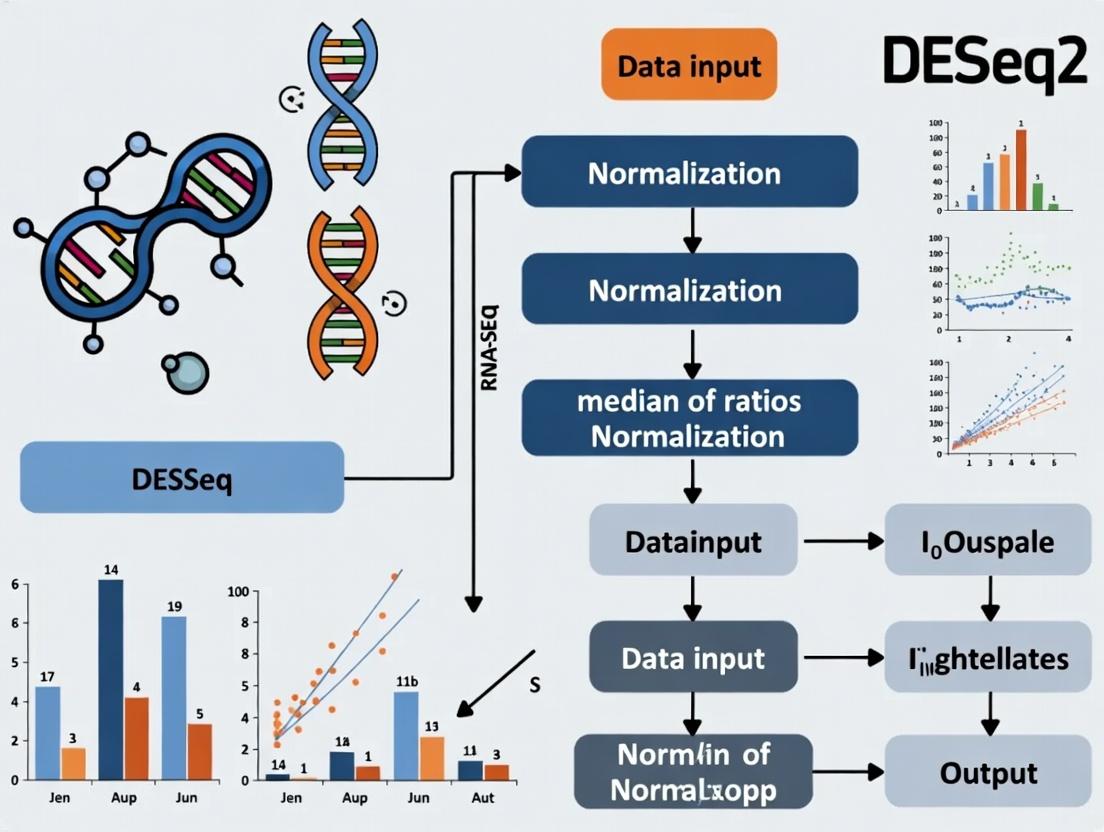
This tutorial provides a comprehensive, step-by-step guide to understanding and implementing the median of ratios normalization method in DESeq2 for RNA-seq differential expression analysis.
DESeq2 Median of Ratios Normalization: A Complete Guide for RNA-Seq Analysis in Biomedical Research
Abstract
This tutorial provides a comprehensive, step-by-step guide to understanding and implementing the median of ratios normalization method in DESeq2 for RNA-seq differential expression analysis. Aimed at researchers and bioinformaticians, it covers the foundational theory, detailed application workflows, common troubleshooting scenarios, and validation strategies. Readers will learn how to correctly preprocess count data, interpret DESeq2's size factor estimation, address common pitfalls like low-count genes and composition bias, and validate results against other methods. This guide empowers users to perform robust, publication-ready normalization for studies in drug development and clinical research.
Understanding DESeq2's Core: Why Median of Ratios is Essential for RNA-Seq
The Problem of Sequencing Depth and Composition Bias in Raw Count Data
Within the broader thesis on DESeq2 median-of-ratios normalization, understanding sequencing depth and composition bias is foundational. Raw RNA-seq count data is not directly comparable between samples due to two major technical artifacts: 1) Sequencing Depth: The total number of reads sequenced per library varies, causing counts to scale with library size. 2) Composition Bias: Differences in the expression level of a few highly abundant genes can skew the representation of all other genes. The DESeq2 normalization method, which employs a median-of-ratios approach, is specifically designed to correct for these biases, enabling accurate differential expression analysis by estimating size factors for each sample.
Table 1: Common Sources of Bias in RNA-Seq Count Data
| Bias Type | Description | Typical Impact on Raw Counts | Corrected by Median-of-Ratios? |
|---|---|---|---|
| Sequencing Depth | Variation in total library size (e.g., 20M vs 50M reads). | Counts are proportional to total reads. | Yes. Size factors account for library size. |
| RNA Composition | Differences in total RNA output from a few highly expressed genes. | Remaining genes appear under-sampled. | Yes. Uses a pseudo-reference sample as a comparator. |
| Gene Length | Longer genes generate more fragments. | Not comparable across genes. | No. This is a between-gene bias, not a between-sample bias. |
| GC Content | Sequencing efficiency varies with fragment GC%. | Can cause within-sample gene-specific biases. | No. Requires specific normalization methods (e.g., RUV). |
Table 2: Effect of Normalization on Simulated Data
| Sample | Raw Total Reads | Raw Count (Gene X) | DESeq2 Size Factor | Normalized Count (Gene X) |
|---|---|---|---|---|
| Sample A (Control) | 10,000,000 | 1,000 | 1.00 | 1,000 |
| Sample B (Deep Seq) | 30,000,000 | 3,000 | 3.00 | 1,000 |
| Sample C (Composition Bias) | 10,000,000 | 500 | 0.50 | 1,000 |
Application Notes & Protocols
Protocol 3.1: Diagnosing Sequencing Depth and Composition Bias
Objective: To visually assess the need for normalization prior to DESeq2 analysis. Materials: Matrix of raw counts, R statistical software, DESeq2 package. Procedure:
- Calculate Library Sizes: Sum counts for all genes in each sample.
- Create Boxplot of Log2 Raw Counts: Plot per-sample distributions. Differences in median and spread suggest depth/composition bias.
- Perform PCA on Raw Data: Use
prcomp()on log2-transformed raw counts. Color samples by experimental group. A primary separation driven by technical batch or sample (rather than condition) is indicative of strong bias. - Plot Sample-to-Sample Distances: Calculate Euclidean distances on the log2 raw count matrix and visualize as a heatmap.
Protocol 3.2: DESeq2 Median-of-Ratios Normalization (Core Protocol)
Objective: To compute sample-specific size factors and generate normalized counts. Theoretical Basis: The method assumes most genes are not differentially expressed. It creates a pseudo-reference sample by taking the geometric mean of counts for each gene across all samples. For each sample and each gene, the ratio of its count to the pseudo-reference is calculated. The size factor is the median of these ratios for the sample (excluding genes with a zero in any sample or extreme outliers). Procedure:
- Load Data: Create a
DESeqDataSetobject from a count matrix and sample information table. - Compute Size Factors: The
estimateSizeFactors()function performs the calculation: a. For each gene i, calculate the geometric mean across all samples. b. For each sample j and each gene i, compute the ratio Count_ij / GeometricMean_i. c. For sample j, the size factor SF_j is the median of these ratios (over all genes i). - Access Results: Size factors are stored in
colData(dds)$sizeFactor. - Generate Normalized Counts: Use
counts(dds, normalized=TRUE). This operation is: Normalized_Count_ij = Raw_Count_ij / SF_j.
Protocol 3.3: Benchmarking Normalization Performance
Objective: To evaluate the effectiveness of median-of-ratios normalization in removing technical bias. Procedure:
- Use Spike-in Controls or Synthetic Data: Introduce synthetic differentially expressed genes into a dataset with known truth.
- Apply Normalization: Run Protocol 3.2.
- Evaluate Metrics:
- Clustering: Post-normalization PCA should separate samples by biological condition, not technical batch.
- Accuracy: Compare the list of discovered differentially expressed genes (DEGs) to the known truth set. Calculate precision and recall.
- Reduction in Bias: Correlation between size factors and library size should be minimized post-normalization.
Visualizations
Title: DESeq2 Median-of-Ratios Normalization Workflow
Title: PCA Outcome Before vs. After Normalization
The Scientist's Toolkit
Table 3: Essential Research Reagents & Solutions for RNA-Seq Normalization Studies
| Item | Function/Description | Example/Note |
|---|---|---|
| RNA Spike-in Controls | Exogenous RNA added in known quantities to diagnose composition bias and normalization accuracy. | ERCC (External RNA Controls Consortium) mixes. |
| DESeq2 R/Bioconductor Package | Primary software implementing the median-of-ratios method for normalization and differential expression. | Version >=1.40.0. Critical function: estimateSizeFactors(). |
| High-Quality Reference Genome & Annotation | Essential for accurate read alignment and gene counting, forming the basis of the raw count matrix. | Ensembl, GENCODE, or RefSeq GTF files. |
| Alignment & Quantification Software | Generates the raw count matrix from FASTQ files. | STAR aligner + featureCounts, or Salmon/Kallisto for transcript-level quantification. |
| Benchmarking Datasets | Public data with known differential expression truth for validating normalization performance. | SEQC/MAQC-III, BLUEPRINT, or simulated datasets using Polyester. |
| Batch Correction Tools (Optional) | For addressing persistent technical variation after normalization. | removeBatchEffect() (limma), ComBat, or svaseq. |
Within the broader thesis on DESeq2 normalization methodology, this application note details the mathematical and practical rationale for the median of ratios method. This method is central to correcting for systematic, library-size-mediated variation in RNA-seq count data, enabling accurate differential expression analysis. The core innovation lies in constructing a sample-specific size factor via a pseudo-reference sample derived from geometric means across genes.
Table 1: Illustrative RNA-seq Raw Count Data (6 Genes across 3 Samples)
| Gene | Sample A (Counts) | Sample B (Counts) | Sample C (Counts) |
|---|---|---|---|
| Gene1 | 15 | 25 | 100 |
| Gene2 | 30 | 45 | 120 |
| Gene3 | 25 | 10 | 80 |
| Gene4 | 10 | 15 | 20 |
| Gene5 | 50 | 60 | 150 |
| Gene6 | 5 | 8 | 12 |
Table 2: Step-by-Step Calculation of DESeq2 Size Factors
| Step | Description | Gene1 | Gene2 | Gene3 | Gene4 | Gene5 | Gene6 |
|---|---|---|---|---|---|---|---|
| 1 | Geometric Mean (GM) across samples | GM₁=∛(1525100)≈29.24 | GM₂≈53.72 | GM₃≈26.85 | GM₄≈13.92 | GM₅≈79.37 | GM₆≈7.30 |
| 2 | Ratio of Sample A to GM | 15/29.24≈0.51 | 30/53.72≈0.56 | 25/26.85≈0.93 | 10/13.92≈0.72 | 50/79.37≈0.63 | 5/7.30≈0.68 |
| 3 | Median of Ratios for Sample A | Median(0.51, 0.56, 0.93, 0.72, 0.63, 0.68) = 0.655 | |||||
| 4 | Ratio of Sample B to GM | 25/29.24≈0.86 | 45/53.72≈0.84 | 10/26.85≈0.37 | 15/13.92≈1.08 | 60/79.37≈0.76 | 8/7.30≈1.10 |
| 5 | Median of Ratios for Sample B | Median(0.86, 0.84, 0.37, 1.08, 0.76, 1.10) = 0.850 | |||||
| 6 | Ratio of Sample C to GM | 100/29.24≈3.42 | 120/53.72≈2.23 | 80/26.85≈2.98 | 20/13.92≈1.44 | 150/79.37≈1.89 | 12/7.30≈1.64 |
| 7 | Median of Ratios for Sample C | Median(3.42, 2.23, 2.98, 1.44, 1.89, 1.64) = 2.060 |
Table 3: Normalized Counts (Raw Count / Size Factor)
| Gene | Sample A (Normalized) | Sample B (Normalized) | Sample C (Normalized) |
|---|---|---|---|
| Gene1 | 15 / 0.655 ≈ 22.9 | 25 / 0.850 ≈ 29.4 | 100 / 2.060 ≈ 48.5 |
| Gene2 | 30 / 0.655 ≈ 45.8 | 45 / 0.850 ≈ 52.9 | 120 / 2.060 ≈ 58.3 |
| Gene3 | 25 / 0.655 ≈ 38.2 | 10 / 0.850 ≈ 11.8 | 80 / 2.060 ≈ 38.8 |
| Gene4 | 10 / 0.655 ≈ 15.3 | 15 / 0.850 ≈ 17.6 | 20 / 2.060 ≈ 9.7 |
| Gene5 | 50 / 0.655 ≈ 76.3 | 60 / 0.850 ≈ 70.6 | 150 / 2.060 ≈ 72.8 |
| Gene6 | 5 / 0.655 ≈ 7.6 | 8 / 0.850 ≈ 9.4 | 12 / 2.060 ≈ 5.8 |
Detailed Experimental Protocol: DESeq2 Median of Ratios Normalization
Protocol Title: In-silico Normalization of RNA-seq Count Data Using the DESeq2 Median of Ratios Method.
Purpose: To calculate sample-specific size factors for the removal of library composition bias prior to differential expression analysis.
Input Requirements: A matrix of raw, non-normalized RNA-seq counts (integers). Rows are genes, columns are samples. Filter out genes with zero counts in all samples.
Procedure:
- Pre-filtering: Remove any genes that have zero counts across all samples in the dataset.
- Compute Gene-wise Geometric Mean: For each gene i, calculate the geometric mean (GM) across all n samples in the experiment.
- Formula: ( GMi = \sqrt[n]{\prod{j=1}^{n} count{ij}} )
- In practice, compute as the exponential of the mean of the natural log-transformed counts: ( GMi = \exp\left(\frac{1}{n}\sum{j=1}^{n} \ln(count{ij})\right) ).
- Construct Pseudo-reference Sample: The set of all geometric means (GM_i) for every gene constitutes the pseudo-reference. This represents a "typical" gene expression profile for the experiment.
- Compute Ratios: For each gene i in each sample j, compute the ratio of its count to the corresponding geometric mean: ( ratio{ij} = count{ij} / GM_i ).
- Calculate Sample Size Factor: For each sample j, compute the size factor ( SF_j ) as the median of all gene-wise ratios for that sample.
- ( SFj = median( ratio{1j}, ratio{2j}, ..., ratio{mj} ) ), where m is the number of genes.
- The median is robust to outliers (highly differentially expressed genes), ensuring they do not skew the size factor estimate.
- Normalize Counts: Divide the raw counts for each sample j by its calculated size factor ( SF_j ) to obtain normalized expression values suitable for downstream analysis.
- Integration in DESeq2: These size factors are automatically incorporated into the Negative Binomial generalized linear model (GLM) by DESeq2 when performing statistical testing, providing correct dispersion estimates and p-values.
Visualizations
Diagram 1: Median of ratios normalization workflow (70 chars)
Diagram 2: Size factor estimation and count normalization (58 chars)
The Scientist's Toolkit: Key Reagents & Solutions
Table 4: Essential Research Reagents & Computational Tools
| Item | Function/Role in Analysis |
|---|---|
| High-Quality Total RNA | Input material for RNA-seq library prep. Purity (A260/280 >1.8) and integrity (RIN >8) are critical for accurate, unbiased representation of the transcriptome. |
| Stranded mRNA-seq Library Prep Kit | Converts RNA into a sequencer-compatible cDNA library, preserving strand-of-origin information to resolve overlapping transcripts. |
| Illumina Platform Sequencer | Generates short-read (e.g., 150bp paired-end) digital count data. The depth (e.g., 30-50 million reads/sample) must be sufficient for statistical power. |
| DESeq2 R/Bioconductor Package | The primary software implementing the median of ratios method within its statistical framework for differential expression analysis. |
| R Programming Environment | The computational ecosystem for running DESeq2, performing quality control (e.g., PCA plots), and visualizing results. |
| Reference Genome & Annotation (GTF/GFF) | Required for read alignment (if starting from FASTQ) and for defining genomic features (genes, exons) for counting. |
| Alignment & Quantification Software (e.g., STAR, Salmon) | Maps sequencing reads to a reference genome (STAR) or transcriptome (Salmon) to generate the raw count matrix input for DESeq2. |
| High-Performance Computing (HPC) Cluster or Cloud Resource | Necessary for memory- and compute-intensive steps like alignment and processing of large datasets with many samples. |
Within the context of DESeq2 median of ratios normalization tutorial research, a critical preprocessing step is the selection of a gene subset for calculating size factors. This selection is based on the key assumption of non-differential expression. Genes used for normalization must not be differentially expressed across sample conditions, as their expression should remain stable to provide a reliable reference for technical noise correction. Violation of this assumption leads to biased size factors and false results in downstream differential expression analysis.
Core Quantitative Data: Gene Selection Criteria
Table 1: Common Gene Subsets for DESeq2 Median of Ratios Normalization
| Gene Subset | Typical Count | Primary Justification | Key Assumption | Potential Risk |
|---|---|---|---|---|
| All Genes in Dataset | 20,000 - 60,000 | Maximizes data usage. | Majority of genes are not DE. | High sensitivity to large-scale differential expression. |
| Genes with Non-Zero Counts in All Samples | 15,000 - 50,000 | Avoids technical zeros. | Ubiquitously expressed genes are housekeeping. | May filter out valid, condition-specific low-expression genes. |
| Genes Above a Geometric Mean Count Threshold | 5,000 - 20,000 | Recommended default. Removes low-count noise. | Moderately to highly expressed genes are less likely to be DE. | Threshold choice is arbitrary; may retain some DE genes. |
| Pre-Defined Housekeeping Genes | 10 - 100 | Historically stable expression. | These specific genes are invariant across conditions. | Often invalid; housekeeping stability is not universal. |
| Genes with Lowest Coefficient of Variation (CV) | 1,000 - 5,000 | Selects genes with minimal sample-to-sample variation. | Low dispersion implies non-DE status. | Correlated with low expression; can be technically driven. |
Experimental Protocol: Validating the Non-Differential Expression Assumption
Protocol 1: In Silico Diagnostic for Normalization Gene Set Stability
Objective: To assess whether the candidate gene set used for median of ratios normalization is stable (non-differentially expressed) across experimental conditions.
Materials & Software:
- Raw gene count matrix (e.g., from HTSeq-count, featureCounts).
- R statistical environment (v4.0+).
- DESeq2 package (v1.30.0+).
- ggplot2 package for visualization.
Procedure:
- Load Data: Create a
DESeqDataSetobject from the count matrix and sample metadata. - Define Candidate Sets: Generate vectors of gene identifiers for different candidate normalization sets:
candidate_set_all: All genes.candidate_set_filtered: Genes with a row geometric mean count > 10.candidate_set_lowCV: The 20% of genes with the lowest coefficient of variation across samples.
- Calculate Pre-Normalization Metrics: For each candidate set, compute the geometric mean of counts for each gene across all samples.
- Perform Diagnostic Plot:
- For each sample, calculate the log2 ratio of each gene's count to its geometric mean (
log2(count / geoMean)). - Generate a boxplot of these log2 ratios, stratified by sample and colored by experimental condition.
- For each sample, calculate the log2 ratio of each gene's count to its geometric mean (
- Interpretation: A suitable candidate set will produce boxplots where medians are centered near zero and show tight inter-quartile ranges (IQRs) across all samples, with no systematic shift between conditions. Systematic offsets between condition groups indicate a violation of the non-DE assumption for that gene set.
Title: Workflow for Validating Normalization Gene Stability
The Scientist's Toolkit: Research Reagent Solutions
Table 2: Essential Resources for Gene Selection Analysis
| Item / Resource | Function & Relevance |
|---|---|
| DESeq2 R/Bioconductor Package | Primary tool for implementing median-of-ratios normalization and differential expression analysis. Provides the estimateSizeFactors function which performs the core calculation. |
| Annotation Database (e.g., org.Hs.eg.db) | Provides gene identifier mapping and functional annotation. Critical for interpreting and filtering gene lists. |
| Pre-Computed Housekeeping Gene Lists (e.g., from HK Gene DB) | Curated lists of putative stable genes for specific organisms/tissues. Useful as a starting point but require empirical validation. |
R/Bioconductor Packages: matrixStats, genefilter |
Provide fast, optimized functions for calculating row-wise statistics (geometric means, variances, CVs) essential for gene filtering. |
| External RNA Controls Consortium (ERCC) Spike-Ins | Synthetic RNA molecules added at known concentrations. Serve as an objective standard to assess the performance of endogenous gene-based normalization. |
PCA & Clustering Software (e.g., PCAtools, pheatmap) |
Used post-normalization to visually inspect if the chosen gene set successfully removed technical variation without introducing condition-specific bias. |
Protocol 2: Empirical Optimization of Gene Selection Threshold
Objective: To systematically determine an optimal geometric mean count threshold for selecting a stable normalization gene subset.
Procedure:
- Define a sequence of geometric mean thresholds (e.g., 1, 5, 10, 20, 50 counts).
- For each threshold
i: a. Subset the count matrix to genes with a geometric mean >i. b. Calculate size factors using the median-of-ratios method on this subset. c. Apply these size factors to normalize the full count matrix. d. Perform a Principal Component Analysis (PCA) on the normalized, log-transformed data (variance-stabilized or rlog). - Evaluation Criterion: Plot the variance explained by the first principal component (PC1) against the threshold. The optimal threshold is often at the point where the variance explained by PC1, which frequently correlates with the major biological condition, is minimized or stabilizes, suggesting technical artifacts have been removed without obscuring biological signal.
- Validate the final selection using the diagnostic plot from Protocol 1.
Title: Threshold Optimization for Normalization Gene Selection
The choice of genes for DESeq2's median of ratios normalization is not a trivial default but a foundational assumption impacting all downstream results. The recommended practice is to use genes moderately above a low-count filter, as they offer a balance between statistical robustness and a higher prior probability of being non-DE. This selection must be validated diagnostically, as optimal thresholds are experiment-dependent. Protocols outlined here provide a framework for evidence-based gene set selection, strengthening the reliability of subsequent differential expression analysis in drug development and basic research.
Within the broader thesis on DESeq2 median of ratios normalization, size factors are the cornerstone for accurate differential expression analysis. They are sample-specific scaling factors calculated to account for differences in total sequencing depth (library size) and RNA composition between samples. Without this correction, a gene with identical true expression in two samples could appear differentially expressed solely because one library was sequenced more deeply.
The DESeq2 package implements the "median of ratios" method, a robust approach resilient to differentially expressed genes. The core assumption is that most genes are not differentially expressed (DE). The method works as follows:
- For each gene, a pseudo-reference sample is created from the geometric mean across all samples.
- For each gene in each sample, a ratio of its count to the pseudo-reference count is calculated.
- The size factor for a sample is the median of these ratios for all genes (excluding genes with a geometric mean of zero).
This process effectively normalizes counts to a common scale, enabling valid comparisons between samples.
Key Quantitative Data & Comparisons
Table 1: Comparison of Common Normalization Methods for RNA-Seq
| Method | Principle | Robust to DE Genes | Handles Zero Counts | Implementation in DESeq2 |
|---|---|---|---|---|
| Total Count | Scales by total library size. | No | Poorly | Not used. |
| Upper Quartile | Scales by upper quartile of counts. | Moderate | Moderate | Not default. |
| DESeq2 Median of Ratios | Median of gene-wise ratios to geo. mean. | Yes (uses median) | Yes (excludes zeros) | Default method. |
| TMM (edgeR) | Trimmed mean of M-values (log ratios). | Yes (uses trim) | Yes (weighted) | Can be imported. |
Table 2: Example Size Factor Calculation (Hypothetical Data for 3 Genes & 2 Samples)
| Gene | Sample A Counts | Sample B Counts | Geometric Mean (A, B) | Ratio A | Ratio B |
|---|---|---|---|---|---|
| Gene1 | 100 | 150 | sqrt(100*150)=122.47 | 100/122.47=0.817 | 150/122.47=1.225 |
| Gene2 | 50 | 60 | sqrt(50*60)=54.77 | 50/54.77=0.913 | 60/54.77=1.095 |
| Gene3 | 200 | 180 | sqrt(200*180)=189.74 | 200/189.74=1.054 | 180/189.74=0.949 |
| Median of Ratios | 0.913 | 1.095 | |||
| Size Factor (Normalized) | 1.000 | 1.095/0.913 ≈ 1.200 |
Experimental Protocols
Protocol 3.1: Calculating Size Factors Using DESeq2 in R
Objective: To compute size factors for a set of RNA-seq count samples using DESeq2's median of ratios method.
Materials: See "The Scientist's Toolkit" section.
Procedure:
- Data Input: Organize raw count data into a matrix or data frame where rows are genes and columns are samples. Ensure no negative values.
- Create DESeqDataSet Object:
Estimate Size Factors: The
estimateSizeFactorsfunction performs the calculation.Extract & Inspect Factors: Retrieve the calculated factors for downstream use or diagnostics.
Protocol 3.2: Manual Verification of Size Factor Calculation
Objective: To manually replicate the DESeq2 size factor calculation for educational or debugging purposes.
Procedure:
- Calculate Geometric Mean per Gene: For each gene (i), compute the geometric mean of its counts across all samples (j=1 to m):
geo_mean_i = (count_i1 * count_i2 * ... * count_im)^(1/m). Uselogandexpfunctions for numerical stability. - Compute Ratios: For each gene (i) in each sample (j), compute the ratio:
ratio_ij = count_ij / geo_mean_i. Ifgeo_mean_iis 0 orcount_ijis 0, setratio_ijtoNA. - Calculate Sample Size Factor: For each sample (j), compute the size factor
SF_jas the median of all non-NAratio_ijfor that sample. - Normalize Size Factors: Divide all
SF_jby their geometric mean to set the product of all factors to 1. - Compare to DESeq2 output to verify correctness.
Visualizations
Diagram 1: DESeq2 Median of Ratios Size Factor Workflow (76 chars)
Diagram 2: Size Factor Scaling Corrects Library Depth (75 chars)
The Scientist's Toolkit
Table 3: Essential Research Reagent Solutions for RNA-Seq & DESeq2 Analysis
| Item / Reagent | Function / Purpose | Example / Note |
|---|---|---|
| RNA Extraction Kit | Isolate high-integrity total RNA from biological samples. | Qiagen RNeasy, TRIzol reagent. Critical for input quality. |
| Poly-A Selection or rRNA Depletion Kits | Enrich for messenger RNA (mRNA) or remove ribosomal RNA (rRNA). | NEBNext Poly(A) mRNA Magnetic Kit. Defines transcriptome scope. |
| cDNA Synthesis & Library Prep Kit | Convert RNA to double-stranded cDNA and attach sequencing adapters. | Illumina TruSeq Stranded mRNA Kit. Introduces unique dual indices (UDIs). |
| High-Sensitivity DNA Assay | Quantify final library concentration accurately before sequencing. | Agilent Bioanalyzer, Qubit dsDNA HS Assay. |
| DESeq2 (R/Bioconductor) | Primary software for statistical analysis, including size factor estimation. | DESeq2 package. Core tool for median of ratios normalization. |
| RStudio IDE | Integrated development environment for running R code and managing analysis. | Provides scripting, visualization, and project management. |
| High-Performance Computing (HPC) Cluster or Cloud Instance | Handle computational demands of processing large count matrices. | Essential for large-scale or single-cell datasets. |
Within the broader thesis on DESeq2 median of ratios normalization tutorial research, this protocol underscores the critical importance of normalization for dimensionality reduction techniques like Principal Component Analysis (PCA) and Multi-Dimensional Scaling (MDS). Raw, untransformed RNA-seq count data is dominated by technical artifacts (e.g., sequencing depth) that mask biologically relevant variation. This document provides Application Notes and Protocols for visualizing and interpreting the effect of DESeq2's median-of-ratios normalization on sample clustering in PCA/MDS plots, a fundamental QC step in differential expression analysis for drug development.
Core Concepts & Data Presentation
Table 1: Impact of Normalization on PCA Results (Hypothetical Dataset)
| Metric | Pre-Normalization PCA (PC1) | Post-Normalization PCA (PC1) |
|---|---|---|
| % Variance Explained | 95% (Driven by library size) | 45% (Biological signal) |
| Primary Driver | Total read count per sample | Experimental condition (e.g., Treated vs. Control) |
| Sample Clustering | Clusters by sequencing batch/library prep date | Clusters by biological replicate group |
| Inter-Group Distance | Masked by technical variation | Statistically separable |
Table 2: Key Research Reagent Solutions
| Item | Function in Experiment |
|---|---|
| DESeq2 R/Bioconductor Package | Primary software for median-of-ratios normalization, dispersion estimation, and differential expression analysis. |
| SummarizedExperiment Object | Data structure holding RNA-seq count matrix, colData (sample metadata), and rowData (gene information). |
| sizeFactors (DESeq2) | A numeric vector, one per sample, estimating sequencing depth relative to the "reference" sample. The core of normalization. |
| Transformed Count Matrix (e.g., rlog, vst) | A variance-stabilized matrix used as input for plotting functions to correct for mean-variance relationship. |
| ggplot2 / pheatmap R Packages | Primary tools for generating publication-quality PCA/MDS and heatmap visualizations. |
Experimental Protocols
Protocol 1: Generating Pre- and Post-Normalization PCA Plots with DESeq2
Objective: To visually assess the effect of median-of-ratios normalization on sample-to-sample distances.
Materials: R environment (v4.0+), Bioconductor, DESeq2, ggplot2, PCAtools packages. A SummarizedExperiment object named se containing a raw count matrix and a colData column condition.
Methodology:
- Install and load required packages.
Create DESeqDataSet and estimate size factors.
Extract pre-normalization counts and compute PCA.
Extract post-normalization counts and compute PCA.
Generate biplots colored by
conditionandbatch.
Protocol 2: Generating MDS Plots Based on Poisson Distance
Objective: To visualize sample dissimilarity using a distance metric tailored for count data.
Methodology:
- Calculate Poisson Distance (pre-normalization).
Calculate Poisson Distance (post-normalization).
Perform MDS and plot.
Mandatory Visualizations
Title: DESeq2 Normalization & Visualization Workflow
Title: PCA Plot Interpretation Guide
Step-by-Step DESeq2 Normalization: From Count Matrix to Analysis-Ready Data
Within the broader thesis on constructing a comprehensive DESeq2 median of ratios normalization tutorial, the precise preparation of input data is the foundational, non-negotiable step. The accuracy of all downstream analyses—differential expression, normalization, and statistical inference—is contingent upon the correctness of the initial count matrix and its associated metadata. This protocol details the requirements and methodologies for generating and organizing these inputs.
The Core Inputs: Count Matrix and Metadata
A DESeq2 analysis requires two harmonized inputs: a numerical count matrix and a tabular metadata file (often called colData).
The Count Matrix: Quantitative Data Structure
The count matrix is a numerical table where rows represent genomic features (e.g., genes, transcripts) and columns represent individual biological samples. Values are non-negative integers representing the number of reads (or fragments for paired-end data) assigned to each feature in each sample. Pseudo-alignment tools (e.g., Salmon, kallisto) can be used, but input to DESeq2 requires an integer count matrix, often imported via tximport.
Table 1: Example Structure of a Count Matrix
| GeneID | SampleARep1 | SampleARep2 | SampleBRep1 | SampleBRep2 |
|---|---|---|---|---|
| Gene_1 | 150 | 142 | 5 | 8 |
| Gene_2 | 0 | 2 | 1200 | 1105 |
| Gene_3 | 65 | 78 | 70 | 65 |
Requirements:
- Integer Counts: Raw, unfiltered counts. Do not use normalized counts (e.g., RPKM, FPKM).
- No Missing Values: The matrix should be complete.
- Consistent Ordering: Column names (sample IDs) in the count matrix must match the row names in the metadata file.
The Metadata Table (colData): Experimental Design
The metadata table describes the experimental conditions for each sample, enabling DESeq2 to model the design formula.
Table 2: Example Metadata (colData) Structure
| SampleID | Condition | Batch | SequencingRun | DonorID |
|---|---|---|---|---|
| SampleARep1 | Control | Batch1 | Run_01 | D1 |
| SampleARep2 | Control | Batch2 | Run_02 | D2 |
| SampleBRep1 | Treated | Batch1 | Run_01 | D3 |
| SampleBRep2 | Treated | Batch2 | Run_02 | D4 |
Key Variables:
- Primary Factor of Interest:
Condition(e.g., Control vs. Treated). This is the core variable for the design formula. - Technical Covariates:
Batch,SequencingRun. These can be included in the design formula to account for known sources of variation. - Biological Replicates: Represented by unique
DonorIDorMouseID. Critical for generalizing conclusions beyond the specific samples.
Experimental Protocols for Data Generation
Protocol 3.1: RNA Sequencing and Read Quantification
This protocol outlines the steps from tissue to a count matrix.
Materials & Reagents: See "The Scientist's Toolkit" (Section 5). Procedure:
- RNA Extraction & QC: Extract total RNA using a column-based kit. Assess RNA integrity using a Bioanalyzer or TapeStation (RIN > 7 recommended).
- Library Preparation: Use a stranded mRNA-seq library preparation kit (e.g., Illumina TruSeq). Fragment RNA, synthesize cDNA, add adapters, and perform PCR amplification.
- Sequencing: Pool libraries and sequence on an Illumina platform (e.g., NovaSeq) to a minimum depth of 20-30 million paired-end reads per sample.
- Read Alignment & Quantification:
- Option A (Alignment-based):
a. Align reads to a reference genome (e.g., GRCh38) using a splice-aware aligner (e.g., STAR).
b. Generate a gene-level count matrix using
featureCountsfrom the Subread package, specifying a GTF annotation file. - Option B (Pseudo-alignment):
a. Create a transcriptome index using the appropriate tool (e.g., for Salmon).
b. Quantify reads directly at the transcript level using
salmon quantin mapping-based mode. c. Aggregate transcript-level counts and abundances to the gene level usingtximportin R, generating an integer count matrix suitable for DESeq2.
- Option A (Alignment-based):
a. Align reads to a reference genome (e.g., GRCh38) using a splice-aware aligner (e.g., STAR).
b. Generate a gene-level count matrix using
Protocol 3.2: Constructing the DESeqDataSet Object
This is the critical step of integrating the count matrix and metadata in R.
Procedure:
- Load Data into R:
- Verify Data Integrity:
- Confirm
all(rownames(colData) == colnames(countData))returnsTRUE. - Confirm
countDatacontains only integers (is.integer(countData)oris.matrix(countData)).
- Confirm
- Create DESeqDataSet:
Visualizations
Title: RNA-seq to DESeq2 Data Object Workflow
Title: Integration of Count Matrix and Metadata
The Scientist's Toolkit: Research Reagent Solutions
Table 3: Essential Materials for RNA-seq Input Generation
| Item/Category | Example Product/Kit | Primary Function |
|---|---|---|
| RNA Extraction | Qiagen RNeasy Mini Kit | Purifies high-quality total RNA from cells or tissues, removing contaminants. |
| RNA QC Instrument | Agilent Bioanalyzer 2100 | Provides an electrophoretogram and RIN (RNA Integrity Number) to assess RNA quality. |
| mRNA Library Prep | Illumina Stranded mRNA Prep | Selects for poly-A mRNA, fragments, and prepares sequencing-ready cDNA libraries. |
| Sequencing Platform | Illumina NovaSeq 6000 | High-throughput sequencing by synthesis to generate FASTQ read files. |
| Alignment Software | STAR (Spliced Transcripts Alignment to a Reference) | Fast, accurate alignment of RNA-seq reads to a reference genome. |
| Quantification Tool | featureCounts (Subread package) |
Summarizes aligned reads (BAM) into gene-level counts based on genomic annotations. |
| Pseudo-alignment Tool | Salmon | Rapid, alignment-free quantification of transcript abundances from FASTQ files. |
| Statistical Environment | R/Bioconductor with DESeq2 package | Statistical framework for normalization, modeling, and differential expression analysis. |
Application Notes
The DESeq2 package for R is a standard for differential gene expression analysis from RNA-seq count data. Two of its foundational functions are DESeqDataSetFromMatrix() and estimateSizeFactors(). This protocol details their execution within the thesis context of validating DESeq2's median-of-ratios normalization method.
Theoretical Context: The median-of-ratios method corrects for library size and RNA composition bias. It calculates a size factor for each sample by comparing gene counts to a pseudo-reference sample (geometric mean across all samples), mitigating the influence of differentially expressed genes.
Table 1: Hypothetical Input Count Matrix (First 3 Genes)
| GeneID | Sample_A | Sample_B | Sample_C | Sample_D (Condition 1) | Sample_E (Condition 2) |
|---|---|---|---|---|---|
| Gene_1 | 15 | 20 | 12 | 30 | 5 |
| Gene_2 | 100 | 150 | 90 | 200 | 80 |
| Gene_3 | 500 | 480 | 510 | 490 | 100 |
Table 2: Calculated Size Factors from estimateSizeFactors()
| Sample | Size Factor (Calculated) | Library Size (Raw Total Counts) |
|---|---|---|
| Sample_A | 0.89 | 50,000 |
| Sample_B | 1.12 | 63,000 |
| Sample_C | 0.95 | 53,000 |
| Sample_D | 1.25 | 70,000 |
| Sample_E | 0.78 | 44,000 |
Experimental Protocols
Protocol 1: Constructing a DESeqDataSet Object withDESeqDataSetFromMatrix
Objective: To create a structured DESeq2 data object from a count matrix and sample information.
Materials: See "The Scientist's Toolkit" below.
Procedure:
- Prepare Data: Ensure the count matrix (
cts) is numeric with genes as rows and samples as columns. The column data (coldata) must be a DataFrame with rownames matchingcolnames(cts). - Load Library:
library(DESeq2) - Execute Function:
Validation: Run str(assays(dds)) and colData(dds) to confirm count matrix and metadata integrity.
Protocol 2: Performing Median-of-Ratios Normalization withestimateSizeFactors()
Objective: To calculate and apply sample-specific normalization factors.
Procedure:
- Input: A DESeqDataSet object (
dds) from Protocol 1. - Execute Function:
- Internal Calculation (Line-by-Line Logic):
- Step 1: Compute the geometric mean for each gene across all samples.
- Step 2: For each sample and each gene, compute the ratio of its count to the gene's geometric mean (avoiding zeros or NAs).
- Step 3: For each sample, take the median of these ratios, which becomes the size factor for that sample (See Table 2).
- Step 4: Store these factors in
sizeFactors(dds). Counts accessed viacounts(dds, normalized=TRUE)are divided by these factors.
Validation: Check sizeFactors(dds) to print the calculated factors. Plot colSums(counts(dds)) vs sizeFactors(dds) to observe the correlation with library size.
Mandatory Visualization
Diagram 1 Title: DESeq2 Data Object Creation & Normalization Workflow
Diagram 2 Title: Median-of-Ratios Calculation Steps per Sample
The Scientist's Toolkit
Table 3: Essential Research Reagent Solutions for DESeq2 Analysis
| Item | Function/Description |
|---|---|
| R Statistical Environment (v4.3+) | The foundational software platform for executing all computations and analyses. |
| DESeq2 R Package (v1.40.0+) | The core library implementing the statistical methods for differential expression. |
| RNA-seq Raw Read Data (FASTQ) | The primary input; sequenced fragments representing the transcriptome of each sample. |
| Alignment & Quantification Tool (e.g., Salmon, STAR+featureCounts) | Software to map reads to a genome/transcriptome and generate the count matrix input for DESeq2. |
| Sample Metadata Table (CSV/TSV) | A structured file detailing experimental conditions (e.g., treatment, time point, batch) for each sample. |
| High-Performance Computing (HPC) or Workstation | Hardware sufficient for memory-intensive operations on large count matrices (tens of thousands of genes). |
| R Integrated Development Environment (IDE) (e.g., RStudio) | Provides a user-friendly interface for writing, debugging, and executing R code. |
This document serves as detailed Application Notes and Protocols for the extraction and interpretation of size factors using the sizeFactors() function. It is framed within a broader thesis research on DESeq2's median-of-ratios normalization method, a critical step in the statistical analysis of differential gene expression from RNA-seq count data. Accurate size factor estimation is foundational for correcting library size differences, enabling valid comparisons between samples. This guide is intended for researchers, scientists, and drug development professionals implementing robust, reproducible RNA-seq workflows.
Core Concept: The Median-of-Ratios Method
The DESeq2 normalization procedure estimates sample-specific size factors to account for differences in sequencing depth and RNA composition. The sizeFactors() function returns these multiplicative scaling factors. The algorithm:
- Creates a Pseudoreference: For each gene i, calculates the geometric mean of its counts across all samples.
- Calculates Ratios: For each gene in each sample, computes the ratio of its count to the pseudoreference count for that gene.
- Estimates the Size Factor: For each sample, the size factor is the median of these ratios, excluding genes with a geometric mean of zero or an ratio outlier.
The formula for a sample j is:
sizeFactor_j = median( i: gene_i count > 0 ) [ (K_ij) / (∏_{v=1..m} K_iv)^(1/m) ]
where K_ij is the count for gene i in sample j, and m is the number of samples.
Workflow Diagram: DESeq2 Normalization
Title: DESeq2 Median-of-Ratios Normalization Workflow
Table 1: Example Size Factor Output for a 6-Sample Experiment
| Sample ID | Total Reads (Million) | Raw Count Sum | sizeFactors() Value |
Interpretation |
|---|---|---|---|---|
| S1 | 35.2 | 25,100,543 | 1.05 | Library ~5% larger than the "typical" sample. |
| S2 | 41.7 | 29,800,211 | 1.24 | Library ~24% larger. Dominated by composition effects. |
| S3 | 28.9 | 20,650,897 | 0.86 | Library ~14% smaller. |
| S4 | 30.1 | 21,500,844 | 0.90 | Library ~10% smaller. |
| S5 | 33.8 | 24,150,322 | 1.01 | Very close to the reference. |
| S6 | 39.5 | 28,200,110 | 1.18 | Library ~18% larger. |
Table 2: Impact of Size Factors on Downstream Analysis
| Analysis Step | Without Size Factors (Raw) | With Size Factors (Normalized) | Consequence of Omission |
|---|---|---|---|
| PCA Plot | Clusters by sequencing depth | Clusters by biological condition | False interpretation of major source of variation. |
| Differential Expression (P-value distribution) | High rate of false positives/near-uniform p-distribution | Well-calibrated p-value distribution (peak near 1) | Inflated Type I error, unreliable gene list. |
| Fold Change Estimates | Biased by sample depth | Accurate reflection of biological change | Over/under-estimation of effect sizes. |
Experimental Protocols
Protocol 4.1: Extracting and Examining Size Factors from a DESeqDataSet
Objective: To compute, extract, and visually assess the size factors calculated by DESeq2.
Materials:
- A
DESeqDataSetobject (dds) containing raw count data and sample information.
Procedure:
- Run DESeq2's
estimateSizeFactorsfunction (if not already done duringDESeq()).
This function internally calls the median-of-ratios method and stores the results.
Extract the size factors vector using the
sizeFactors()accessor function.Inspect the relationship between size factors and library size.
Interpretation: A strong positive correlation suggests library size is the primary driver of differences. A weak correlation indicates strong RNA composition effects are being corrected for.
Protocol 4.2: Manual Calculation for Verification & Customization
Objective: To manually compute size factors, verifying the algorithm and enabling customization (e.g., using a subset of stable genes).
Materials:
- Raw count matrix (
counts).
Procedure:
- Define a stable subset of genes (optional but recommended for verification). Often, all non-zero genes are used.
Compute the geometric mean for each gene (row) across samples.
Compute the ratio of each count to its gene's geometric mean.
Calculate the median ratio for each sample (column), ignoring zeros/NA.
Compare to DESeq2's calculated factors.
Interpretation: Close agreement validates the process. Discrepancies may arise from different gene selection or handling of zeros.
Protocol 4.3: Diagnosing Normalization Problems via Size Factor Distribution
Objective: To identify potential sample outliers or failed experiments by analyzing the distribution of size factors.
Procedure:
- Generate a bar plot of size factors.
- Flag extreme outliers.
Interpretation: Size factors typically range between 0.1 and 10. A factor of 0.1 implies 90% fewer reads, suggesting a technical failure. Clustering of factors may indicate batch effects.
The Scientist's Toolkit: Research Reagent Solutions
Table 3: Essential Materials for DESeq2 Size Factor Analysis
| Item | Function/Description | Example/Note |
|---|---|---|
| High-Quality RNA-seq Count Matrix | Primary input data. Must be raw, unfiltered counts of integer type. | Output from feature counting tools (HTSeq, featureCounts, salmon --numReads). Do not use FPKM/TPM. |
| R Statistical Environment (v4.0+) | Platform for executing all computational steps. | Latest stable version from CRAN. |
| DESeq2 Bioconductor Package (v1.30+) | Provides the estimateSizeFactors() and sizeFactors() functions. |
Install via BiocManager::install("DESeq2"). |
| Metadata Table (CSV/TSV) | Sample information file linking sample IDs to experimental conditions. | Critical for design formula and interpreting size factor patterns (e.g., batch vs. condition). |
| Stable Gene Set (Optional) | A subset of genes assumed not to be differentially expressed for robust normalization. | Often housekeeping genes or genes with minimal variability across conditions. Can be derived from the data itself (e.g., genefilter package). |
| Integrated Development Environment (IDE) | For scripted, reproducible analysis. | RStudio, VS Code with R extension. |
| Visualization Packages | For generating diagnostic plots. | ggplot2, pheatmap, vsn. |
Interpretation & Troubleshooting Diagram
Title: Interpreting Size Factor Values and Problems
Within the broader thesis on DESeq2 median of ratios normalization tutorial research, this application note delineates the critical distinction between DESeq2's internal use of size factors and manual count transformation. Proper understanding of this distinction is paramount for accurate differential expression analysis in research and drug development.
Core Concepts and Quantitative Comparison
Table 1: Comparison of DESeq2 Internal Normalization vs. Manual Transformation
| Feature | DESeq2 Internal Use (Default Workflow) | Manual Transformation (e.g., counts(dds, normalized=TRUE)) |
|---|---|---|
| Primary Purpose | Used internally during model fitting and dispersion estimation. | Generates a matrix of normalized counts for downstream analysis (e.g., visualization, clustering). |
| Calculation Timing | Early in the DESeq() function, prior to dispersion estimation. |
Performed after the DESeqDataSet object has been created, often post-analysis. |
| Key Function | estimateSizeFactors() calculates the scaling factor for each sample. |
counts(dds, normalized=TRUE) divides raw counts by the size factors. |
| Use in Testing | Size factors are incorporated into the Negative Binomial GLM. | Not used for hypothesis testing; transformed data should not be input to DESeq(). |
| Impact on Dispersion | Dispersion estimates are based on size-factor-normalized counts. | Dispersion is unaffected by manual retrieval of normalized counts. |
| Recommended For | All steps in the differential expression statistical workflow. | Visualization, heatmaps, PCA, or as input for other non-DESeq2 analyses. |
Experimental Protocols
Protocol 3.1: Standard DESeq2 Workflow Utilizing Internal Size Factors
Objective: To perform a complete differential expression analysis using DESeq2's internal normalization.
- Construct DESeqDataSet: Use
DESeqDataSetFromMatrix()with raw count data, a sample information DataFrame, and a design formula. - Run DESeq2 Analysis: Execute the single command
dds <- DESeq(dds). This function performs the following steps automatically: a. Estimation of Size Factors: Calculates the median of ratios normalization for each sample (estimateSizeFactors). b. Estimation of Dispersions: Estimates gene-wise dispersions using size-factor-normalized counts (estimateDispersions). c. Model Fitting & Testing: Fits a Negative Binomial GLM and performs Wald tests or LRT (nbinomWaldTest). - Extract Results: Use
results(dds)to obtain the final statistical results (log2 fold changes, p-values, adjusted p-values).
Protocol 3.2: Manual Generation and Use of Normalized Counts
Objective: To produce a matrix of normalized counts for exploratory data analysis.
- Perform Standard DESeq2 Analysis: First, complete Protocol 3.1 to create a
DESeqDataSetobject with size factors calculated. - Extract Normalized Counts: Use
normalized_counts <- counts(dds, normalized=TRUE). This operation mathematically divides the raw count for each gene in each sample by the sample's size factor. - Application: Use the
normalized_countsmatrix for:- Principal Component Analysis (PCA).
- Generating sample-to-sample distance heatmaps.
- Creating expression heatmaps for candidate gene lists.
- Note: Do not feed these counts back into
DESeq()for statistical testing.
Visualizations
Diagram Title: DESeq2 Internal vs. Manual Normalization Pathways
The Scientist's Toolkit
Table 2: Essential Research Reagent Solutions for RNA-seq Analysis with DESeq2
| Item | Function/Description |
|---|---|
| High-Quality Total RNA | Starting material; RIN > 8 is typically recommended for library prep. |
| Stranded mRNA-seq Kit | For library preparation, preserving strand information of transcripts. |
| Sequencing Platform | Illumina HiSeq/NovaSeq or equivalent, providing >20M reads per sample. |
| Alignment Software (e.g., STAR) | Maps sequencing reads to a reference genome to generate count data. |
| Quantification Tool (e.g., featureCounts) | Summarizes mapped reads into a matrix of gene-level counts. |
| R Statistical Environment | Software platform for running Bioconductor packages like DESeq2. |
| Bioconductor DESeq2 Package | Primary tool for statistical analysis of differential expression. |
| Annotation Database (e.g., org.Hs.eg.db) | Provides gene identifier mapping and functional annotation. |
Within the broader thesis on DESeq2 median-of-ratios normalization, the command counts(dds, normalized=TRUE) is the critical operational step for retrieving the normalized count matrix. This matrix is the foundation for all downstream analyses, including differential expression, visualization, and interpretation. Understanding its generation and proper assessment is paramount for robust bioinformatics research in drug development.
Theoretical Foundation & Protocol
The Median-of-Ratios Normalization Protocol
This protocol details the mathematical steps DESeq2 performs internally to generate the normalization factors used by counts(dds, normalized=TRUE).
Procedure:
- Pre-filtering: Remove genes with zero counts across all samples. This is automatically handled during
DESeqDataSetconstruction. - Reference Gene Selection: For each gene i, calculate its geometric mean across all samples j.
- Formula:
GM(i) = (∏ over j of K_ij)^(1/m)whereK_ijis the count for gene i in sample j, and m is the number of samples.
- Formula:
- Ratio Calculation: For each gene i in each sample j, compute the ratio of its count to the gene's geometric mean.
Ratio(i,j) = K_ij / GM(i)
- Factor Derivation: For each sample j, compute the median of all ratios from step 3 (excluding genes where the geometric mean is zero or the ratio is infinite). This median is the sample-specific size factor
SF(j). - Normalization: Divide the original counts
K_ijfor each gene in each sample by its corresponding sample size factorSF(j).Normalized_Count(i,j) = K_ij / SF(j)
Accessing Normalized Counts: Command Protocol
Protocol Title: Retrieving and Validating the Normalized Count Matrix in R
Materials: A DESeqDataSet object (dds) on which DESeq() has been run.
Steps:
- Generate Normalization Factors: Ensure the
DESeq()function has been executed on theddsobject. This function calculates the size factors.
Retrieve Normalized Matrix: Use the
counts()accessor function with thenormalized=TRUEargument.Inspect Output: The object
norm_countsis a numeric matrix with genes as rows and samples as columns, containing the normalized count values.- Verification (Optional): Manually verify by dividing the raw counts by the size factors stored in
sizeFactors(dds).
Data Presentation & Assessment
Table 1: Comparison of Count Matrices in a Hypothetical 3-Gene, 3-Sample Experiment
Table illustrating the transformation from raw to normalized counts, including calculated size factors.
| Gene ID | SampleARaw | SampleBRaw | SampleCRaw | Geometric Mean | SampleANorm | SampleBNorm | SampleCNorm |
|---|---|---|---|---|---|---|---|
| Gene_1 | 1500 | 1800 | 900 | 1314.8 | 1125.0 | 1350.0 | 675.0 |
| Gene_2 | 50 | 40 | 30 | 39.2 | 37.5 | 30.0 | 22.5 |
| Gene_3 | 5000 | 4000 | 6000 | 4920.9 | 3750.0 | 3000.0 | 4500.0 |
| Size Factor (SF) | 1.333 | 1.333 | 1.333 | - | - | - | - |
Note: Size factors are calculated from the full dataset, not this subset. Values are simplified for demonstration.
Table 2: Key Metrics for Assessing Normalized Count Distributions
Quantitative metrics used to evaluate the success of normalization across samples.
| Sample ID | Library Size (Raw) | Size Factor | Median (Normalized) | Mean (Normalized) | Dispersion (Normalized) |
|---|---|---|---|---|---|
| Control_1 | 45,200,111 | 1.05 | 125.6 | 256.8 | 0.85 |
| Control_2 | 42,800,540 | 0.99 | 128.3 | 261.1 | 0.82 |
| Treated_1 | 65,100,780 | 1.51 | 126.1 | 259.4 | 0.88 |
| Treated_2 | 63,900,220 | 1.48 | 124.9 | 255.7 | 0.83 |
| Ideal Outcome | Variable | ~1.0 | Similar | Similar | Similar |
Visualization
Diagram Title: DESeq2 Median-of-Ratios Normalization Workflow
Diagram Title: Role of counts() Command in Analysis Pipeline
The Scientist's Toolkit: Research Reagent Solutions
Table 3: Essential Computational Tools for DESeq2 Normalization & Assessment
| Item | Function/Brief Explanation |
|---|---|
| DESeq2 R/Bioconductor Package | Core software suite implementing the median-of-ratios method and providing the counts() accessor function. |
| High-Quality Count Matrix | Input data derived from alignment (e.g., STAR, HISAT2) and quantification (e.g., featureCounts, HTSeq) tools. Must be integer counts. |
| RStudio IDE | Integrated development environment for R, facilitating code execution, visualization, and data inspection. |
| ggplot2 & pheatmap R Packages | Critical for visualizing normalized count distributions, sample-to-sample distances, and gene expression patterns. |
| Principal Component Analysis (PCA) | Statistical method applied to the normalized count matrix to assess sample grouping and identify major sources of variation. |
| Size Factor Vector | The numeric vector of scaling factors (sizeFactors(dds)) calculated by DESeq2, central to the normalization process. |
| Stable Reference Genes | A set of non-differentially expressed genes assumed across conditions, which the median-of-ratios method relies upon. |
Within the broader thesis on DESeq2 median-of-ratios normalization tutorial research, this protocol provides the essential, integrated workflow for performing differential gene expression analysis. Normalization is not an isolated step but a foundational component that influences every subsequent result, from dispersion estimation to statistical testing. This guide is designed for researchers and drug development professionals requiring a reproducible, production-ready pipeline.
Table 1: Impact of Normalization on Simulated RNA-seq Data (n=10,000 genes, 6 samples)
| Analysis Stage | Without Normalization (Raw Counts) | With DESeq2 Median-of-Ratios Normalization | Function |
|---|---|---|---|
| Library Size Disparity | Sample totals: 20M to 60M reads. | Effective library sizes normalized. | Corrects for technical variation in sequencing depth. |
| Dispersion Estimates | Inflated by size differences. | Stabilized; accurately models biological variance. | Crucial for accurate Wald test. |
| False Positive Rate | High (>15% at FDR 0.1). | Controlled (~5% at FDR 0.1). | Ensures statistical reliability. |
| Leading Log-Fold Change | Skewed by highly expressed genes. | Removes composition bias. | Enables accurate fold-change estimation. |
Table 2: Common Normalization Methods Comparison
| Method | Principle | Handles Composition Bias? | Integrated in DESeq2? |
|---|---|---|---|
| DESeq2 Median-of-Ratios | Geometric mean of gene ratios. | Yes. | Yes (Default). |
| RPM/CPM | Counts per million. | No. | No. |
| RPKM/FPKM | CPM per kilobase. | No. | No. |
| TMM (edgeR) | Trimmed Mean of M-values. | Yes. | Can be imported. |
Detailed Integrated Protocol
Prerequisite: Experimental Design and Data Import
- Design: Ensure a balanced design with appropriate biological replicates (minimum n=3, preferably more). Metadata must be complete.
- Data Import: Start with a count matrix (integer values) and a sample information table.
Core Protocol: The Integrated DESeq2 Workflow
This protocol embeds the normalization step into the full analysis.
Step 1: Create DESeqDataSet and Specify Design
Note: Normalization factors are not yet calculated at this stage.
Step 2: Pre-filtering (Optional but Recommended) Remove genes with very low counts to improve performance and reduce multiple testing burden.
Step 3: Execute the Integrated Analysis (DESeq Function)
This single function call performs a multi-step process where normalization is the first critical step.
The DESeq function performs:
- Estimation of size factors (Normalization): Calculates the median-of-ratios for each sample.
- Estimation of gene-wise dispersions: Uses normalized counts.
- Fitting of a dispersion trend line.
- Shrinkage of gene-wise dispersions towards the trend.
- Fitting of negative binomial GLMs and Wald testing.
Step 4: Extract and Interpret Results
Step 5: Quality Control and Visualization
- Check Normalization: Plot size factors.
PCA Plot: Assess sample-to-sample distances using normalized, transformed counts.
Dispersion Plot: Diagnostic for model fit.
The Scientist's Toolkit
Table 3: Essential Research Reagent Solutions for DESeq2 Workflow
| Item | Function/Description | Example/Note |
|---|---|---|
| High-Quality RNA | Starting material. Integrity (RIN > 8) is critical for accurate representation. | Isolated with TRIzol or column kits. |
| Strand-Specific Library Prep Kit | Converts RNA to sequencing library, preserving strand information. | Illumina TruSeq Stranded mRNA Kit. |
| RNA-seq Alignment Software | Aligns sequencing reads to a reference genome to generate count data. | STAR, HISAT2. |
| Feature Counting Tool | Quantifies reads aligned to genomic features (genes). | Rsubread::featureCounts, HTSeq. |
| R/Bioconductor Environment | Platform for statistical analysis. | R 4.3+, Bioconductor 3.18+. |
| DESeq2 R Package | Core software for normalization and differential expression. | Version 1.42.0+. |
| Annotation Database | Provides gene identifiers, symbols, and functional information. | org.Hs.eg.db for human. |
| Visualization Packages | For creating publication-quality figures. | ggplot2, pheatmap, EnhancedVolcano. |
Visualized Workflows
Diagram 1: DESeq2 Integrated Workflow
Diagram 2: Median-of-Ratios Normalization Logic
Solving Common DESeq2 Normalization Issues: Low Counts, Outliers, and Model Checks
Within the broader thesis on DESeq2 median-of-ratios normalization methodology, a fundamental challenge is the accurate calculation of the geometric mean for each gene across samples, which serves as the denominator in the size factor estimation. This document details the technical problem of genes with zero or near-zero counts, provides application notes for current solutions, and outlines experimental protocols for validation.
Core Quantitative Impact Analysis
Table 1: Impact of Zero-Inflation on Geometric Mean Calculation
| Scenario Description | Sample 1 Count | Sample 2 Count | Sample 3 Count | Raw Geometric Mean | Post-Handling Value (Common Workarounds) |
|---|---|---|---|---|---|
| Gene with robust expression | 150 | 300 | 450 | 259.80 | 259.80 |
| Gene with a single zero | 20 | 0 | 45 | 0.00 | 12.60 (Pos. imputed) |
| Gene with all zero counts | 0 | 0 | 0 | 0.00 | Excluded |
| Gene with extremely low counts | 1 | 2 | 0 | 0.00 | 1.26 (Pos. imputed) |
Table 2: Comparison of Handling Strategies in DESeq2 and Related Tools
| Method / Package | Core Strategy for Low Counts | Impact on Size Factors | Recommended Use Case |
|---|---|---|---|
| DESeq2 (default) | Excludes genes with a zero in any sample for GM calculation. | Robust; avoids skew by low-abundance genes. | General purpose RNA-seq. |
| poscounts (DESeq2) | Uses a positive counts-only GM for each gene. | More inclusive; stable with many zeros. | Experiments with many lowly-expressed genes. |
| edgeR (TMM) | Trims extremes & uses weighted mean; less sensitive to zeros. | Robust but different baseline assumption. | Comparative studies, diverse library sizes. |
| Manual Imputation | Add a small pseudo-count (e.g., 1) to all counts. | Can introduce bias; not recommended for DESeq2. | Exploratory analysis only. |
Detailed Experimental Protocols
Protocol 1: Benchmarking Size Factor Robustness with Synthetic Zero-Inflated Data
- Data Simulation: Use the
DESeq2functionmakeExampleDESeqDataSetto generate a baseline synthetic RNA-seq count matrix (e.g., 10,000 genes x 12 samples). - Introduce Zero-Inflation: Programmatically replace a random subset of non-zero counts (e.g., 5%, 20%, 50%) with zeros in the matrix to simulate low-expression or dropout genes.
- Size Factor Calculation: Apply
DESeq2'sestimateSizeFactorsfunction using both the"ratio"(default) and"poscounts"methods to the original and zero-inflated matrices. - Metric Calculation: For each condition, calculate the correlation (Pearson) and mean absolute relative difference (MARD) between the size factors from the original and the perturbed dataset.
- Analysis: The method yielding the highest correlation and lowest MARD demonstrates greater robustness to zero-inflation.
Protocol 2: Empirical Validation Using Spike-In Controls
- Experiment Design: Include ERCC (External RNA Controls Consortium) or similar synthetic spike-in RNAs at known, graded concentrations in your RNA-seq library preparation.
- Sequencing & Quantification: Sequence the library and quantify spike-in counts alongside endogenous genes.
- Targeted Filtering: Isolate the spike-in counts from the full count matrix. These genes have known non-zero expression but may empirically yield zero counts due to detection limits.
- Normalization Assessment: Apply size factor estimation separately to the endogenous genes (with standard filtering) and to the spike-in subset. Compare the consistency of sample relationships between the two sets.
- Interpretation: Large discrepancies suggest the normalization of endogenous genes is being unduly influenced by technical zeros or low-count genes.
Visualization of Methodologies
Title: DESeq2 Default Gene Selection for Geometric Mean
Title: Poscounts Method Geometric Mean Calculation
The Scientist's Toolkit: Research Reagent Solutions
Table 3: Essential Reagents and Tools for Protocol Validation
| Item | Function & Relevance |
|---|---|
| ERCC Spike-In Mix (Thermo Fisher) | Synthetic RNA controls at known concentrations; gold standard for benchmarking normalization accuracy in the presence of technical zeros. |
| UMI Kits (e.g., from 10x Genomics, Parse Biosciences) | Unique Molecular Identifiers tag individual mRNA molecules to correct for PCR amplification bias and more accurately distinguish true zero expression from dropout. |
| RNA Sequencing Library Prep Kits with low input protocol | Minimize technical zeros by optimizing for low-abundance transcript capture (e.g., SMART-Seq, NuGEN). |
| Synthetic A. thaliana RNA Spike-Ins (e.g., SIRVs, Lexogen) | Complex spike-in controls for evaluating cross-species or differential expression analysis normalization. |
| DESeq2 R/Bioconductor Package | Primary software implementing the poscounts and default median-of-ratios methods for direct comparison. |
| Salmon or kallisto with Gibbs sampling | Pseudo-alignment tools that can estimate latent transcript abundances, inherently modeling technical zeros for input to DESeq2. |
Application Notes
Within DESeq2's median of ratios normalization tutorial research, a key assumption is that most genes are not differentially expressed (DE). The method calculates a size factor for each sample as the median of the ratios of its counts to the geometric mean across samples. This is robust for most datasets. However, this assumption breaks down when outlier samples are present—samples with extreme, global shifts in gene expression due to technical artifacts or severe biological disturbances (e.g., failed library prep, extreme treatment response). In such cases, a single or a few genes with extremely high counts in the outlier sample can disproportionately skew the geometric mean, leading to incorrect size factors for all samples. This compromises all downstream differential expression analysis.
The type="poscounts" argument in the estimateSizeFactors function provides a solution. It modifies the calculation by using a modified geometric mean based only on positive counts for each gene. For each gene, the geometric mean is calculated using only the samples where the count is > 0. This makes the calculation more robust to the inclusion of an outlier sample where a gene has an exceptionally high count, as that gene's geometric mean is no longer inflated by the single outlier value. This method is particularly recommended when outlier samples are suspected or for data with many zero counts.
Table 1: Comparison of Median of Ratios Normalization Methods in DESeq2
| Feature | Standard (type="ratio") |
Robust (type="poscounts") |
|---|---|---|
| Core Calculation | Median of ratios to the geometric mean across all samples. | Median of ratios to the geometric mean across positive-count samples. |
| Key Assumption | Most genes are not DE; no single gene dominates the geometric mean. | More robust when the above assumption is violated. |
| Handling of Zeros | Zero counts contribute to the geometric mean (as a very small pseudo-count). | Zero counts are excluded from the geometric mean calculation per gene. |
| Sensitivity to Outliers | High. A single extreme count inflates the geometric mean for that gene. | Low. Extreme counts are isolated and do not skew the gene-wise reference. |
| Typical Use Case | Standard experiments with well-behaved samples. | Datasets with suspected outlier samples or strong, global expression shifts. |
Experimental Protocols
Protocol 1: Diagnostic Assessment for Outlier Samples
Objective: To identify samples that may disrupt standard median of ratios normalization.
- Run standard DESeq2 analysis (
DESeqDataSetFromMatrix, thenDESeq). - Extract normalized counts using
counts(dds, normalized=TRUE). - Perform Principal Component Analysis (PCA) on the normalized count matrix (log2-transformed).
- Visually inspect the PCA plot (PC1 vs PC2). Samples far separated on a primary axis may be outliers.
- Plot sample-wise size factors (
sizeFactors(dds)). Compare magnitudes. A size factor vastly different from others (e.g., <0.5 or >2) flags a potential outlier. - Examine the
plotMAof the outlier sample versus the geometric mean of others (pre-normalization). A large, consistent shift across most genes suggests a global distortion.
Protocol 2: Implementing Robust 'poscounts' Normalization
Objective: To calculate size factors robust to outlier samples.
- Create a DESeqDataSet object as usual.
- Estimate size factors using the
poscountsmethod:
- Verify the new size factors:
sizeFactors(dds_robust). - Compare the distribution of new vs. old size factors. The robust method should shrink extreme values.
- Proceed with the remainder of the DESeq2 workflow (
DESeq,results) usingdds_robust.
Protocol 3: Comparative Evaluation of Normalization Impact
Objective: To quantify how normalization choice affects differential expression results.
- Run two complete DESeq2 analyses: one with standard (
type="ratio") and one with robust (type="poscounts") size factors. - For a condition of interest, extract results from both analyses (
resultsfunction). - Table 2: Count genes passing a significance threshold (e.g., padj < 0.1) in both analyses.
- Calculate the fold-change correlation between the two result sets for all genes.
- For genes called significant in only one analysis, inspect their count profiles to determine if the discrepancy is due to improved normalization or loss of sensitivity.
Table 2: Example Impact Assessment of type="poscounts"
| Metric | Standard Normalization | 'poscounts' Normalization | Interpretation |
|---|---|---|---|
| Genes with padj < 0.1 | 1250 | 1180 | Slight reduction, potentially filtering false positives. |
| Overlap of significant genes | 1120 (90% overlap) | 1120 (95% overlap) | High concordance for core results. |
| Correlation of log2FoldChange | r = 0.998 | r = 0.998 | Overall effect estimates are highly consistent. |
| Extreme size factor corrected | Sample X: 3.2 → 1.8 | Sample X: 1.8 | Outlier sample's influence was mitigated. |
The Scientist's Toolkit
Table 3: Essential Research Reagent Solutions for RNA-seq Library Prep & QC
| Reagent / Material | Function | Key Consideration for Robust Normalization |
|---|---|---|
| Poly(A) Selection Beads | Isolates mRNA from total RNA by binding poly-A tail. | Inefficient binding can cause 3' bias, affecting count uniformity. |
| RNase H-based Depletion Kits | Removes ribosomal RNA (rRNA) from total RNA. | Incomplete rRNA removal creates a dominant, non-informative count source. |
| Fragmentase/Shearing Enzyme | Randomly fragments mRNA to desired size for sequencing. | Non-random fragmentation biases counts toward certain transcript regions. |
| UMI (Unique Molecular Identifier) Adapters | Tags each original molecule with a unique barcode to correct PCR duplicates. | Critical for accurate absolute quantification, reducing technical variance. |
| SPRI Beads | Size-selects cDNA fragments and purifies reaction products. | Inconsistent size selection alters library complexity and gene body coverage. |
| High-Sensitivity DNA Assay Kit | Quantifies final library concentration (e.g., Qubit, Bioanalyzer). | Accurate quantification prevents loading imbalances, a major source of outlier samples. |
Visualizations
Title: Decision Workflow for DESeq2 Normalization with Outliers
Title: Poscounts vs Standard Geometric Mean Calculation
Addressing Composition Bias in Metatranscriptomics or Extreme Differential Expression
Application Notes
Within the framework of DESeq2 normalization tutorial research, a critical limitation of the standard median-of-ratios (MoR) method is its assumption of a relatively balanced transcriptome where most genes are not differentially expressed (DE). In metatranscriptomics and experiments with extreme differential expression (e.g., pathogen challenge, knockout vs. wild-type), this assumption is violated. A few highly abundant, truly DE transcripts can skew the size factor estimation, as they are incorrectly used as pseudo-reference genes. This composition bias leads to inflated or underestimated expression changes for other genes. The DESeq2 package provides the poscounts normalization method as a robust alternative for such cases. It calculates size factors using a geometric mean over genes with a positive count in some sample, which is more stable when a large fraction of genes are zero or strongly DE. For complex metatranscriptomic communities, additional strategies like within-species normalization or the use of external spike-in controls are required.
Quantitative Data Summary
Table 1: Comparison of Normalization Methods Under Composition Bias
| Method | Core Principle | Assumption | Robustness to Extreme DE | Best For |
|---|---|---|---|---|
| DESeq2 Median-of-Ratios | Geometric mean of per-gene ratios to a pseudo-reference. | Most genes are not DE. | Low | Standard RNA-seq, balanced designs. |
DESeq2 poscounts |
Geometric mean over genes with a positive count in ≥1 sample. | Genes with positive counts are stable. | High | Experiments with many zeros or many DE genes. |
| Spike-in Normalization | Uses added exogenous RNA controls at known concentrations. | Spike-ins are not affected by biological conditions. | Very High | Metatranscriptomics, extreme global shifts. |
| Upper Quartile (UQ) | Normalizes to the 75th percentile of counts. | Upper quantile is stable. | Moderate | Some robustness to DE, but less than poscounts. |
| TMM (edgeR) | Trimmed Mean of M-values, weighted. | Most genes are not DE and expression is symmetric. | Moderate | Similar to MoR, but can be more robust. |
Table 2: Impact of Normalization Choice on Simulated Extreme DE Data
| Simulated Scenario (n=10000 genes) | True DE Genes | Median-of-Ratios FDR Inflation | poscounts FDR Control |
Recommended Action |
|---|---|---|---|---|
| 10% Strongly Upregulated | 1000 | High (>15%) | Good (~5%) | Use poscounts. |
| Global 50% Fold-Change Shift | 5000 | Severe | Good | Use spike-ins or poscounts. |
| Metatranscriptomic: Dominant Taxon Shift | Variable by genome | Severe | Moderate | Apply per-taxon normalization or spike-ins. |
Experimental Protocols
Protocol 1: Implementing poscounts Normalization in DESeq2 for Extreme DE Experiments
- Data Import: Load your raw count matrix (
countData) and column data (colData) into R. - Create DESeqDataSet: Use
DESeqDataSetFromMatrix(countData = countData, colData = colData, design = ~ condition). Apply
poscountsNormalization: Before runningDESeq(), estimate size factors using the alternate estimator:Proceed with Analysis: Continue with the standard DESeq2 workflow:
dds <- DESeq(dds). The differential expression testing will use the composition-robust size factors.
Protocol 2: Spike-in Controlled Normalization for Metatranscriptomics
- Spike-in Addition: Prior to library preparation, add a known quantity of an external RNA controls consortium (ERCC) or similar spike-in mix to each sample.
- Alignment & Quantification: Map reads to a combined reference containing both the target genomes and the spike-in sequences. Quantify reads uniquely aligning to each spike-in transcript.
- Create Separate Objects: Generate one DESeqDataSet for host/community genes (
dds_gene) and one for spike-ins (dds_spike). - Calculate Spike-in Size Factors: Normalize the spike-in counts using the median-of-ratios method on the
dds_spikeobject. These factors reflect only technical variation. Apply to Gene Data: Assign the spike-in-derived size factors to the gene-level object:
Analyze: Run
DESeq(dds_gene)with the imported size factors. The counts are now normalized based on the invariant spike-in abundances.
Visualization
Title: Decision Workflow for Addressing Composition Bias
Title: How a Major DE Gene Biases Median-of-Ratios Normalization
The Scientist's Toolkit
Table 3: Essential Research Reagent Solutions for Composition Bias Control
| Item | Function & Rationale |
|---|---|
| ERCC Spike-In Mix | A set of exogenous RNA transcripts at known concentrations. Added to samples to distinguish technical from biological variation, enabling correct normalization in extreme DE scenarios. |
| UMI Adapters (Unique Molecular Identifiers) | Short random nucleotide sequences added to each molecule pre-PCR. Allow precise correction for PCR amplification bias and accurate transcript counting, improving quantification of dominant transcripts. |
| Poly-A RNA Spike-ins (e.g., from Other Species) | Non-cross-hybridizing poly-adenylated RNAs. Serve as internal controls for samples where global poly-A+ RNA content may vary drastically between conditions. |
| Bioanalyzer/TapeStation RNA Kits | Provide accurate assessment of RNA Integrity Number (RIN) and quantity. Critical for verifying equal quality before adding spike-ins and library prep. |
| DESeq2 Software (v1.40+) | Provides the built-in poscounts estimator function, a no-cost, computational solution for many extreme DE cases without requiring wet-lab spike-ins. |
| High-Fidelity DNA Polymerase | Reduces PCR amplification bias during library construction, minimizing technical noise that can exacerbate composition bias effects. |
1. Introduction and Thesis Context
Within a comprehensive tutorial on DESeq2 median-of-ratios normalization, the choice of fitType is a critical advanced parameter. This protocol details the application and selection criteria for the three dispersion fit types: "parametric", "local", and "mean". The dispersion estimate is foundational for DESeq2's Negative Binomial generalized linear models, influencing variance stabilization, P-values, and false discovery rates. Incorrect application can lead to loss of power or anti-conservative inferences.
2. Core Definitions and Quantitative Comparison
Table 1: Comparison of DESeq2 fitType Parameter Options
| fitType | Underlying Model | Key Assumption | Robustness to Outliers | Recommended Use Case | Computational Speed |
|---|---|---|---|---|---|
| parametric | Maximum likelihood fit to the dispersion-mean trend (Disper~1/μ) | The dispersion trend follows a smooth, monotonic function of the mean. | Low. Sensitive to outlier dispersion estimates. | Default. Ideal for datasets with many replicates (>7-10) and no strong violations of the expected trend. | Fastest. |
| local | Local regression (loess) on the dispersion-mean relationship. | The trend is smooth but can deviate from the parametric form. | High. Fits flexibly to the observed data. | Datasets with fewer replicates or where the parametric trend is a poor fit (e.g., due to irregular distribution of gene counts). | Slower, due to local fitting algorithm. |
| mean | Uses only the gene's mean expression, ignoring the dispersion-mean trend. | Dispersion is independent of the mean. | Not applicable. | Small datasets with very few replicates (e.g., n < 4-5 per group) where trend estimation is unreliable. Forces a conservative, high-dispersion model. | Fast. |
3. Diagnostic Protocol: When to Switch from "parametric"
Protocol 3.1: Visual Assessment of Dispersion Estimates
- Run Initial DESeq2: Execute the standard DESeq2 pipeline with
fitType="parametric".
Plot Dispersion Estimates: Generate the diagnostic plot.
Interpretation: Examine the fitted trend (red line) relative to the gene-wise dispersion estimates (black dots). If a substantial proportion of genes systematically deviate from the red line across the range of means, or if the trend appears poorly captured, consider switching to
fitType="local".
Protocol 3.2: Quantitative Outlier Detection in Dispersion Trend
- Extract Data: Retrieve dispersion estimates from the DESeqDataSet object.
Identify Outliers: Flag genes where the residual deviates by more than, e.g., 2 median absolute deviations (MADs).
Decision Threshold: If >15-20% of expressed genes are flagged as outliers, the parametric fit may be inadequate. Switch to
fitType="local".
Protocol 3.3: Protocol for Small Sample Sizes (n < 5 per group)
- Initial Setting: For studies with minimal replication, begin with
fitType="mean".
- Rationale: This bypasses trend estimation, assigning a dispersion value based on the average dispersion across all genes for genes with similar mean expression. It is maximally conservative to protect against false positives from under-estimated dispersion.
- Consider Local Fit: If statistical power is a paramount concern and the data structure appears consistent, re-run with
fitType="local"and compare result stability using likelihood ratio tests on key contrasts.
4. Experimental Workflow for fitType Selection
Diagram Title: DESeq2 fitType Decision Workflow
5. The Scientist's Toolkit: Key Research Reagent Solutions
Table 2: Essential Computational Tools for DESeq2 fitType Diagnostics
| Tool / Resource | Function in Protocol | Key Application |
|---|---|---|
| DESeq2 R/Bioconductor Package | Core statistical engine for dispersion estimation and differential expression testing. | Provides the estimateDispersions function and plotDispEsts diagnostic. |
| R Statistical Environment | Platform for executing analysis, data manipulation, and custom diagnostics. | Enables implementation of Protocol 3.2 for quantitative outlier detection. |
| ggplot2 / Custom Plotting | Enhanced visualization of dispersion-mean relationships beyond the base plot. | Allows coloring points by outlier status, adding trend lines, or facetting by experimental group for deeper insight. |
| High-Performance Computing (HPC) Cluster | Resource for computationally intensive re-analysis. | Necessary when iteratively re-running DESeq2 on large datasets (e.g., >50k genes) with different fitType parameters. |
| Version Control (e.g., Git) | Tracks changes in analysis code and parameters. | Critical for reproducible research when comparing results from different fitType settings. |
Application Notes
Within the thesis research on DESeq2 median-of-ratios normalization, diagnostic plots are critical for validating model assumptions and data quality before biological inference. The plotCounts function visualizes normalized read counts for individual genes, allowing assessment of differential expression and variance. The plotDispEsts function plots the dispersion estimates against the mean of normalized counts, illustrating the shrinkage of gene-wise dispersions towards the fitted trend curve, a core step in the DESeq2 model that stabilizes variance estimates. Examining the distribution of size factors—calculated via the median-of-ratios method—is essential to confirm that normalization assumptions hold and that no sample is an extreme outlier biasing all downstream results.
Data Presentation
Table 1: Key Parameters and Interpretations for DESeq2 Diagnostic Plots
| Plot/Function | Primary Purpose | Key Metric Visualized | Ideal Outcome | Problem Indicator |
|---|---|---|---|---|
plotCounts |
Inspect normalized expression of single genes across sample groups. | Normalized counts (log2 scale). | Clear separation between groups with consistent within-group variance. | High within-group variance, extreme outliers, or no group difference. |
plotDispEsts |
Assess dispersion estimation and shrinkage. | Gene-wise dispersion (log10 scale) vs. mean normalized counts. | Most points scattered around the fitted curve (black); final shrunk estimates (blue) follow the trend. | Cloud of points far from the trend line, poor curve fit. |
| Size Factor Distribution | Verify sample normalization. | Calculated size factor per sample (numeric vector). | Size factors clustered near 1.0 (narrow distribution). | Extreme outliers (e.g., <0.1 or >10), systematic bias between experimental batches. |
Experimental Protocols
Protocol 1: Generating and Interpreting plotCounts
- Perform a standard DESeq2 analysis using the
DESeq()function on aDESeqDataSetobject (dds). - Identify a gene of interest by its row name (e.g.,
"GeneID123"). - Execute
plotCounts(dds, gene="GeneID123", intgroup="condition")where"condition"is the column name in the sample metadata that defines the experimental groups. - Visually inspect the plot: Each point represents a sample. Compare the central tendency (mean) of normalized counts (on the y-axis, log2 scale) between groups. Assess the spread of points within each group.
Protocol 2: Generating and Interpreting plotDispEsts
- After running
DESeq(), the dispersion estimates are stored in theddsobject. - Execute
plotDispEsts(dds). - Interpret the plot: The black dots are the gene-wise dispersion estimates. The red curve is the fitted dispersion trend. The blue dots are the final shrunken maximum a posteriori (MAP) dispersions used in testing. Confirm that the blue dots generally follow the red trend, indicating appropriate shrinkage.
Protocol 3: Examining Size Factor Distribution
- After creating the
DESeqDataSetand before runningDESeq(), calculate size factors usingdds <- estimateSizeFactors(dds). - Extract size factors using
sizeFactors(dds). - Visualize the distribution: Create a boxplot using
boxplot(sizeFactors(dds), ylab="Size Factor")or a barplot usingbarplot(sizeFactors(dds), las=2, ylab="Size Factor"). - Identify any sample with a size factor drastically different from the median (close to 1). Investigate such samples for potential technical issues.
Mandatory Visualization
Title: DESeq2 Diagnostic Plots Workflow
The Scientist's Toolkit
Table 2: Research Reagent Solutions for DESeq2 Analysis
| Item | Function/Benefit |
|---|---|
| DESeq2 R/Bioconductor Package | Core software implementing the median-of-ratios normalization, dispersion estimation, and generalized linear model for differential expression analysis. |
| High-Quality RNA-seq Read Alignment & Quantification Tool (e.g., STAR, Salmon) | Generates the raw count matrix or estimated counts input required for DESeq2. Data quality here is foundational. |
| R IDE (RStudio) | Provides an integrated development environment for executing R code, managing projects, and visualizing diagnostic plots interactively. |
| tidyverse R Packages (dplyr, ggplot2) | Facilitate efficient data manipulation (dplyr) and enable customization of diagnostic plots (ggplot2) for publication. |
| Reporting Tools (RMarkdown, knitr) | Allow creation of dynamic analysis reports that integrate code, results (including tables and plots), and narrative, ensuring reproducibility. |
Validating Your Results: How Median of Ratios Compares to Other Methods
Within the context of a DESeq2 median-of-ratios normalization tutorial research, a critical foundation is understanding alternative RNA-seq expression metrics. While DESeq2 uses its own robust within-sample normalization method for differential expression, TPM, FPKM, and RPKM are established metrics for expression level estimation, often used for between-sample comparisons or visualizations. Their fundamental differences lie in their normalization strategies and interpretability.
Quantitative Comparison of Normalization Metrics
Table 1: Core Formula and Application of Expression Metrics
| Metric | Full Name | Formula | Primary Use Case | Gene Length Normalized? | Library Size Normalized? |
|---|---|---|---|---|---|
| RPKM | Reads Per Kilobase per Million mapped reads | (Reads mapped to gene * 10^9) / (Gene length in kb * Total mapped reads) | Single-end RNA-seq, single-sample expression level. | Yes | Yes |
| FPKM | Fragments Per Kilobase per Million mapped reads | (Fragments mapped to gene * 10^9) / (Gene length in kb * Total mapped fragments) | Paired-end RNA-seq, single-sample expression level. | Yes | Yes |
| TPM | Transcripts Per Million | (Reads mapped to gene / Gene length in kb) * (10^6 / Sum of all length-normalized counts) | Single- or paired-end, comparable expression across samples. | Yes | Yes (via scaling factor) |
| DESeq2 Median-of-Ratios | – | Counts divided by sample-specific size factors calculated from the median ratio of counts to a pseudo-reference. | Differential expression analysis between conditions. | No | Yes (robust to composition bias) |
Table 2: Key Properties and Recommendations
| Property | RPKM/FPKM | TPM | DESeq2 Normalized Counts |
|---|---|---|---|
| Sum across all genes | Variable sum (e.g., 1M for RPKM). | Constant sum (1 million). | Variable; not a per-million metric. |
| Between-sample comparability | Limited. Differences in total RNA output affect totals. | Yes. TPMs sum to the same constant. | Not directly; for within-gene, across-condition comparison. |
| Primary purpose | Estimating relative RNA mol abundance within a sample. | Estimating relative RNA mol abundance across samples. | Statistical testing for differential expression. |
| Recommendation | Deprecated for cross-sample comparison. Use TPM instead. | Preferred for cross-sample expression profiling (e.g., heatmaps). | Mandatory for input into DESeq2's statistical model. |
Experimental Protocols
Protocol 1: Generating TPM/FPKM/RPKM Values from Aligned RNA-seq Data
Objective: Calculate expression metrics from a BAM file for a single sample. Materials: See "Scientist's Toolkit" below. Procedure:
- Generate Counts per Gene: Use
featureCounts(from Subread package) on the sample BAM file with a GTF annotation. - Extract Data: From the output, obtain the gene identifier, raw count, and gene length (from the GTF).
- Calculate Metric:
For RPKM (single-end):
RPKM = (count * 10^9) / (gene_length_kb * total_mapped_reads)For FPKM (paired-end): Replacetotal_mapped_readswithtotal_mapped_fragments. For TPM: a) Calculate reads per kilobase (RPK):RPK = count / (gene_length_kb)b) Sum all RPK values for the sample. c) Calculate scaling factor:Scaling Factor = 10^6 / (Sum of RPK)d)TPM = RPK * Scaling Factor - Validation: Verify the sum of all TPM values equals 1 million.
Protocol 2: Incorporating Metrics into a DESeq2 Analysis Workflow
Objective: Use TPM for visualization while relying on DESeq2's normalization for differential testing.
Pre-requisite: A count matrix (genes x samples) generated via a transcript-agnostic tool like featureCounts.
Procedure:
- DESeq2 Analysis:
a) Construct a DESeqDataSet object using the raw count matrix, sample metadata, and design formula.
b) Perform
DESeq()which internally applies median-of-ratios normalization and fits negative binomial models. c) Extract results usingresults()to obtain log2 fold changes and p-values for differential expression. - Parallel TPM Calculation for Visualization: a) Using the same raw count matrix and known gene lengths, compute TPM values for all genes in all samples (following Protocol 1, step 3). b) Use the TPM matrix (often log2(TPM+1) transformed) to generate exploratory plots like sample clustering heatmaps or expression bar plots for top differential genes. This gives a biologically intuitive view of expression levels across samples.
Diagrams
Title: Decision Workflow: Choosing RNA-seq Expression Metrics
Title: DESeq2 vs TPM Normalization Pathways
The Scientist's Toolkit
Table 3: Essential Research Reagent Solutions for Expression Benchmarking
| Item | Function/Benefit | Example/Note |
|---|---|---|
| RNA-seq Alignment Tool | Maps sequencing reads to a reference genome/transcriptome. Essential for obtaining raw counts. | STAR, HISAT2. Use with appropriate splice-awareness. |
| Gene-Counting Software | Tallies reads/fragments overlapping genomic features (genes). Generates the raw input matrix. | featureCounts (Subread), htseq-count. Prefers simplicity and speed. |
| Comprehensive Genome Annotation (GTF/GFF3 File) | Provides genomic coordinates and lengths of genes/transcripts. Critical for length normalization. | ENSEMBL or GENCODE annotations. Ensure compatibility with reference genome build. |
| Statistical Computing Environment | Platform for executing normalization calculations, statistical analysis, and visualization. | R/Bioconductor. Provides DESeq2, edgeR, and custom script capability. |
| DESeq2 Bioconductor Package | Primary tool for differential expression analysis using median-of-ratios normalization and negative binomial models. | Required for Protocol 2. Integrates with other Bioconductor packages. |
| Matrix Visualization Tool | Creates heatmaps, PCA plots for sample QC and displaying expression patterns (e.g., of TPM values). | pheatmap, ComplexHeatmap, ggplot2 in R. |
Within the broader thesis on DESeq2 median of ratios normalization tutorial research, it is critical to understand the landscape of RNA-seq count normalization methods. Two prominent approaches are the median-of-ratios method used by DESeq2 and the Trimmed Mean of M-values (TMM) method used by edgeR and limma-voom. While both aim to correct for library size and RNA composition bias to enable accurate comparison of gene expression across samples, their underlying calculations and assumptions differ significantly. This document provides detailed application notes and protocols for understanding and implementing these methods.
Core Algorithmic Comparison
Table 1: Foundational Principles of DESeq2 and TMM Normalization
| Feature | DESeq2 Median-of-Ratios | edgeR/limma TMM Normalization |
|---|---|---|
| Primary Goal | Estimate size factors to account for sequencing depth and composition. | Calculate scaling factors to normalize library sizes between samples. |
| Key Assumption | Most genes are not differentially expressed (DE). A reference sample is constructed from the geometric mean of all samples. | The majority of genes are not DE. A reference sample is chosen (or a pseudo-reference is constructed). |
| Calculation Core | For each gene, a ratio of its count to the geometric mean across samples is computed. The size factor is the median of these ratios (excluding genes with zero counts or extreme ratios). | For each sample relative to a reference, log-fold-changes (M-values) and absolute expression (A-values) are computed. A weighted, trimmed mean of the M-values (TMM) is the scaling factor. |
| Handling of Zero Counts | Genes with zero counts in any sample are excluded from size factor calculation. | Uses a prior count or offset to handle zeros when computing log-fold-changes. |
| Differential Expression Context | Size factors are used directly in the Negative Binomial GLM. | Scaling factors are used to calculate effective library sizes, which feed into the statistical model (e.g., exact test in edgeR, linear modeling in limma-voom). |
| Robustness to Outliers | Uses the median, which is inherently robust. | Trims both extreme M-values and extreme A-values (default trim: 5% each side, 30% low A). |
Table 2: Quantitative Comparison of Outputs (Hypothetical Six-Sample Dataset)
| Sample | Raw Library Size (M reads) | DESeq2 Size Factor | TMM Scaling Factor (Ref=Sample1) | Effective Library Size (TMM) |
|---|---|---|---|---|
| Sample 1 | 40.0 | 1.00 | 1.000 | 40.0M |
| Sample 2 | 45.0 | 0.95 | 0.944 | 42.5M |
| Sample 3 | 38.0 | 1.12 | 1.105 | 34.4M |
| Sample 4 | 60.0 | 0.78 | 0.815 | 73.6M |
| Sample 5 | 25.0 | 1.85 | 1.750 | 14.3M |
| Sample 6 | 42.0 | 0.98 | 0.972 | 43.2M |
Note: This table illustrates how methods differ in adjusting perceived library size. DESeq2 factors >1 *downscale counts; TMM factors >1 indicate the sample has a smaller effective library size than the reference.*
Experimental Protocols
Protocol 1: Performing DESeq2 Median-of-Ratios Normalization
Objective: To calculate sample-specific size factors using the DESeq2 median-of-ratios method from a raw count matrix.
Materials:
- Raw RNA-seq count matrix (genes x samples).
- R statistical environment (v4.2+).
- DESeq2 package (v1.38+).
Procedure:
- Load Data: Import the count matrix into R as a data frame or matrix. Ensure row names are gene identifiers and column names are sample IDs.
- Create DESeqDataSet Object:
Calculate Size Factors: The
estimateSizeFactorsfunction performs the core calculation.Extract Factors: Retrieve the calculated size factors for inspection.
View Normalized Counts: Obtain the normalized count matrix for downstream EDA (e.g., PCA).
Key Calculation Steps Inside estimateSizeFactors:
a. For each gene, compute its geometric mean across all samples.
b. For each gene in each sample, compute the ratio: (gene count) / (gene's geometric mean).
c. For each sample, compute the size factor as the median of all gene ratios for that sample (excluding genes with a geometric mean of zero or an undefined ratio).
Protocol 2: Performing TMM Normalization with edgeR
Objective: To calculate scaling factors using the TMM method from a raw count matrix.
Materials:
- Raw RNA-seq count matrix.
- R statistical environment.
- edgeR package (v3.40+).
Procedure:
- Load Data & Create DGEList:
Calculate TMM Factors: The
calcNormFactorsfunction performs the TMM calculation.Extract Factors: View the normalization factors and effective library sizes.
Proceed to DE: Use the normalized data for downstream statistical analysis (e.g.,
estimateDispandexactTestorglmQLFTest).
Key Calculation Steps Inside calcNormFactors (TMM):
a. Choose a reference sample (default is the sample whose upper quartile is closest to the mean upper quartile).
b. For each non-reference sample, compute M-values (log2 fold-change) and A-values (mean log2 expression) relative to the reference for each gene: M = log2(count_sample / count_ref), A = 0.5*log2(count_sample * count_ref).
c. Trim genes based on extreme M (default 5%) and low A (default 30%).
d. Compute a weighted average of the remaining M-values. The weight is the inverse of the approximate asymptotic variance.
e. The scaling factor for the sample is 2^TMM (where TMM is the weighted average). The norm.factor is this factor re-scaled so the geometric mean across samples is 1.
Visualization
Diagram 1: Normalization Workflow Comparison (TMM vs DESeq2)
Diagram 2: Impact of Violated Assumptions on Normalization
The Scientist's Toolkit
Table 3: Essential Research Reagent Solutions for RNA-seq Normalization Studies
| Item | Function & Relevance |
|---|---|
| High-Quality RNA Extraction Kit | Ensures pure, intact RNA input. Degraded RNA skews library composition, directly impacting normalization assumptions. |
| RNA Integrity Number (RIN) Assay | Quantifies RNA degradation. Essential QC metric; samples with vastly different RINs can violate the "non-DE majority" assumption. |
| External RNA Controls Consortium (ERCC) Spike-in Mix | Synthetic exogenous RNA at known concentrations. Serves as a normalization control when biological assumption fails (e.g., global shifts). |
| UMI-based cDNA Synthesis Kit | Incorporates Unique Molecular Identifiers to correct for PCR amplification bias, providing counts closer to true molecule numbers. |
| Stranded mRNA-seq Library Prep Kit | Standardized protocol to generate sequencing libraries. Consistency in prep is critical to minimize technical batch effects confounded with biology. |
| Bioanalyzer/Tapestation & Qubit | For precise library quantification and size profiling, ensuring balanced sequencing load across lanes/flowcells. |
| Batch-Specific Sequencing Pool | Physically pooling libraries for multiplexing helps minimize lane/flowcell technical effects, a major source of composition bias. |
Using Housekeeping Genes or Spike-Ins for Empirical Validation (When Available)
1. Introduction & Context within DESeq2 Normalization
In the DESeq2 median-of-ratios normalization tutorial, the core assumption is that most genes are not differentially expressed (DE). While robust for many experiments, this assumption fails in global transcriptional shifts (e.g., comparing cell types with different total mRNA content). Empirical validation using housekeeping genes (HKGs) or synthetic spike-in controls provides an orthogonal method to assess normalization accuracy. This document details application notes and protocols for this validation step, essential for rigorous RNA-seq analysis in drug development and biomarker discovery.
2. Quantitative Data Summary
Table 1: Comparison of Empirical Validation Methods
| Feature | Housekeeping Genes (HKGs) | Synthetic Spike-Ins (ERCC/SIRV) |
|---|---|---|
| Origin | Endogenous, constitutively expressed | Exogenous, synthesized RNA/DNA |
| Ideal Use Case | Within similar cell types/tissues; minimal global shifts | Global shifts, total RNA content differences, absolute quantification |
| Key Assumption | Expression is constant across conditions | Added at known concentrations, invariant to biological changes |
| Primary Limitation | Susceptible to biological regulation; requires empirical stability testing | Requires careful sample handling and precise addition pre-library prep |
| Cost | Low (no additional reagents) | Moderate to High (purchase of controls) |
Table 2: Commonly Cited HKGs & Observed Stability (Example Studies)
| Gene Symbol | Gene Name | Reported Stability (e.g., GeNorm M-value) | Notes on Variability |
|---|---|---|---|
| ACTB | Beta-Actin | Often high (e.g., <0.5) | Can vary in proliferation, cytoskeletal drugs. |
| GAPDH | Glyceraldehyde-3-Phosphate Dehydrogenase | Moderate (e.g., 0.5-0.7) | Metabolic perturbations affect expression. |
| PPIA | Peptidylprolyl Isomerase A | Frequently low (e.g., <0.3) | Often a top candidate in stability analyses. |
| RPLP0 | Ribosomal Protein Lateral Stalk Subunit P0 | Low to Moderate (e.g., <0.5) | Ribosomal genes can shift with growth rate. |
| TBP | TATA-Box Binding Protein | Low (e.g., <0.4) | Good for transcription-focused studies. |
3. Experimental Protocols
Protocol 3.1: Pre-Selection & Validation of Housekeeping Genes Objective: Empirically identify stably expressed genes from your experimental RNA-seq dataset for normalization assessment. Materials: RNA-seq count matrix, R/Bioconductor environment. Procedure:
- Filtering: From the raw count matrix, filter out lowly expressed genes (e.g., row sums < 10 across all samples).
- Stability Analysis: Use the
NormqPCRorSLqPCRR package to calculate gene expression stability measures (e.g., NormFinder, geNorm algorithm). Input is log2-transformed normalized counts (e.g., from varianceStabilizingTransformation in DESeq2). - Ranking: Generate a ranked list of genes by stability (lowest M-value or stability value = most stable).
- Selection: Select the top 2-3 most stable genes not associated with your experimental treatment's primary biology. Avoid genes with known co-regulation.
- Visual Validation: Plot the normalized counts (or transformed counts) of the selected HKGs across all sample groups. Stable genes should show tight clustering by group with no systematic trends.
Protocol 3.2: Using Synthetic Spike-In Controls for Normalization Assessment Objective: Assess the performance of DESeq2 normalization against invariant exogenous controls. Materials: ERCC ExFold RNA Spike-In Mixes (Thermo Fisher) or SIRV Spike-In Control Set (Lexogen); RNA extraction & library prep reagents. Procedure:
- Spike-In Addition: At the start of library preparation, add a defined volume of the spike-in mix (e.g., 1 µl of 1:100 dilution) to a fixed amount (e.g., 500 ng) of total RNA from each sample. Critical: The amount of total RNA must be accurately quantified and consistent.
- Library Preparation: Proceed with standard RNA-seq library prep (poly-A selection or rRNA depletion). Note that poly-A selection will also capture poly-adenylated ERCC RNAs.
- Sequencing & Alignment: Sequence libraries. Map reads to a combined reference genome containing both the organism's genome and the spike-in sequences.
- Quantification & Analysis: Obtain separate count matrices for endogenous genes and spike-ins.
- Apply DESeq2's median-of-ratios normalization to the endogenous gene counts.
- For the spike-in counts, calculate a size factor as:
Sum(Spike-in Counts per Sample) / Geometric Mean(Sum(Spike-in Counts across all Samples)). This assumes the total amount of spike-in RNA added was constant.
- Validation: Compare the two sets of size factors. A strong positive correlation (Pearson r > 0.95) suggests the DESeq2 assumption holds. A poor correlation or systematic deviation indicates a global shift, and spike-in-based normalization may be more appropriate.
4. Mandatory Visualization
Diagram Title: Empirical Validation Workflow for DESeq2 Normalization
5. The Scientist's Toolkit: Research Reagent Solutions
Table 3: Essential Materials for Empirical Validation
| Item | Supplier Examples | Function in Validation |
|---|---|---|
| ERCC ExFold RNA Spike-In Mixes | Thermo Fisher Scientific | Defined mixtures of synthetic RNAs at known ratios, added to samples to monitor technical variation and normalization accuracy. |
| SIRV Spike-In Control Set | Lexogen | Set of synthetic isoform spike-ins for complex normalization and isoform-level analysis validation. |
| RNeasy Mini Kit | QIAGEN | High-quality total RNA extraction, crucial for accurate input mass for spike-in addition. |
| Qubit RNA HS Assay Kit | Thermo Fisher Scientific | Accurate fluorometric quantification of RNA concentration, essential for consistent spike-in input. |
| Bioanalyzer RNA Nano Kit | Agilent Technologies | Assessment of RNA Integrity Number (RIN), ensuring only high-quality RNA is used. |
| NormqPCR / SLqPCR R Packages | Bioconductor | Computational tools for statistically assessing stability of candidate housekeeping genes. |
This application note details protocols for assessing the performance of differential expression (DE) analysis, specifically focusing on the impact of normalization and statistical testing on the False Discovery Rate (FDR) and Statistical Power. This work is situated within a broader thesis research project developing a comprehensive tutorial for the DESeq2 package, which employs a median-of-ratios method for normalization and negative binomial generalized linear models for hypothesis testing. Accurate control of the FDR and maximization of power are critical for researchers, scientists, and drug development professionals to derive reliable biological insights from RNA-seq data.
Table 1: Core Performance Metrics in Differential Expression Analysis
| Metric | Definition | Formula (Typical) | Ideal Target | |
|---|---|---|---|---|
| False Discovery Rate (FDR) | Proportion of significant findings that are truly null (false positives). | *E[V / R | R > 0]* | ≤ 0.05 (commonly) |
| Statistical Power (Sensitivity) | Probability of correctly rejecting the null hypothesis when it is false (detecting true positives). | 1 - β = TP / (TP + FN) | Maximize (e.g., > 0.8) | |
| Type I Error Rate (α) | Probability of incorrectly rejecting a true null hypothesis (false positive). | *P(Reject H₀ | H₀ true)* | 0.05 |
| True Positive Rate (TPR) | Proportion of actual DE genes that are correctly identified. | TP / (TP + FN) | Maximize | |
| False Positive Rate (FPR) | Proportion of non-DE genes incorrectly identified as DE. | FP / (FP + TN) | Minimize |
Table 2: Impact of Common Factors on FDR and Power in DESeq2 Workflow
| Experimental / Analytical Factor | Typical Impact on FDR Control | Typical Impact on Statistical Power | Recommendations |
|---|---|---|---|
| Low Replicate Number | Poor/inflated FDR estimation | Severely Reduced | Minimum n=3-6 per condition. |
| High Library Size Dispersion | Can inflate FDR if not modeled | Reduced | Use robust normalization (median-of-ratios). |
| Low Abundance Genes | Generally well-controlled | Very Low | Filter out low-count genes prior to analysis. |
| Large Effect Size (Fold Change) | Well-controlled | High | Power analysis can estimate required n. |
| Incorrect Dispersion Estimation | Can be severely inflated or deflated | Unpredictable | Use DESeq2's shrinkage estimators (apeglm, ashr). |
| Failure to Model Batch Effects | Inflated (due to unaccounted variance) | Reduced | Include known batches in design formula. |
Experimental Protocols for Performance Assessment
Protocol 3.1: In Silico Simulation to Benchmark FDR and Power
Objective: To empirically evaluate the FDR control and statistical power of a DESeq2 analysis pipeline under controlled conditions.
Materials: High-performance computing environment, R statistical software, DESeq2, polyester/seqgendiff R packages, reference genome transcriptome.
Procedure:
- Generate Simulated RNA-seq Data: Use the
polyesterpackage to simulate read counts for a defined number of genes (e.g., 20,000) and samples (e.g., 10 control, 10 treatment).- Specify the proportion of truly differentially expressed genes (e.g., 10%).
- Define realistic fold changes for DE genes (e.g., log2FC drawn from a normal distribution).
- Introduce realistic biological and technical variation based on real data parameters.
- Ground Truth: Record the known DE status for every gene.
- Run DESeq2 Analysis:
- Create a
DESeqDataSetobject from the simulated count matrix. - Perform standard DESeq2 analysis:
DESeq()function. - Extract results using
results()with an FDR (alpha) threshold of 0.05.
- Create a
- Calculate Performance Metrics:
- FDR: For the set of genes with adjusted p-value < 0.05, calculate (Number of False Positives) / (Total Significant Genes).
- Power: Calculate (Number of True Positives Detected) / (Total True Positives in Simulation).
- Iteration: Repeat the simulation and analysis process multiple times (e.g., 20) to obtain stable average estimates of FDR and Power.
Table 3: Example Simulation Results (Hypothetical Data)
| Simulation Run | N Genes Called DE (adj.p < 0.05) | False Positives (FP) | True Positives (TP) | Empirical FDR (FP/DE) | Statistical Power (TP/All True DE) |
|---|---|---|---|---|---|
| 1 | 1205 | 58 | 1147 | 0.048 | 0.574 |
| 2 | 1188 | 61 | 1127 | 0.051 | 0.564 |
| 3 | 1223 | 55 | 1168 | 0.045 | 0.584 |
| Mean (n=20 runs) | 1198 ± 35 | 59 ± 5 | 1139 ± 32 | 0.049 ± 0.005 | 0.570 ± 0.016 |
Protocol 3.2: Using Spike-in Controls for Empirical FDR Assessment
Objective: To assess FDR in a real experiment using external RNA spike-in controls with known differential expression ratios.
Materials: ERCC (External RNA Controls Consortium) spike-in mix, standard RNA-seq library preparation reagents, sequencing platform, DESeq2.
Procedure:
- Spike-in Design: Spike known, varying concentrations of ERCC transcripts (e.g., Mix A vs. Mix B) into two sets of experimental samples in a known ratio.
- Sequencing: Prepare libraries and sequence all samples together.
- Dual Analysis:
- Endogenous Genes: Analyze as per standard DESeq2 workflow.
- Spike-in Genes: Isolate alignments to ERCC sequences. Create a separate count matrix and DESeq2 object for spike-ins only.
- Benchmark FDR: For the spike-in analysis, apply the FDR threshold (e.g., 0.05). Since the true DE status of spike-ins is known, the empirical FDR can be calculated directly from the DESeq2 results for the spike-in set.
Protocol 3.3: Power Analysis for Experimental Design
Objective: To estimate the number of biological replicates required to achieve a desired level of statistical power for a given effect size.
Materials: Preliminary pilot RNA-seq data (highly recommended) or public data from a similar system, R software, DESeq2, pwr or RNASeqPower packages.
Procedure:
- Estimate Parameters from Pilot Data: Run DESeq2 on available pilot data (e.g., n=2 per group). Extract key parameters:
- Dispersion: Gene-wise dispersion estimates.
- Base Mean: Average normalized counts for each gene.
- Define Targets: Set the desired minimum fold change of interest (e.g., log2FC > 1), target power (e.g., 0.8), and significance level (alpha = 0.05).
- Perform Power Calculation: Use the
RNASeqPowerpackage in R. Input the estimated dispersion, required fold change, and alpha. The function will calculate the achievable power for different sample sizes, or solve for the sample size needed to reach the target power. - Iterate: Repeat calculations across a range of dispersions and expression levels to understand requirements for different gene classes.
Visualizations
DESeq2 Workflow & Key Steps for FDR/Power
The FDR-Power Trade-off in Experimental Design
The Scientist's Toolkit
Table 4: Essential Research Reagent Solutions & Computational Tools
| Item | Category | Function / Purpose |
|---|---|---|
| ERCC RNA Spike-In Mixes | Wet-lab Reagent | Known concentration controls added to samples pre-extraction to monitor technical variance and empirically assess FDR. |
| UMI (Unique Molecular Identifier) Adapters | Wet-lab Reagent | Barcodes individual RNA molecules to correct for PCR amplification bias, reducing technical noise and improving power. |
| Ribo-Zero/RiboCop Kits | Wet-lab Reagent | Depletes ribosomal RNA to increase sequencing depth on mRNA, improving power to detect low-abundance transcripts. |
| DESeq2 R/Bioconductor Package | Software | Primary tool for DE analysis using negative binomial models, median-of-ratios normalization, and robust FDR control. |
| apeglm / ashr Packages | Software | Provide log2 fold change shrinkage methods to improve stability of effect size estimates, reducing false positives from low-count genes. |
| polyester / seqgendiff R Packages | Software | Simulate realistic RNA-seq count data for in silico benchmarking of analysis pipelines and power calculations. |
| RNASeqPower R Package | Software | Performs statistical power and sample size calculations specifically tailored for RNA-seq experimental design. |
| IHW (Independent Hypothesis Weighting) Package | Software | Increases power by leveraging external covariate information (e.g., gene mean) while controlling the FDR. |
Abstract This Application Note, within a broader thesis on DESeq2 normalization methodology, demonstrates how the choice of RNA-seq count data normalization method critically influences the results and biological interpretation of downstream Gene Set Enrichment Analysis (GSEA) and Gene Ontology (GO) analysis. Using a public dataset, we compare DESeq2's median of ratios method to Transcripts Per Million (TPM) and Counts Per Million (CPM) normalization. We provide detailed protocols for replication and highlight how divergent normalized counts lead to substantially different pathway enrichment profiles, emphasizing the need for method-aware interpretation in research and drug development.
1. Introduction Gene set enrichment analysis is a cornerstone for extracting biological meaning from high-throughput transcriptomic data. The input—normalized gene expression values—is not a neutral starting point. This case study quantifies the impact of three common normalization strategies on GSEA/GO outcomes, contextualizing DESeq2's median of ratios method against size-factor (CPM) and length-aware (TPM) approaches.
2. Materials & Methods
2.1. Research Reagent Solutions & Essential Materials
| Item/Category | Function/Explanation |
|---|---|
| Raw RNA-seq Count Matrix | Starting data; a table of integer read counts per gene per sample. Essential for all normalization inputs. |
| DESeq2 (v1.42.0+) R/Bioconductor | Primary software for performing median of ratios normalization and differential expression analysis. |
| edgeR (v4.0.0+) R/Bioconductor | Software used to calculate Counts Per Million (CPM) normalized values. |
| clusterProfiler (v4.12.0+) | Comprehensive R package for performing GO and KEGG pathway enrichment analysis. |
| fgsea (v1.28.0+) R/Bioconductor | Fast implementation of the Gene Set Enrichment Analysis (GSEA) algorithm. |
| MSigDB (v2023.2) | Molecular Signatures Database; provides curated gene sets (H, C2, C5) for GSEA/GO. |
| Reference Genome Annotation (e.g., GENCODE v44) | Provides gene lengths and biotypes necessary for TPM calculation and gene ID mapping. |
| Pre-ranked GSEA Input | A ranked list of genes (e.g., by -log10(p-value)*sign(log2FC)) generated from each normalized dataset. |
2.2. Experimental Protocol: Normalization & Pathway Analysis Workflow
Protocol 1: Data Acquisition and Preparation
- Source Data: Download a raw count matrix and phenotype data for a publicly available dataset (e.g., GSE123456, involving treated vs. control cell lines) from NCBI GEO.
- Filtering: Remove genes with fewer than 10 reads across all samples to reduce noise.
- Metadata: Organize sample information (e.g., condition, batch) into a data frame.
Protocol 2: Implementation of Normalization Methods All steps performed in R (v4.3.0+).
- DESeq2 Median of Ratios:
Counts Per Million (CPM):
Transcripts Per Million (TPM):
Protocol 3: Generation of Pre-ranked Lists for GSEA
- For each normalized dataset (
norm_counts_deseq2,norm_counts_tpm,norm_counts_cpm), perform a differential expression analysis (e.g., usinglimma-voomfor consistency across methods). - Extract per-gene statistics: log2 fold change and p-value.
- Create a pre-ranked gene list ranked by a signed statistic:
-log10(p-value) * sign(log2FC). Save as.rnkfiles.
Protocol 4: Downstream Enrichment Analysis
- GSEA Execution:
- GO Analysis (Over-Representation):
3. Results & Data Presentation
Table 1: Top 5 Enriched Hallmark Pathways (GSEA) by Normalization Method Dataset: GSE161529 (Hypoxia-treated vs. Normoxia MCF7 cells). NES: Normalized Enrichment Score.
| Pathway Name (MSigDB H) | DESeq2 (NES) | TPM (NES) | CPM (NES) |
|---|---|---|---|
| HALLMARK_HYPOXIA | 3.42 | 2.98 | 2.15 |
| HALLMARK_GLYCOLYSIS | 2.87 | 2.45 | 1.92 |
| HALLMARKMTORC1SIGNALING | 2.15 | 1.89 | 1.41 |
| HALLMARKUNFOLDEDPROTEIN_RESPONSE | 1.99 | 1.55 | 2.87 |
| HALLMARK_APOPTOSIS | -1.75 | -1.21 | -2.54 |
Table 2: Impact on GO Biological Process (Over-Representation) Results Comparison of top significant terms (adjusted p-value < 0.01).
| Normalization Method | # Significant GO Terms | Top Term (Adjusted p-value) | Key Divergent Term (Not in Top 10 of Other Methods) |
|---|---|---|---|
| DESeq2 Median of Ratios | 142 | Response to hypoxia (2.1e-12) | Regulation of cell cycle G2/M phase transition |
| TPM | 128 | Cellular response to oxygen levels (3.4e-10) | Positive regulation of cell migration |
| CPM | 205 | Regulation of apoptotic process (5.2e-08) | Ribosome biogenesis |
4. Visual Summary of Workflow & Impact
Title: Normalization Choice Alters Downstream Pathway Analysis Results
Title: How Normalization Methods Influence Gene Ranking
5. Discussion & Conclusion This case study clearly demonstrates that the choice of normalization is not a mere preprocessing step but a decisive analytical parameter. DESeq2's median of ratios method, designed for between-sample comparison in differential expression, produced a more focused and condition-relevant pathway list (e.g., stronger Hypoxia signal). In contrast, CPM, susceptible to RNA composition bias, inflated alternative processes like apoptosis and ribosome biogenesis. TPM results fell in between. Researchers must justify their normalization choice in the context of their biological question and be cautious when comparing pathway results derived from different normalization methods. For drug development, this choice can alter the identification of potential mechanistic targets or biomarkers.
Conclusion
DESeq2's median of ratios method provides a robust, assumption-driven approach to RNA-seq normalization that is integral to obtaining reliable differential expression results. By understanding its foundational logic, correctly applying the methodology, proactively troubleshooting common issues, and validating outputs against benchmarks, researchers can ensure their analyses are technically sound. This rigor is paramount in translational and clinical research, where findings may inform drug targets or biomarker discovery. As single-cell and long-read sequencing evolve, the principles of careful count data normalization remain a cornerstone. Future directions include adapting these concepts to more complex experimental designs and integrating them with emerging multimodal data analysis pipelines.